
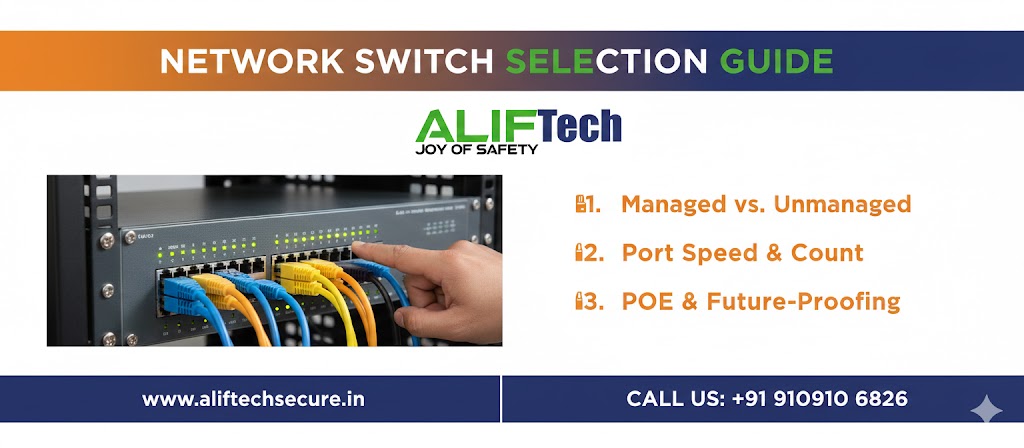
Network Switch Selection Guide: How to Choose the Right Switch
Network switch selection is crucial for building reliable, high-performance networks. Whether setting up a home office or enterprise infrastructure, choosing the right network switch impacts speed, reliability, and future scalability. This comprehensive network switch selection guide covers everything from basic specifications to advanced features helping you make informed decisions.
Understanding networking fundamentals is essential before beginning network switch selection. First, switches connect multiple devices on your local network enabling communication. Moreover, they differ significantly from routers which connect networks to the internet. Therefore, proper switch selection ensures optimal network performance for your specific requirements.
For comprehensive networking equipment, explore various switch options. Additionally, review our business router guide for complete network infrastructure planning.
Understanding Network Switches
What Network Switches Do
Network switches are the backbone of local area networks (LANs). First, they receive data from connected devices. Then, they intelligently forward traffic only to intended destinations. Additionally, modern switches provide power to devices through PoE (Power over Ethernet).
Moreover, switches operate at Layer 2 (Data Link) of the OSI model using MAC addresses to route traffic. Furthermore, managed switches can operate at Layer 3 providing routing capabilities. Finally, they enable efficient communication between computers, printers, servers, IP cameras, and other networked devices.
Switches vs Hubs vs Routers
Understanding these differences aids network switch selection:
Switches: Intelligently forward data to specific devices (most common for LANs) Hubs: Broadcast data to all ports (obsolete, inefficient) Routers: Connect different networks, provide internet access (different purpose than switches)
Therefore, switches are essential for connecting multiple devices on the same network. Moreover, they work alongside routers, not as replacements.
Learn about PoE switch installation for power delivery implementation.
Managed vs Unmanaged Switches
Unmanaged Switches
Unmanaged switches are plug-and-play devices requiring zero configuration. First, connect power and Ethernet cables—they work immediately. Then, devices communicate automatically. Additionally, they’re affordable and simple.
Advantages:
- No configuration needed
- Lower cost (₹1,500-8,000 for 8-port)
- Simple operation
- Reliable for basic needs
- Perfect for home networks
Disadvantages:
- No advanced features
- Cannot prioritize traffic
- No VLANs or security controls
- Limited monitoring capabilities
- Not suitable for complex networks
Best For: Home networks, small offices (under 10 devices), simple connectivity needs, users wanting plug-and-play simplicity.
Managed Switches
Managed switches offer complete configuration control through web interface or CLI. First, they provide VLAN support for network segmentation. Then, QoS (Quality of Service) prioritizes critical traffic. Additionally, port mirroring enables network monitoring.
Advantages:
- Full configuration control
- VLAN support for security
- QoS for traffic prioritization
- Port monitoring and management
- SNMP for network monitoring
- Advanced security features
Disadvantages:
- Higher cost (₹8,000-₹2,00,000+)
- Requires networking knowledge
- Complex initial setup
- Ongoing management needed
Best For: Businesses with 15+ devices, networks requiring VLANs, environments needing QoS (VoIP, video), security-conscious organizations, IT professionals.
Smart/Web-Managed Switches
Smart switches provide middle ground between unmanaged and fully managed. First, they offer basic management through simple web interface. Then, provide essential features like VLANs and QoS. Additionally, they cost less than fully managed switches.
Features:
- Web-based configuration
- Basic VLAN support
- Simple QoS settings
- Port monitoring
- More affordable than fully managed
Best For: Growing small businesses, networks needing some management without complexity, budget-conscious buyers wanting basic features.
Check our access point installation guide for comprehensive network planning.
Port Count and Density
Determining Required Ports
Accurate port calculation is crucial in network switch selection. First, count all devices requiring wired connections: computers, printers, access points, IP cameras, servers, VoIP phones, and network storage (NAS).
Port Planning Formula: Current devices + 30% growth buffer + 2 uplink ports = Total ports needed
Example: 10 current devices + 3 future devices + 2 uplinks = 15 ports minimum Therefore, choose 16 or 24-port switch for adequate capacity.
Moreover, plan for unexpected needs. Furthermore, extra ports cost relatively little but running out is expensive.
Common Port Configurations
5-Port Switches: Home networks, desktop connectivity (₹1,000-3,000) 8-Port Switches: Small offices, home labs (₹1,500-8,000) 16-Port Switches: Medium offices, growing businesses (₹6,000-25,000) 24-Port Switches: Standard business deployment (₹10,000-50,000) 48-Port Switches: Large offices, data centers (₹25,000-₹2,00,000+)
Additionally, consider rack-mountable vs desktop form factors. Moreover, 19-inch rack switches suit server rooms while desktop models fit office environments.
Speed and Bandwidth
Ethernet Speed Standards
Network switch selection requires understanding speed options:
Fast Ethernet (100 Mbps): Obsolete for new deployments, adequate only for basic internet browsing Gigabit Ethernet (1 Gbps): Current standard for business networks, handles most applications well 2.5 Gigabit Ethernet: Emerging standard for WiFi 6 access points, future-proofing 10 Gigabit Ethernet: High-performance applications, server connections, backbone links
Therefore, minimum Gigabit Ethernet for all new installations. Moreover, 10 Gigabit uplinks future-proof infrastructure.
Switching Capacity
Switching capacity indicates maximum throughput. First, calculate required capacity: (Number of ports × Port speed × 2) = Minimum switching capacity.
Example: 24-port Gigabit switch 24 × 1 Gbps × 2 = 48 Gbps minimum switching capacity
Additionally, choose switches with non-blocking architecture ensuring full speed on all ports simultaneously. Moreover, backplane capacity should exceed calculated requirements.
Reference our IP camera network setup for bandwidth-intensive applications.
PoE (Power over Ethernet)
PoE Standards and Power Budget
PoE delivers power through Ethernet cables in network switch selection. First, IEEE 802.3af (PoE) provides 15.4W per port for basic devices. Then, IEEE 802.3at (PoE+) delivers 30W per port for advanced devices. Finally, IEEE 802.3bt (PoE++ or Ultra PoE) supplies 60-100W per port for high-power equipment.
Power Budget Calculation: List all PoE devices with power requirements, sum total power needed, add 20% buffer, ensure switch power budget exceeds total.
Example: 8× IP cameras (15W each) + 4× access points (25W each) = 120W + 100W = 220W Add 20% buffer = 264W minimum power budget
Therefore, choose switch with 300W+ power budget.
PoE vs Non-PoE Switches
Choose PoE Switches For:
- IP cameras and surveillance systems
- Wireless access points
- VoIP phones
- IoT sensors and devices
- Locations without nearby power outlets
Choose Non-PoE Switches For:
- Computers and laptops (self-powered)
- Printers with power supplies
- Budget-conscious deployments
- Devices near power outlets
Moreover, PoE switches cost 50-100% more than non-PoE equivalent. However, they eliminate separate power adapters and simplify installation.
Explore PoE networking benefits for detailed implementation guidance.
Uplink and Stacking Options
SFP and SFP+ Uplinks
Uplink ports enable high-speed connections between switches or to servers. First, SFP (Small Form-factor Pluggable) ports support 1 Gbps fiber or copper. Then, SFP+ ports provide 10 Gbps connectivity.
Uplink Uses:
- Connecting multiple switches
- Server connections requiring high bandwidth
- Building-to-building links using fiber
- Network backbone connections
Moreover, fiber uplinks extend distances beyond copper’s 100-meter limit. Furthermore, they’re immune to electrical interference.
Switch Stacking
Stacking combines multiple physical switches into single logical unit. First, stacked switches share configuration and management. Then, they provide redundancy—if one fails, others continue operating. Additionally, bandwidth between stacked switches is very high (typically 40-80 Gbps).
Stacking Benefits:
- Simplified management (one IP, one configuration)
- High-speed inter-switch communication
- Redundancy and failover
- Scalability without management overhead
However, stacking requires compatible switches from same manufacturer. Moreover, stacking cables or modules cost extra.
Additional Features to Consider
VLAN Support
VLANs (Virtual LANs) segment network traffic for security and performance. First, separate employee from guest traffic. Then, isolate IP cameras from main network. Additionally, segment departments in larger organizations.
Moreover, VLANs reduce broadcast traffic improving performance. Furthermore, they enhance security by limiting lateral movement during breaches.
Quality of Service (QoS)
QoS prioritizes time-sensitive traffic in network switch selection. First, give priority to VoIP calls preventing choppy audio. Then, prioritize video conferencing for smooth meetings. Additionally, ensure critical business applications get adequate bandwidth.
Moreover, QoS prevents large downloads from degrading real-time services. Furthermore, it’s essential for networks with mixed traffic types.
Port Mirroring
Port mirroring copies traffic from one port to another for monitoring. First, useful for network troubleshooting and analysis. Then, enables security monitoring and intrusion detection. Additionally, supports traffic analysis and optimization.
Moreover, IT departments use port mirroring with packet analyzers. Furthermore, it’s valuable for compliance and auditing.
Link Aggregation (LAGG/LAG)
Link aggregation combines multiple ports into single high-bandwidth connection. First, two 1 Gbps ports become one 2 Gbps link. Then, provides redundancy—if one cable fails, others maintain connectivity. Additionally, increases throughput for high-traffic connections.
Moreover, essential for server connections handling heavy traffic. Furthermore, useful for switch-to-switch connections.
Check our network security practices for securing switch infrastructure.
Form Factor and Mounting
Desktop Switches
Desktop switches sit on desks or shelves. First, they’re compact and portable. Then, suitable for small deployments. Additionally, no rack required.
Advantages: Easy placement, affordable, portable Disadvantages: Limited port density, not suitable for racks
Best For: Home offices, small retail shops, desktop environments.
Rack-Mountable Switches
Rack switches install in 19-inch server racks. First, they conserve floor space. Then, centralize network equipment. Additionally, professional cable management.
Advantages: High port density, organized cabling, scalable Disadvantages: Require rack infrastructure, less portable
Best For: Server rooms, data centers, professional installations.
Wall-Mountable Switches
Some switches include wall-mount brackets. First, ideal for limited space. Then, keep equipment off floors. Additionally, suitable for industrial environments.
Best For: Retail stores, warehouses, locations without racks.
Energy Efficiency
IEEE 802.3az (Energy Efficient Ethernet)
Modern switches include energy-saving features. First, EEE (802.3az) reduces power during low traffic. Then, switches detect cable length adjusting power accordingly. Additionally, they power down unused ports.
Moreover, energy savings range 30-50% compared to older switches. Furthermore, reduced power lowers cooling costs.
Fanless vs Fan-Cooled
Fanless Switches:
- Silent operation (ideal for offices)
- Lower power consumption
- Fewer failure points (no fan to fail)
- Limited to lower port counts (heat dissipation)
Fan-Cooled Switches:
- Higher port density
- Better cooling for high-power PoE
- Audible noise
- Suitable for equipment rooms
Therefore, choose fanless for office environments and fan-cooled for dedicated network closets.
Budget Considerations
Cost by Category
Unmanaged Switches:
- 5-8 port: ₹1,000-3,000
- 8-16 port: ₹2,000-8,000
- 16-24 port: ₹5,000-15,000
Managed Switches (Non-PoE):
- 8-port: ₹5,000-15,000
- 16-port: ₹12,000-35,000
- 24-port: ₹20,000-70,000
- 48-port: ₹40,000-₹1,50,000
Managed PoE+ Switches:
- 8-port: ₹12,000-30,000
- 16-port: ₹25,000-65,000
- 24-port: ₹45,000-₹1,20,000
- 48-port: ₹80,000-₹2,50,000
Therefore, budget appropriately based on features needed. Moreover, quality switches last 5-7 years justifying investment.
Visit network switch suppliers for current pricing.
Brand Recommendations
Enterprise-Grade Brands
Cisco: Industry leader, excellent support, premium pricing (₹15,000-₹5,00,000+) HP/Aruba: Strong enterprise features, competitive pricing (₹10,000-₹3,00,000) Juniper: High-performance, advanced features (₹25,000-₹10,00,000+)
Best For: Large enterprises, mission-critical applications, organizations with dedicated IT.
Business-Class Brands
TP-Link: Affordable, reliable, good features (₹2,000-80,000) Netgear: Solid performance, SMB focused (₹3,000-₹1,00,000) D-Link: Budget-friendly, wide range (₹1,500-60,000) Ubiquiti: Excellent value, cloud management (₹4,000-₹1,20,000)
Best For: Small to medium businesses, budget-conscious deployments, growing organizations.
Home/SOHO Brands
TP-Link: Best value for home users (₹1,000-10,000) Netgear: Reliable home networking (₹1,500-12,000) TRENDnet: Budget options (₹1,000-8,000)
Best For: Home networks, home offices, basic connectivity.
Common Mistakes to Avoid
Underestimating Port Needs
Many users buy insufficient ports. First, calculate current needs plus growth. Then, add 30% buffer for unexpected requirements. Additionally, remember unused ports cost little but running out is expensive.
Ignoring PoE Requirements
Failing to account for PoE devices is costly. First, identify all PoE devices (cameras, access points, phones). Then, calculate total power budget. Additionally, verify switch supports required PoE standard (af, at, or bt).
Choosing Unmanaged When Managed Needed
Small businesses often buy unmanaged switches then outgrow them. First, consider future needs beyond basic connectivity. Then, evaluate if VLANs or QoS will be needed. Additionally, managed switches offer better troubleshooting.
Overlooking Switching Capacity
Cheap switches may have blocking architectures. First, verify switching capacity supports all ports at full speed. Then, check backplane bandwidth specifications. Additionally, ensure non-blocking design for critical applications.
Buying Underpowered PoE
Insufficient power budget causes device failures. First, sum all PoE device requirements. Then, add 20-30% buffer. Additionally, account for future PoE devices.
Network Switch Selection Checklist
Before purchasing, verify:
- ✓ Port count (current needs + 30% growth)
- ✓ Speed (minimum Gigabit Ethernet)
- ✓ Managed vs unmanaged decision
- ✓ PoE required and power budget calculated
- ✓ Form factor (desktop, rack, wall-mount)
- ✓ Uplink requirements (SFP/SFP+ ports)
- ✓ VLAN support if needed
- ✓ QoS capabilities for VoIP/video
- ✓ Budget alignment
- ✓ Brand reputation and warranty
- ✓ Future expansion capability
Conclusion: Making the Right Choice
Network switch selection significantly impacts network performance and reliability. First, carefully assess your current and future needs. Moreover, don’t compromise on essential features trying to save money. Additionally, quality switches last 5-7 years making them long-term investments.
Therefore, prioritize Gigabit speeds minimum, adequate port count with growth buffer, and managed switches for businesses with 10+ users. Furthermore, PoE switches simplify installations with cameras and access points despite higher cost.
Ultimately, successful network switch selection balances performance, features, and budget while planning for future growth. Whether deploying home networks or enterprise infrastructure, following this guide ensures you select switches that reliably serve your needs for years to come.
For complete network infrastructure, explore our video surveillance setup and smart security systems for integrated solutions.
Frequently Asked Questions: Network Switch Selection
Q: What’s the difference between managed and unmanaged switches?
A: Unmanaged switches are plug-and-play with no configuration needed, costing ₹1,500-8,000. Managed switches offer VLANs, QoS, monitoring, and full control but cost ₹8,000-₹2,00,000+ and require networking knowledge. Choose unmanaged for simple home networks, managed for businesses.
Q: How many ports do I need?
A: Count all wired devices, add 30% for growth, plus 2 uplink ports. Example: 10 devices + 3 growth + 2 uplinks = 15 ports minimum (choose 16 or 24-port switch).
Q: Do I need a PoE switch?
A: Yes if you have IP cameras, wireless access points, VoIP phones, or IoT sensors. Calculate total power needed and choose switch with adequate PoE budget (typically 15-30W per PoE device).
Q: What speed should I choose?
A: Minimum Gigabit Ethernet (1 Gbps) for all new installations. Fast Ethernet (100 Mbps) is obsolete. Consider 2.5 Gbps or 10 Gbps for high-performance applications or future-proofing.
Q: Can I mix different switch brands?
A: Yes, Ethernet is standardized. However, advanced features like stacking require same-brand switches. Moreover, consistent brands simplify management and support.
Q: What’s switching capacity and why does it matter?
A: Switching capacity is maximum throughput. Calculate: (ports × speed × 2). For 24-port Gigabit switch: 24 × 1 Gbps × 2 = 48 Gbps minimum. Non-blocking switches ensure full speed on all ports simultaneously.
Q: How much should I budget for a network switch?
A: Budget ₹1,000-8,000 for unmanaged home switches, ₹8,000-70,000 for managed business switches, and ₹25,000-₹2,50,000 for PoE managed switches depending on port count and features. Quality switches last 5-7 years.
Q: Do I need a Layer 3 switch?
A: Layer 3 switches provide routing between VLANs. Necessary for large networks with multiple VLANs needing inter-VLAN routing. Small businesses typically need only Layer 2 switches with router handling routing.

