
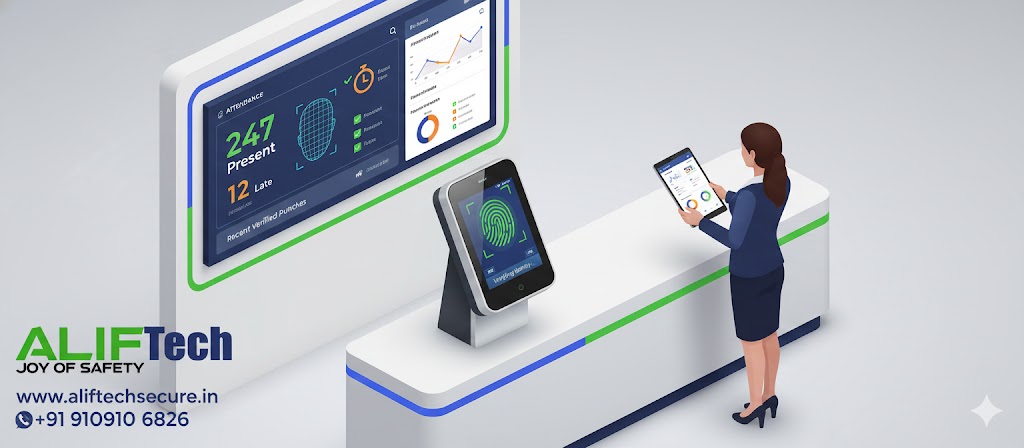
Biometric Attendance Systems: Complete Implementation Guide
Biometric attendance systems have revolutionized workforce management by eliminating time theft, buddy punching, and manual errors. This guide walks you through everything you need to know about implementing biometric attendance in your organization.
What is a Biometric Attendance System?
A biometric attendance system uses unique biological characteristics—fingerprints, facial features, iris patterns, or palm prints—to identify and record employee attendance. Unlike traditional punch cards or passwords, biometric data cannot be shared, stolen, or forgotten, ensuring accurate time tracking.
Types of Biometric Attendance Systems
Fingerprint Recognition
The most popular and cost-effective option, fingerprint systems scan and match unique ridge patterns on fingertips. They offer 99% accuracy, work quickly (1-2 seconds per scan), and are affordable for small to large organizations. However, they may struggle with damaged fingerprints from manual labor or certain medical conditions.
Face Recognition
Using AI-powered cameras, face recognition systems identify employees without physical contact. They’re ideal for hygiene-conscious environments, handle high traffic efficiently, and work even with masks (advanced models). The downside is higher initial cost and potential issues with lighting conditions or facial changes.
Iris Recognition
Iris scanning offers the highest accuracy (99.9%) by analyzing unique patterns in the colored ring around the pupil. It’s extremely secure and works well in high-security environments, though it comes at premium pricing and requires proper positioning for scanning.
Palm Vein Recognition
This contactless technology scans vein patterns beneath the palm skin. It’s highly secure, hygienic, and works regardless of skin conditions. However, it’s more expensive than fingerprint systems and less common in the market.
Key Benefits of Implementation
Eliminates Time Theft: Studies show businesses lose 4-7% of payroll to time theft. Biometric systems end buddy punching and early clock-ins, potentially saving thousands monthly.
Accurate Payroll Processing: Automated time tracking eliminates manual errors and reduces payroll processing time by 60-80%. Integration with payroll software ensures precise calculations based on actual work hours.
Enhanced Security: Biometric systems restrict access to authorized personnel only, improving workplace security and creating audit trails for compliance.
Increased Accountability: Employees cannot clock in for others, creating a culture of punctuality and responsibility. Detailed reports show patterns of tardiness or absenteeism.
Cost Savings: Despite initial investment, businesses typically see ROI within 6-12 months through reduced administrative costs, eliminated time theft, and improved productivity.
Implementation Steps
Step 1: Assess Your Requirements
Determine number of employees (100, 500, 1000+?), locations requiring coverage (single office or multiple branches), working environment (office, factory, outdoor), and budget constraints. This assessment guides your technology choice and system capacity.
Step 2: Choose the Right Technology
For offices and retail, fingerprint or face recognition works well. Manufacturing facilities benefit from rugged fingerprint or palm systems. High-security environments require iris or palm vein technology. Healthcare and food industries should opt for contactless face or iris systems.
Step 3: Select Software and Hardware
Choose between cloud-based systems (access from anywhere, automatic updates, subscription-based) or on-premise solutions (one-time cost, complete data control, local server required). Ensure the software integrates with your existing payroll, HR management, and access control systems.
Step 4: Plan Installation Locations
Mount devices at main entry/exit points, department entrances for large facilities, and multiple locations for organizations with 100+ employees. Ensure proper lighting for face recognition, network connectivity (WiFi or Ethernet), and power supply with backup options.
Step 5: Register Employees
Conduct training sessions explaining the system benefits and privacy measures. Register biometric data for each employee (2-3 fingerprints recommended for backup), assign employee IDs and access permissions, and test each registration for accuracy.
Step 6: Configure System Settings
Set work schedules, shift timings, and overtime rules. Configure late arrival and early departure thresholds, define break times and grace periods, and setup notification alerts for HR and managers. Establish backup procedures for system failures.
Step 7: Go Live and Monitor
Run a pilot phase with one department first, gather feedback and address issues, then roll out organization-wide. Monitor system performance daily for the first month and provide ongoing employee support.
Legal and Compliance Considerations
Data Protection: Comply with data protection laws like GDPR (Europe), PDPA (India), or local privacy regulations. Obtain explicit employee consent for biometric data collection and storage. Implement encryption for stored biometric templates and establish clear data retention and deletion policies.
Labor Laws: Ensure the system complies with working hour regulations and overtime laws. Maintain records as required by labor departments and provide employees access to their attendance records.
Privacy Policies: Create transparent policies explaining what data is collected, how it’s used and stored, who has access to it, and employee rights regarding their data. Regular audits ensure ongoing compliance.
Best Practices for Success
Choose Quality Hardware: Don’t compromise on device quality. Cheaper systems often have higher failure rates and lower accuracy, costing more in the long run.
Plan for Scalability: Select systems that can grow with your organization. Cloud-based solutions offer easier scaling than on-premise systems.
Regular Maintenance: Clean sensors monthly (fingerprint readers especially), update firmware and software regularly, test backup power systems, and replace worn-out devices promptly.
Employee Training: Conduct thorough training on proper biometric scanning techniques, explain privacy protections and data security, and maintain an open feedback channel for concerns.
Backup Systems: Have manual attendance procedures for system failures, maintain backup power for devices, and keep backup servers (on-premise systems) or use cloud redundancy.
Cost Considerations
Hardware Costs: Basic fingerprint devices start at ₹3,000-8,000 per unit. Face recognition systems range from ₹10,000-25,000. Premium iris scanners cost ₹30,000-60,000+.
Software Licensing: Cloud-based subscriptions run ₹100-300 per employee/month. On-premise software has one-time costs of ₹50,000-3,00,000 depending on features and user count.
Installation and Setup: Professional installation costs ₹10,000-50,000 based on complexity and number of locations.
Annual Maintenance: Budget 10-15% of initial hardware cost annually for maintenance contracts and support services.
Common Challenges and Solutions
Low Acceptance Issues: Fingerprint damage from manual work can be solved by registering multiple fingers or switching to face recognition. Dry fingers can be helped with hand lotion or adjusting sensor sensitivity.
Network Connectivity: Unstable internet affects cloud systems—use devices with offline data storage that syncs when connection is restored.
Integration Issues: Many systems struggle with legacy software—choose solutions with open APIs or use middleware for integration.
Privacy Concerns: Address employee fears with transparent communication about data security and legal compliance. Emphasize that biometric templates (not actual images) are stored and cannot be reverse-engineered.
Conclusion
Implementing a biometric attendance system is a strategic investment that pays dividends through improved accuracy, reduced fraud, and streamlined operations. Success depends on choosing the right technology for your environment, ensuring legal compliance, and maintaining employee trust through transparency. With proper planning and execution, organizations typically see complete ROI within one year while building a more accountable workforce.
Frequently Asked Questions
Q: Is biometric attendance legal in India?
A: Yes, but you must comply with the Digital Personal Data Protection Act 2023. Obtain employee consent, implement data security measures, and maintain transparent policies about data usage.
Q: What happens if the system fails or internet goes down?
A: Most modern devices store attendance data locally and sync automatically when connectivity is restored. Always have a manual backup procedure for emergencies.
Q: Can biometric data be hacked or stolen?
A: Biometric systems store encrypted templates, not actual fingerprints or photos. These templates cannot be reverse-engineered into the original biometric. However, ensure strong cybersecurity measures are in place.
Q: How accurate are biometric attendance systems?
A: Fingerprint systems offer 99% accuracy, face recognition 95-99%, and iris scanning 99.9%. Accuracy depends on device quality and environmental conditions.
Q: What’s the best biometric system for small businesses?
A: Fingerprint systems offer the best balance of cost and accuracy for small businesses (under 50 employees). They’re affordable, reliable, and easy to implement.
Q: How long does implementation take?
A: For small organizations (under 100 employees), expect 1-2 weeks. Larger implementations with multiple locations may take 1-3 months including planning, installation, and training.
Q: Do employees need to touch the device every time?
A: Fingerprint and palm systems require contact. Face recognition and iris scanning are completely contactless—ideal for hygiene-sensitive environments.
Q: Can the system work for remote or field employees?
A: Yes. Mobile biometric apps with GPS tracking allow remote employees to clock in/out from their smartphones with location verification.
