
Let me start with a real scenario.
A business owner in Vijay Nagar, Indore recently expanded his office from 5 to 18 employees. He was excited — new cabin, new furniture, new staff.
But within two weeks, he was pulling his hair out.
The internet was dropping every hour.
Half his team couldn’t connect to the printer.
The Wi-Fi in the conference room was painfully slow during client calls.
Nobody could figure out why.
The problem wasn’t the internet plan. He had a 100 Mbps leased line.
The problem was the network setup.
It was done casually, without planning — and it was costing him money, time, and client impressions every single day.
This story isn’t unique. It happens in offices across Indore every week.
If you’re setting up a new office, moving to a larger space, or tired of a network that feels like it was designed to frustrate you — this guide is for you.
Why Office Networking Is More Complicated Than It Looks
Most people think office networking is simple:
Get a router, plug in some cables, done.
That works for a home. It does not work for an office.
An office network needs to handle:
Video calls
Cloud software
Surveillance cameras
Biometric attendance machines
Printers
VoIP phones
Access control systems
All of these have different bandwidth needs and security requirements.
When everything runs on the same flat network without structure, devices compete with each other — and performance suffers.
Good office networking starts with proper planning before the first cable is installed. The decisions made at this stage determine whether your network runs smoothly for years — or becomes a daily headache.
The Core Components of a Proper Office Network
1. Structured Cabling — The Foundation Nobody Talks About
If your network were a building, structured cabling would be its foundation.
Structured cabling means installing high-quality Cat6 or Cat6A cables neatly through walls and ceilings — organized, labeled, and tested. Every workstation, IP camera, and access point gets a dedicated cable run back to a central termination point.
Why does this matter?
Wireless is convenient.
Wired connections are stable.
For video conferencing, CAD work, heavy file transfers, and cloud-based applications, wired connections are far more reliable.
In older commercial buildings in areas like Sapna Sangeeta, Sarwate Bus Stand, or parts of Vijay Nagar, cabling can be challenging. That’s why proper planning matters — not shortcuts.
2. The Network Rack — Your Command Center
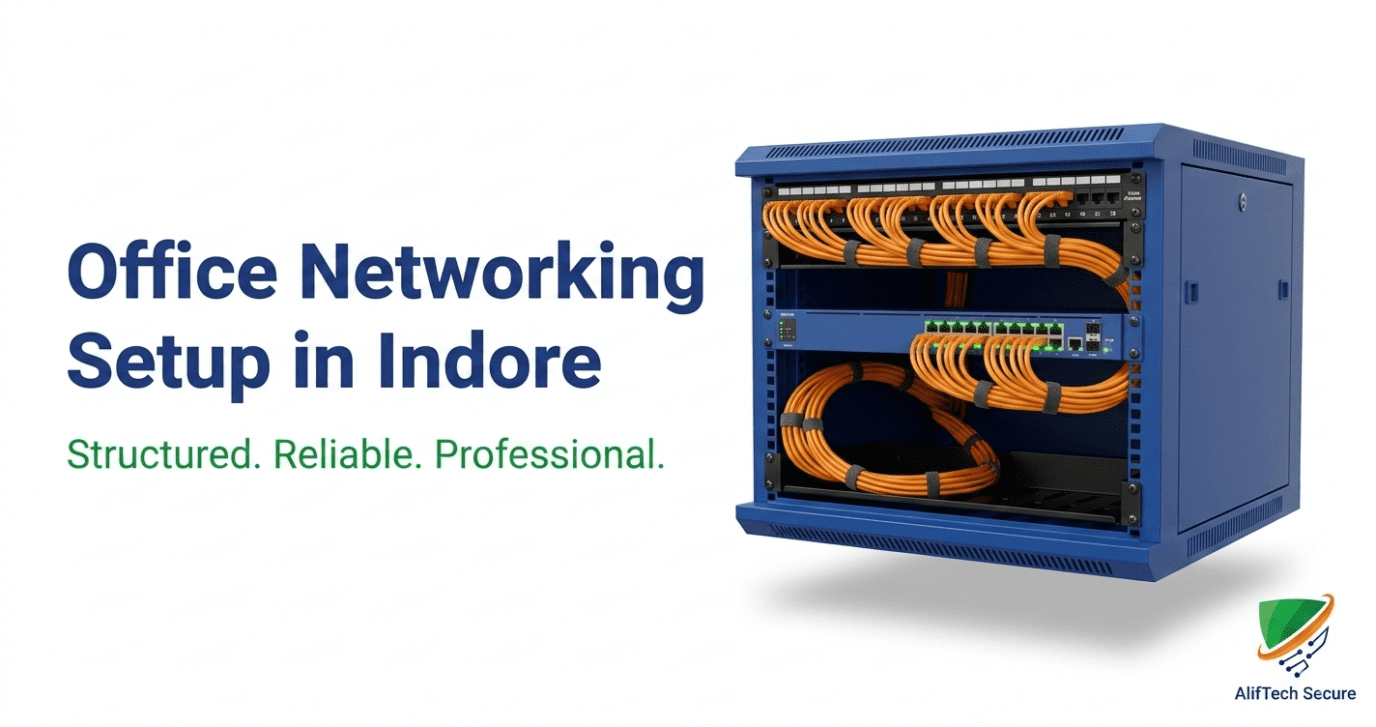
Every professional office needs a dedicated network rack.
This houses:
Router
Managed switch
Patch panel
UPS
NAS (if required)
A clean, labeled rack:
Makes troubleshooting easy
Reduces downtime
Simplifies future expansion
Protects your equipment
Doing this correctly from day one saves enormous time and cost later.
3. Managed Switches — Traffic Control for Your Network
A managed switch acts like a traffic control system.
It allows you to create VLANs (Virtual Local Area Networks), which separate traffic types:
Office computers
CCTV cameras
Guest Wi-Fi
VoIP phones
This improves both performance and security.
For offices with 10–50 employees, a 24-port or 48-port PoE managed switch is ideal.
PoE (Power over Ethernet) powers:
IP cameras
Wi-Fi access points
VoIP phones
No separate adapters required.
4. Wi-Fi That Actually Works Across Your Entire Office
Bad Wi-Fi is one of the most common complaints among Indore businesses.
The solution is rarely a faster internet plan.
The solution is proper Wi-Fi design.
Professional office setups use enterprise-grade access points from brands like:
TP-Link Omada
D-Link
Ubiquiti
A 1,000–3,000 sq ft office typically needs 2–4 properly placed access points — not a single router in the corner.
In multi-floor offices (Palasia, South Tukoganj, New Palasia), floor-by-floor planning is essential for seamless coverage.
5. Network-Level Security (Often Ignored)
Most local vendors skip this entirely.
Your office needs a dedicated business-grade router and firewall — not just the basic ISP device.
Routers like TP-Link ER605 allow:
Firewall rules
VLAN control
VPN access for remote staff
Traffic monitoring
If you handle client data or financial information, network security is not optional.
IP cameras should always be isolated on a separate VLAN with restricted internet access. Improperly configured cameras are common entry points for cyberattacks.
Common Networking Mistakes Businesses in Indore Make
After working with companies across Scheme 54, Vijay Nagar, and industrial units near Pithampur, these are the most common issues:
1. Using a Home Router in an Office
Home routers are not built for 20+ devices and CCTV traffic.
2. No UPS for Network Equipment
Power fluctuations can damage switches and routers. A small UPS protects your entire system.
3. Cheap, Low-Quality Cables
Poor cable quality leads to speed drops and long-term failures.
4. No Documentation
Every cable and port should be labeled and documented.
5. No Integration Between Wired and Wireless
Wi-Fi and structured cabling must be designed as one system.
Office Networking Cost in Indore (Estimated)
Costs vary depending on office size and complexity.
Small Office (Up to 10 Users | 500–800 sq ft)
₹25,000 – ₹60,000
Medium Office (10–30 Users | 1,000–2,500 sq ft)
₹65,000 – ₹1,80,000
Large Office / Multi-Floor (30+ Users)
₹2,00,000+
These estimates include hardware, structured cabling, installation, and configuration.
Remember:
The cheapest quote is rarely the best investment.
A poorly installed network costs far more in downtime and rework.
What to Look for in a Networking Company in Indore
Before choosing a vendor, ask:
Do they conduct a site survey?
Do they provide a detailed BOQ?
Can they show previous installations?
Do they handle both cabling and configuration?
What after-sales support is included?
A serious networking partner always starts with a site visit and proper planning.
Final Thought
Your office network is infrastructure.
Like electricity and water, you don’t think about it when it works — and you think about nothing else when it doesn’t.
Getting it right from the beginning isn’t an expense.
It’s an investment in productivity.
Need Office Networking Setup in Indore?
AlifTech Secure provides complete office networking solutions across Indore and Madhya Pradesh:
veiw our Structured cabling
veiw our Network racks
veiw our Managed switches
veiw our Enterprise Wi-Fi
veiw our CCTV & access control integration
📞 Call or WhatsApp +91-9109106826 us for a free site visit & consultation
🌐 https://aliftechsecure.in
📍 Palasia Square, Indore
Published by AlifTech Secure | Office Networking & Electronic Security Solutions | Indore, Madhya Pradesh
