The Omada Software Controller is a powerful and flexible solution for professional network management. If you want to manage a massive network without purchasing a separate physical hub, this software is the perfect choice. Specifically, it allows you to control up to 10,000 Omada access points, JetStream switches, and Omada routers. Consequently, it provides the scalability needed for large-scale enterprise deployments and high-density environments.
Enterprise Scaling with the Omada Software Controller
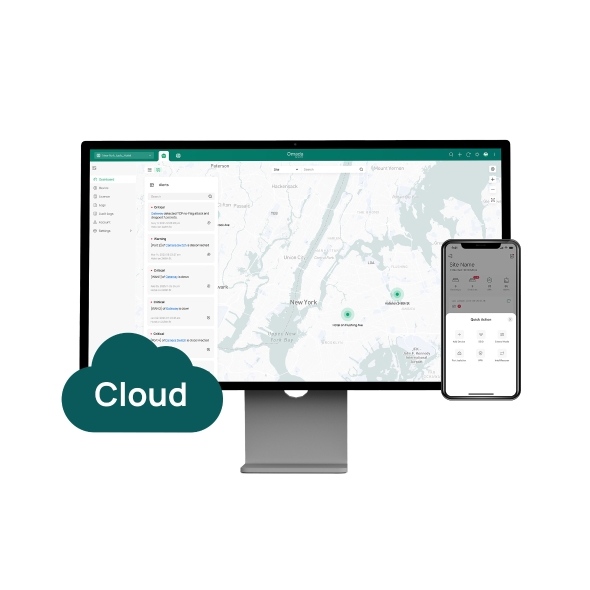
A major USP of the Omada Software Controller is that it is entirely free of charge. You can download and use the platform locally on a PC or server without any additional expense. Additionally, it supports cloud access for remote monitoring. This means you can manage your entire infrastructure with the Omada app or Web UI from anywhere in the world. Therefore, you get the same professional features as a hardware controller but with much higher device capacity.
Intelligent Monitoring and Visibility
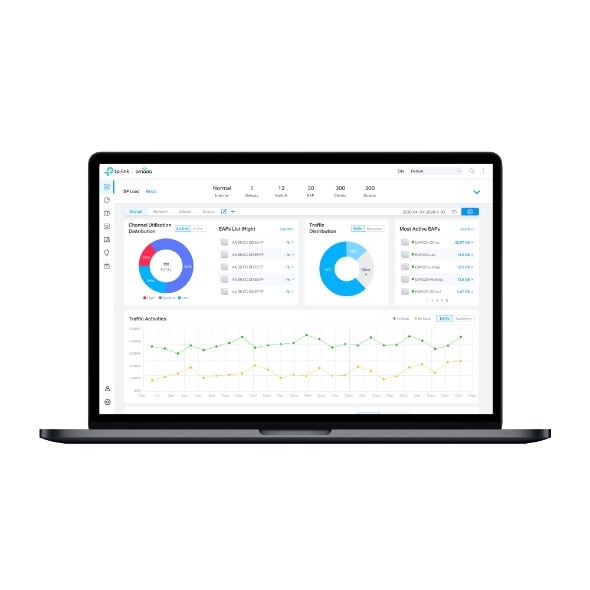
This software makes network maintenance simple for IT administrators. It features an easy-to-use dashboard that displays real-time network status and traffic distribution. Furthermore, the Omada Software Controller provides a real-time network topology map. This helps you quickly see and troubleshoot connections at a glance. Specifically, the built-in WiFi heatmap simulator allows you to plan your wireless coverage perfectly. As a result, you can ensure that every corner of your facility has a strong and stable connection.
Efficient Maintenance and Site Management
The platform is designed to handle complex network tasks with ease. It supports batch and multi-site management, which is essential for businesses with multiple branches. Additionally, it offers visualizable network reports to help you track performance over time. Because the software is highly stable, it ensures that your network policies are always active. Specifically, the easy firmware upgrade feature allows you to keep all your devices secure with just a few clicks. Consequently, your network remains protected against modern security threats while staying up to date.
Key Technical Specifications:
Capacity: Manages up to 10,000 total Omada devices.
Cost: Free to download and use on Windows or Linux.
Connectivity: Supports both local and cloud-based management.
Visuals: Includes real-time topology and Wi-Fi heatmaps.
Maintenance: Supports batch configuration and scheduling.


Reviews
There are no reviews yet.