
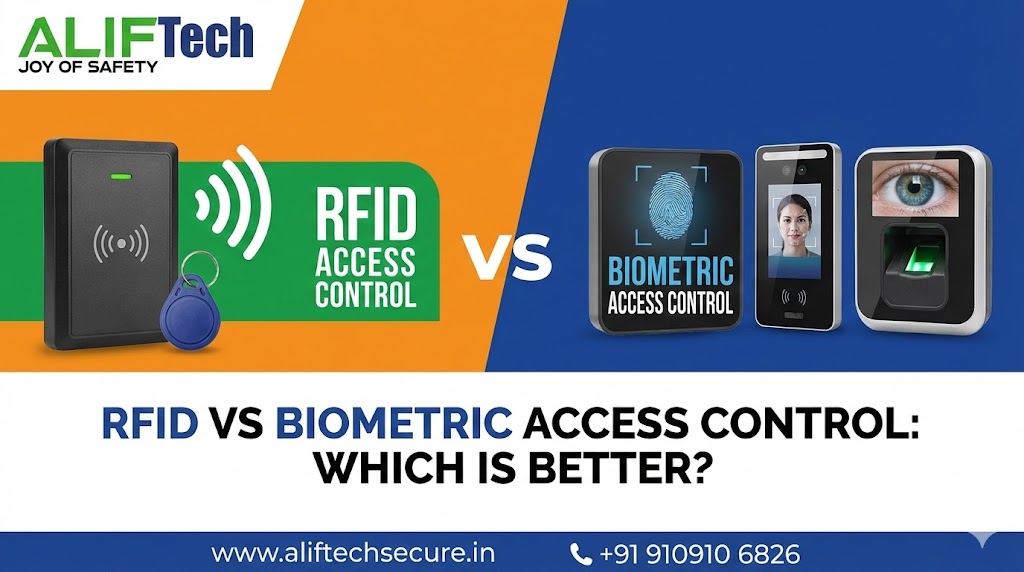
RFID vs Biometric Access Control: Which is Better?
Choosing between RFID vs biometric access control is crucial for facility security. Both technologies control who enters your premises, but they differ significantly in security level, cost, convenience, and maintenance. This comprehensive guide compares RFID vs biometric access control systems helping you select the right solution for your organization.
Understanding access control fundamentals is essential before evaluating RFID vs biometric options. First, access control systems authenticate users before granting entry to secured areas. Moreover, they create audit trails tracking who accessed which areas and when. Therefore, selecting between RFID card systems and biometric authentication requires analyzing your specific security requirements.
For comprehensive access control solutions, explore various authentication methods. Additionally, review our biometric system guide for implementation details.
Understanding Access Control Technologies
How RFID Access Control Works
RFID (Radio Frequency Identification) systems use contactless cards or key fobs for authentication. First, users present their credential to a reader. Then, the reader captures the card’s unique identifier via radio waves. Finally, the system verifies credentials against a database before granting access.
Additionally, RFID technology operates at different frequencies: Low Frequency (125 kHz) offers basic security with shorter read range, High Frequency (13.56 MHz) provides better security and is used in contactless payment cards, and Ultra-High Frequency (860-960 MHz) enables long-range reading up to several meters.
Moreover, RFID systems are mature, reliable technology with decades of proven use. Furthermore, they’re familiar to most users requiring minimal training.
How Biometric Access Control Works
Biometric systems authenticate users based on unique physical characteristics. First, users present their biometric trait (fingerprint, iris, face) to a reader. Then, the system captures and analyzes the biometric data. Finally, it matches against enrolled templates before granting access.
Common Biometric Technologies:
- Fingerprint scanners (most popular)
- Iris recognition (highest security)
- Facial recognition (contactless convenience)
- Palm vein scanning (hygienic, accurate)
Additionally, biometric authentication offers inherent security advantages—you can’t lose, forget, or share your fingerprint. Moreover, modern systems include liveness detection preventing spoofing with fake biometrics.
Learn about fingerprint vs iris comparison for detailed biometric technology analysis.
Security Comparison: RFID vs Biometric
RFID Security Strengths and Weaknesses
RFID access control provides moderate security suitable for many applications. First, cards are encrypted preventing simple cloning. Then, readers can be configured for additional security layers.
Security Strengths:
- Multi-factor capability (card + PIN)
- Encrypted credentials on modern cards
- Easy credential revocation
- Quick lockout of lost or stolen cards
- Audit trails of access events
Security Weaknesses:
- Cards can be lost, stolen, or shared
- Sophisticated cloning attacks possible
- No verification that authorized person uses card
- Tailgating—unauthorized person following cardholder
- Card borrowing between employees
Therefore, RFID works well for general access control but has limitations for high-security areas. Moreover, security depends on users protecting their credentials.
Biometric Security Advantages
Biometric access control offers superior security compared to RFID. First, biometric traits are unique to individuals and cannot be transferred. Then, systems verify the actual person is present, not just their credential.
Security Advantages:
- Cannot be lost, stolen, or forgotten
- Nearly impossible to share or transfer
- Verifies individual’s physical presence
- Prevents buddy punching and credential sharing
- Sophisticated anti-spoofing measures
- Higher false acceptance rejection rates
Security Considerations:
- Enrollment quality affects accuracy
- Some biometrics easier to spoof than others
- Privacy concerns with biometric data storage
- Backup authentication needed for failures
Therefore, biometric systems provide maximum security for sensitive areas. Additionally, they eliminate credential management issues inherent to card systems.
For integrated security, check our smart lock installation guide for residential applications.
Cost Analysis: RFID vs Biometric Systems
RFID Access Control Costs
RFID systems typically have lower initial investment but ongoing credential costs:
Initial Investment:
- RFID readers: ₹3,000-15,000 per door
- Controller/panel: ₹10,000-50,000
- Software licensing: ₹15,000-75,000
- Installation per door: ₹2,000-5,000
- RFID cards: ₹50-200 per card
Small Office (10 employees, 2 doors):
- Hardware: ₹20,000-40,000
- Software: ₹15,000-30,000
- Initial cards: ₹1,000-2,000
- Installation: ₹5,000-10,000
- Total: ₹41,000-82,000
Ongoing Costs:
- Replacement cards: ₹5,000-10,000/year
- Card printer (if needed): ₹30,000-1,50,000
- Software updates: ₹5,000-15,000/year
- Maintenance: ₹5,000-15,000/year
Moreover, card replacement for lost/damaged credentials adds continuous expense. Additionally, visitor management requires temporary cards or badges.
Biometric Access Control Costs
Biometric systems require higher initial investment but minimal ongoing costs:
Initial Investment:
- Fingerprint readers: ₹8,000-25,000 per door
- Iris scanners: ₹25,000-1,00,000 per door
- Facial recognition: ₹15,000-50,000 per door
- Controller/panel: ₹20,000-75,000
- Software licensing: ₹25,000-1,00,000
- Installation per door: ₹3,000-8,000
Small Office (10 employees, 2 doors):
- Hardware (fingerprint): ₹30,000-70,000
- Software: ₹25,000-50,000
- Installation: ₹8,000-16,000
- Total: ₹63,000-1,36,000
Ongoing Costs:
- No credential replacement needed
- Software updates: ₹5,000-20,000/year
- Maintenance: ₹8,000-20,000/year
- Sensor cleaning/replacement: ₹2,000-5,000/year
Therefore, biometric systems cost 50-65% more initially but save on ongoing credential management. Additionally, for large organizations (100+ employees), biometric cost per user becomes competitive.
Visit access control suppliers for current pricing.
Convenience and User Experience
RFID System Convenience
RFID access control offers excellent convenience for users. First, authentication is nearly instantaneous—simply tap card and go. Then, users can access multiple facilities with one card. Additionally, cards fit easily in wallets or badge holders.
Convenience Factors:
- Fast authentication (under 1 second)
- Hands-free operation with proximity cards
- Works with gloves, dirty hands, or injuries
- Easy visitor management with temporary cards
- Simple to issue replacement credentials
- Familiar technology requiring no training
Inconvenience Issues:
- Users must remember to carry cards
- Cards can be left at home or lost
- Requires physical possession of credential
- Multiple cards for different systems burden users
- Card damage requires replacement
Therefore, RFID excels in convenience for authorized users. However, credential management creates administrative burden.
Biometric System Convenience
Biometric access control eliminates credential management but introduces different considerations. First, authentication takes 1-3 seconds depending on biometric type. Then, users never forget or lose their credentials. Additionally, no cards to carry or replace.
Convenience Advantages:
- Nothing to carry, lose, or forget
- Hands-free facial recognition options
- No credential sharing reduces security risks
- Eliminates card issuance/replacement processes
- Faster throughput once positioned correctly
Convenience Challenges:
- Initial enrollment takes longer (2-5 minutes)
- Some biometrics affected by injuries or conditions
- Fingerprint issues with damaged skin
- May require proper positioning for iris/face scanning
- Hygiene concerns with contact-based systems
Therefore, biometric systems offer convenience through credential elimination. Moreover, touchless options like facial recognition provide optimal user experience.
Explore our video door phone comparison for residential access control options.
Hygiene and Health Considerations
RFID Hygiene Benefits
RFID access control minimizes shared surface contact. First, proximity cards work without touching readers. Then, users can sanitize their personal cards easily. Additionally, contactless operation reduces disease transmission.
Moreover, RFID suits healthcare environments where hand hygiene is critical. Furthermore, cards can be embedded in washable badge holders. Finally, the technology works despite frequent handwashing.
Biometric Hygiene Concerns
Biometric systems present varying hygiene considerations depending on technology:
Contact-Based Systems (Fingerprint):
- Shared surface contact with each use
- Requires regular reader cleaning
- Potential disease transmission concern
- Users may resist touching shared surfaces
- Post-pandemic hygiene awareness
Contactless Systems (Iris, Facial Recognition):
- No physical contact required
- Superior hygiene for healthcare/food service
- Eliminates cross-contamination concerns
- User acceptance higher for touchless options
Therefore, contactless biometric options offer best hygiene. Additionally, facial recognition and iris scanning suit environments prioritizing infection control.
Reference our fire alarm installation guide for complete building safety.
Scalability and Management
RFID System Scalability
RFID access control scales efficiently for organizations of any size. First, adding users simply requires issuing new cards. Then, readers connect to centralized management systems. Additionally, multiple facilities can share credential databases.
Scalability Advantages:
- Easy to add new users (issue cards)
- Simple integration with existing systems
- Supports visitor management efficiently
- Works across multiple buildings/locations
- Temporary access easy to grant/revoke
Management Requirements:
- Credential lifecycle management
- Lost/stolen card procedures
- Card inventory maintenance
- Printer supplies and equipment
- Visitor badge processes
Therefore, RFID systems offer excellent scalability. Moreover, credential management becomes significant with growth.
Biometric System Scalability
Biometric access control scales well but differently than RFID. First, adding users requires biometric enrollment. Then, databases handle thousands to millions of templates. Additionally, no physical credential distribution needed.
Scalability Considerations:
- No credential issuance/management
- Enrollment takes longer than card issuance
- Database size affects matching speed
- Quality enrollment ensures accuracy
- Backup enrollment recommended (multiple fingers)
Management Benefits:
- No lost/stolen credential issues
- Automatic deactivation upon employee departure
- No physical credential inventory
- Simpler visitor management (pre-enrollment or temporary PIN)
Therefore, biometric systems reduce credential management overhead. Additionally, they scale effectively for large organizations.
Integration Capabilities
RFID System Integration
RFID access control integrates easily with existing infrastructure. First, most building management systems support RFID. Then, standardized protocols (Wiegand, OSDP) ensure compatibility. Additionally, RFID works with time attendance, elevator control, and parking systems.
Moreover, RFID cards can combine multiple functions—access, payment, identification. Furthermore, mobile credentials (phone-based) increasingly replace physical cards. Finally, cloud-based systems enable remote management.
Biometric System Integration
Biometric access control requires more specialized integration. First, systems need adequate network bandwidth for template matching. Then, integration protocols must support biometric data formats. Additionally, some legacy systems lack biometric support.
However, modern biometric systems offer comprehensive integration. Moreover, they connect with HR systems automatically enrolling/removing employees. Furthermore, they integrate with video surveillance triggering recording on access events.
Check our IP camera network guide for surveillance integration.
Use Case Recommendations
Choose RFID Access Control For:
Office Buildings: Cost-effective solution for general office access where moderate security suffices. Moreover, easy visitor management with temporary cards. Additionally, familiar technology ensures user acceptance.
Educational Institutions: Schools and universities benefit from RFID’s scalability and ease of use. Furthermore, cards serve multiple purposes (library, cafeteria, access). Additionally, student ID cards are expected.
Retail and Hospitality: Quick access for staff entering work areas. Moreover, temporary cards for contractors and deliveries. Additionally, cost-effective for high-turnover industries.
Multi-Tenant Buildings: Centralized management of multiple tenants. Furthermore, easy to issue/revoke credentials per tenant. Additionally, compatibility with parking and elevator systems.
Budget-Conscious Organizations: Lower initial investment makes RFID attractive for smaller budgets. Moreover, proven technology reduces implementation risk.
Choose Biometric Access Control For:
High-Security Facilities: Government buildings, data centers, research labs requiring maximum security. Moreover, biometrics verify individual presence preventing credential sharing. Additionally, audit trails are person-specific.
Healthcare Facilities: Hospitals and clinics where hand hygiene matters. Furthermore, contactless facial or iris recognition prevents cross-contamination. Additionally, eliminates credential sharing between staff.
Manufacturing and Industrial: Workers with dirty hands or gloves benefit from facial recognition. Moreover, reduces credential loss in harsh environments. Additionally, accurate time attendance prevents buddy punching.
Financial Institutions: Banks and investment firms requiring high security. Furthermore, biometrics protect sensitive customer data access. Additionally, regulatory compliance increasingly requires biometric authentication.
Organizations Fighting Time Theft: Businesses losing money to buddy punching and credential sharing. Moreover, biometrics ensure accurate time tracking. Additionally, ROI often justifies higher investment.
Reference our burglar alarm comparison for comprehensive security planning.
Hybrid Solutions: Best of Both Worlds
Many organizations implement hybrid systems combining technologies. First, use RFID for general employee access. Then, add biometric authentication for high-security areas. Additionally, this balances cost with security requirements.
Hybrid Benefits:
- Cost-effective general access control
- Maximum security for sensitive zones
- User convenience for most areas
- Redundancy if one system fails
- Flexible security levels by area
Moreover, multi-factor authentication combines RFID card plus biometric for ultimate security. Furthermore, this approach satisfies varying security needs across facilities.
Side-by-Side Comparison
| Feature | RFID Access Control | Biometric Access Control |
|---|---|---|
| Security Level | Moderate | High |
| Initial Cost | ₹40,000-80,000 (small) | ₹60,000-1,40,000 (small) |
| Ongoing Costs | Higher (card replacement) | Lower (no credentials) |
| Authentication Speed | Under 1 second | 1-3 seconds |
| User Convenience | High (if card not lost) | Very High (nothing to carry) |
| Hygiene | Good (contactless cards) | Varies (touchless best) |
| Credential Sharing | Easy (security risk) | Impossible |
| Visitor Management | Easy (temp cards) | More complex |
| Maintenance | Low-moderate | Moderate |
| Scalability | Excellent | Excellent |
| Privacy Concerns | Low | Moderate-High |
| Best For | General business use | High security needs |
Privacy and Compliance
Both RFID and biometric systems must comply with data protection regulations. First, obtain explicit consent for data collection. Then, encrypt all stored information. Additionally, establish clear data retention policies.
RFID Privacy:
- Card numbers are identifiers, not personal data
- Lower privacy concerns than biometrics
- Simple to anonymize in audit trails
- Easier regulatory compliance
Biometric Privacy:
- Biometric data considered sensitive personal information
- Must comply with GDPR, PDPA, or local privacy laws
- Store templates, not raw biometric images
- Provide opt-out alternatives where legally required
- Regular security audits mandatory
Therefore, biometric systems face stricter privacy requirements. Moreover, legal compliance adds cost and complexity to implementation.
Check data protection guidelines for compliance requirements.
Conclusion: Making the Right Choice
Choosing between RFID vs biometric access control depends on your security requirements, budget, and user population. First, RFID systems offer cost-effective, convenient access control for general business applications with moderate security needs. Conversely, biometric systems provide superior security eliminating credential sharing and loss issues despite higher initial investment.
Moreover, consider your environment—harsh conditions favor contactless biometrics while clean offices work well with RFID. Additionally, evaluate user acceptance—some populations resist biometric collection while others appreciate credential-free convenience. Furthermore, assess long-term costs—biometric systems often justify their premium through eliminated credential management.
Therefore, most organizations should deploy RFID for general access control while reserving biometric authentication for high-security areas requiring maximum protection. Alternatively, implement hybrid systems balancing cost with security. Ultimately, both technologies offer reliable access control; the right choice depends on prioritizing security, convenience, cost, and privacy considerations specific to your organization.
For complete facility security, explore our network security practices and business router selection for infrastructure planning.
Frequently Asked Questions: Access Control Systems
Q: Which is more secure, RFID or biometric access control?
A: Biometric systems are significantly more secure than RFID. Specifically, biometrics verify the actual person is present preventing credential sharing, loss, or theft. However, RFID with multi-factor authentication (card + PIN) provides adequate security for most business applications.
Q: Are biometric systems more expensive than RFID?
A: Yes, biometric systems cost 50-65% more initially (₹60,000-1,40,000 vs ₹40,000-80,000 for small installations). However, biometrics eliminate ongoing card replacement costs. Therefore, for large organizations, total cost of ownership becomes competitive over 3-5 years.
Q: Can RFID cards be cloned or hacked?
A: Basic 125 kHz RFID cards are vulnerable to cloning. However, modern high-frequency (13.56 MHz) cards with encryption are extremely difficult to clone. Additionally, implementing multi-factor authentication (card + PIN) prevents unauthorized access even if cards are cloned.
Q: What happens if someone’s fingerprint doesn’t work?
A: Biometric systems should enroll multiple fingers as backup. Additionally, most systems allow alternative authentication (PIN code, mobile app, or admin override). Moreover, facial or iris recognition offers alternatives for users with fingerprint issues from injuries or skin conditions.
Q: Which system is better for high employee turnover?
A: RFID is typically better for high-turnover environments. First, issuing new cards takes seconds vs minutes for biometric enrollment. Moreover, collecting cards from departing employees is straightforward. However, biometrics eliminate card inventory management and replacement costs.
Q: Do biometric systems work with gloves?
A: Fingerprint systems generally don’t work through gloves. However, facial recognition or iris scanning works regardless of hand coverings. Therefore, industrial environments with glove requirements should deploy contactless biometric technologies or RFID cards.
Q: Can I use my smartphone instead of RFID cards?
A: Yes, many modern RFID systems support mobile credentials using NFC or Bluetooth. Specifically, employees use smartphone apps instead of physical cards. Moreover, this eliminates card issuance while maintaining RFID system benefits. Additionally, mobile credentials are more secure and harder to share.
Q: Which technology is faster for access?
A: RFID is slightly faster with under 1-second authentication vs 1-3 seconds for biometrics. However, once users become familiar with positioning, speed difference is negligible for most applications. Moreover, throughput for multiple users simultaneously may favor RFID at busy entrances.
