
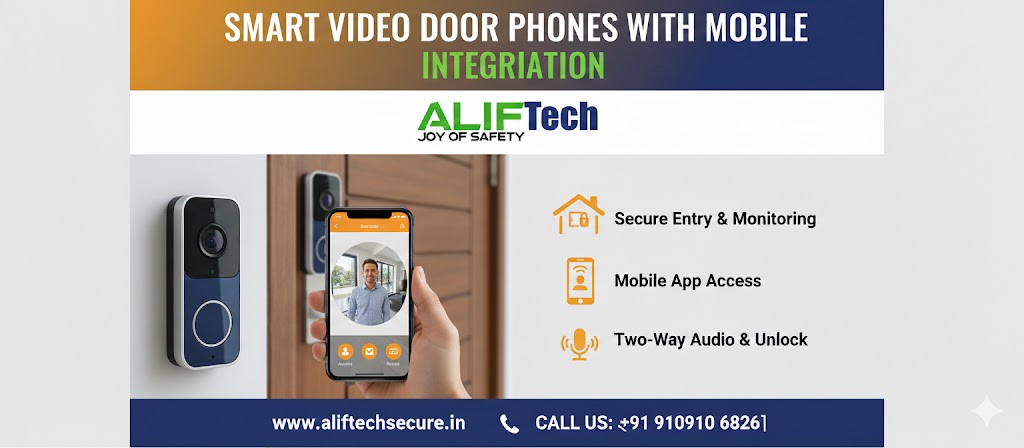
Smart Video Door Phones with Mobile Integration: Complete Guide
Smart video door phones with mobile integration have revolutionized home security, allowing you to see and speak with visitors from anywhere in the world. These advanced systems combine traditional video intercoms with smartphone connectivity, cloud storage, and intelligent features. This comprehensive guide explores everything about smart video door phones with mobile integration.
Understanding modern door phone technology is essential before purchasing. First, smart video door phones connect to your home WiFi network. Moreover, they send real-time notifications to your smartphone when someone rings the doorbell. Therefore, you can answer your door whether you’re at work, traveling, or simply in another room.
For comprehensive video door phone options, explore various systems. Additionally, review our IP vs analog comparison for technology selection guidance.
What Are Smart Video Door Phones?
Core Technology Explained
Smart video door phones combine traditional intercom systems with modern connectivity. First, they include high-definition cameras capturing visitor images and video. Then, two-way audio enables conversation with visitors. Additionally, WiFi or internet connectivity enables mobile app access.
Moreover, cloud storage preserves visitor recordings for later review. Furthermore, motion detection triggers automatic recording even when doorbell isn’t pressed. Finally, smart home integration allows coordination with other devices like lights or locks.
Key Differences from Traditional Door Phones
Traditional video door phones display visitors only on wired indoor monitors. Conversely, smart systems with mobile integration offer remote access from smartphones anywhere with internet. Additionally, smart versions provide cloud recording, motion alerts, and integration with home automation systems.
Therefore, mobile integration transforms simple intercoms into comprehensive security and convenience solutions. Moreover, multiple family members can access the system simultaneously through their phones.
Learn about smart lock integration for complete entry control solutions.
Essential Features of Smart Video Door Phones
High-Definition Video Quality
Modern systems offer excellent video clarity. First, look for minimum 1080p resolution ensuring clear facial recognition. Then, verify wide-angle lens (typically 160-180 degrees) capturing full body and packages. Additionally, night vision with infrared LEDs provides visibility in complete darkness.
Moreover, HDR (High Dynamic Range) technology balances bright backgrounds and shadowed faces. Furthermore, video quality significantly impacts security value—blurry footage helps no one.
Two-Way Audio Communication
Clear communication is essential for smart video door phones. First, noise cancellation filters background sounds ensuring clear conversation. Then, echo suppression prevents feedback during calls. Additionally, sufficient speaker volume ensures visitors hear you clearly.
Moreover, some systems offer pre-recorded quick responses (“Please leave package at door”). Furthermore, audio quality should work even in windy or noisy conditions.
Motion Detection and AI Features
Intelligent detection enhances security beyond simple doorbell presses. First, motion sensors trigger recording when someone approaches your door. Then, customizable detection zones prevent alerts from passing cars or pedestrians.
Advanced AI Features:
- Person detection (distinguishes people from animals/objects)
- Package detection (alerts when delivery left at door)
- Facial recognition (identifies known visitors)
- Loitering alerts (person lingers at door)
- Vehicle detection (car in driveway)
Moreover, AI reduces false alerts from trees, shadows, or animals. Furthermore, these features require cloud subscriptions typically.
Cloud Storage and Local Recording
Recording preserves evidence and lets you review missed visitors. First, cloud storage provides secure off-site backup (subscription required, ₹200-800/month). Then, local storage uses SD cards or NVR (no monthly fees).
Additionally, consider retention periods—how long recordings are kept. Moreover, verify if cloud subscription is optional or mandatory. Furthermore, local storage eliminates subscription costs but requires physical security.
Check our IP camera network guide for surveillance integration strategies.
Smart Home Integration
Integration maximizes convenience in smart video door phones. First, connect with Amazon Alexa for voice announcements (“Someone’s at the front door”). Then, integrate Google Home for similar functionality. Additionally, Apple HomeKit provides secure access through Home app.
Moreover, trigger automations: doorbell press turns on porch lights, unlocks smart lock for expected visitors, or starts camera recording. Furthermore, create scenes coordinating multiple devices.
Power Options
Smart video door phones offer various power solutions:
Battery-Powered: Rechargeable batteries lasting 2-6 months (easy installation, periodic charging needed)
Wired (Existing Doorbell): Uses existing doorbell wiring (no charging needed, requires 16-24V transformer)
Hardwired: Direct 12V power connection (most reliable, requires electrical work)
PoE (Power over Ethernet): Single cable provides power and data (professional installation, very reliable)
Therefore, choose based on existing infrastructure and installation preferences. Moreover, battery models suit renters or those avoiding electrical work.
Top Smart Video Door Phone Brands
Ring Video Doorbell
Amazon’s Ring dominates the smart doorbell market. First, excellent app with intuitive interface. Then, seamless integration with Alexa and Ring cameras. Additionally, professional monitoring available.
Key Features:
- 1080p HD video with HDR
- Advanced motion detection zones
- Cloud storage (requires subscription)
- Affordable pricing (₹8,000-20,000)
- Wide accessory ecosystem
However, requires Ring Protect subscription (₹300/month) for video recording. Moreover, privacy concerns exist with Amazon ownership.
Visit AlifTech India for official products.
Google Nest Hello
Google’s offering provides superior AI and integration. First, continuous video recording option (with Nest Aware). Then, excellent person/package/animal detection. Additionally, pre-recorded quick responses.
Key Features:
- 1600×1200 resolution (4:3 ratio)
- 24/7 continuous recording option
- Familiar face detection
- Google Assistant integration
- Premium build quality (₹18,000-25,000)
However, requires Nest Aware subscription mandatory for features. Moreover, limited to Google ecosystem primarily.
Eufy Video Doorbell
Eufy offers local storage eliminating subscriptions. First, included 4GB internal storage. Then, optional subscription for AI features. Additionally, excellent battery life.
Key Features:
- 2K resolution (2560×1920)
- Local storage (no subscription required)
- Human detection included free
- Long battery life (6+ months)
- Affordable (₹12,000-18,000)
Moreover, privacy-focused with local processing. Furthermore, one-time purchase with no mandatory fees.
CP Plus and Local Brands
Indian manufacturers offer affordable options with local support. First, CP Plus provides competitive features at lower prices. Then, local service centers assist with issues. Additionally, designed for Indian conditions.
Advantages:
- Lower cost (₹6,000-15,000)
- Local customer support
- Weather resistance for Indian climate
- No region restrictions
- Indian warranty support
However, app quality may lag international brands. Moreover, smart home integration often limited.
Explore home security products for current options.
Installation Guide
Pre-Installation Planning
Successful installation begins with planning. First, verify strong WiFi signal at installation location (use phone to test). Then, decide on power source (battery, existing wiring, new wiring). Additionally, check doorbell position visibility and coverage.
Moreover, ensure smartphone compatibility with chosen system. Furthermore, download app and create account before installation.
Installation Steps
For Battery-Powered Models:
- Charge battery fully (4-6 hours typically)
- Download manufacturer app and create account
- Mark mounting holes using provided template
- Drill holes and insert wall anchors
- Attach mounting bracket with screws
- Connect doorbell to app (follow in-app instructions)
- Slide doorbell onto bracket (secure with lock screw)
- Test doorbell press and motion detection
For Wired Models:
- Turn off power at circuit breaker (existing doorbell circuit)
- Remove old doorbell button
- Connect new doorbell to existing wires (observe polarity)
- Mount doorbell following battery model steps 2-7
- Restore power and test system
- Verify chime operation (if using existing chime)
Moreover, ensure weatherproof installation with proper angle preventing rain. Furthermore, apply silicone sealant around mounting for additional protection.
Reference our video door phone installation for detailed instructions.
WiFi Setup and App Configuration
Connecting to your network is crucial for mobile integration. First, ensure doorbell is powered on. Then, open manufacturer app and select “Add Device”. Additionally, follow pairing mode instructions (usually button press on doorbell).
Configuration Steps:
- Connect smartphone to 2.4 GHz WiFi (most doorbells don’t support 5 GHz)
- Open app and begin device setup
- Scan QR code or enter setup code from manual
- Select your WiFi network from list
- Enter WiFi password
- Wait for connection confirmation (1-3 minutes)
- Name your doorbell (e.g., “Front Door”)
- Configure detection zones and sensitivity
- Set notification preferences
- Add additional users (family members)
Moreover, create strong app password with two-factor authentication. Furthermore, review privacy settings controlling who sees footage.
Check our network security practices for WiFi protection.
Mobile App Features and Benefits
Real-Time Video Monitoring
Mobile integration’s primary benefit is remote monitoring. First, receive instant notifications when doorbell pressed. Then, view live video stream on smartphone within seconds. Additionally, communicate with visitors through two-way audio.
Moreover, answer door from anywhere—work, vacation, or inside your home. Furthermore, review visitor activity even when you don’t answer.
Motion Alerts and Activity Zones
Customize alerts preventing notification overload. First, create activity zones defining where motion triggers alerts. Then, adjust sensitivity balancing detection and false alerts. Additionally, set schedules (disable alerts during work hours).
Moreover, person-only alerts filter out animals and vehicles. Furthermore, package detection notifies when deliveries arrive.
Cloud Recording and Playback
Access recorded footage anytime through mobile app. First, review timeline showing all doorbell events. Then, filter by date, time, or event type (doorbell press, motion, person detected). Additionally, download important clips to phone storage.
Moreover, share clips with neighbors, police, or insurance. Furthermore, create time-lapse videos of daily activity.
Remote Door Unlocking
When integrated with smart locks, control entry remotely. First, see who’s at door through video. Then, unlock door for expected guests or delivery personnel. Additionally, create temporary access codes for service workers.
Moreover, receive alerts when door unlocked. Furthermore, maintain access logs tracking who entered when.
Explore smart lock options for entry automation.
Multi-User Access
Share access with family members through mobile integration. First, invite users via email or phone number. Then, assign permissions (view only, full control). Additionally, receive alerts when family members interact with visitors.
Moreover, useful when multiple people need access. Furthermore, elderly parents can see visitors without physical approach.
Subscription Services and Costs
Understanding Subscription Models
Most smart video door phones offer tiered subscriptions:
Basic (Free):
- Live view capability
- Real-time notifications
- Two-way communication
- Limited or no cloud recording
Standard (₹200-500/month):
- 30-day cloud recording
- Person detection
- Activity zones
- Video sharing
Premium (₹500-1,000/month):
- 60-90 day cloud recording
- Advanced AI (facial recognition, package detection)
- Continuous recording (24/7)
- Professional monitoring integration
Therefore, evaluate which features justify ongoing costs. Moreover, local storage options eliminate subscriptions entirely.
Cost-Benefit Analysis
Monthly Subscription (₹400/month):
- Annual cost: ₹4,800
- 5-year cost: ₹24,000
Local Storage (SD Card):
- One-time cost: ₹500-2,000
- No ongoing fees
- 5-year cost: ₹500-2,000
Therefore, subscriptions add significant long-term expense. However, cloud storage provides off-site backup security. Moreover, AI features often require subscriptions.
Privacy and Security Considerations
Protecting Your Smart Doorbell
Smart video door phones with mobile integration require security measures. First, use strong, unique passwords for app accounts. Then, enable two-factor authentication preventing unauthorized access. Additionally, keep firmware updated with latest security patches.
Security Best Practices:
- Change default passwords immediately
- Create separate WiFi network for IoT devices
- Review privacy settings limiting data sharing
- Disable unnecessary features (reduce attack surface)
- Monitor for unusual activity in app logs
Moreover, research manufacturer’s privacy policies. Furthermore, consider local storage for sensitive footage.
Data Privacy Concerns
Video doorbells capture neighbors and passersby raising privacy issues. First, comply with local privacy laws regarding recording public spaces. Then, inform visitors about recording (signage). Additionally, avoid pointing camera at neighbor’s property.
Moreover, review manufacturer data policies—what’s collected, stored, and shared. Furthermore, some companies sell anonymized data to third parties.
Check data protection guidelines for compliance.
Troubleshooting Common Issues
WiFi Connection Problems
Connection issues are most common complaints. First, verify doorbell is within router range (10-15 meters maximum). Then, confirm 2.4 GHz network is enabled. Additionally, check WiFi password entered correctly.
Solutions:
- Move router closer or add WiFi extender
- Reduce interference (other devices, thick walls)
- Restart router and doorbell
- Check router firmware is updated
- Verify bandwidth isn’t maxed out
Moreover, some routers block IoT devices—check settings. Furthermore, dedicated IoT networks improve reliability.
Poor Video Quality
Grainy or laggy video reduces effectiveness. First, check WiFi signal strength at doorbell location. Then, verify internet upload speed (minimum 2 Mbps). Additionally, clean camera lens removing dirt or moisture.
Moreover, adjust video quality settings if available. Furthermore, reduce bandwidth competition from other devices.
Battery Draining Quickly
Battery-powered models require periodic charging. First, cold weather reduces battery life significantly. Then, high motion activity drains battery faster. Additionally, poor WiFi signal increases power consumption.
Battery Optimization:
- Reduce motion sensitivity
- Limit motion detection zones
- Lower video quality setting
- Disable continuous recording
- Improve WiFi signal strength
Moreover, some locations may require hardwiring. Furthermore, purchase spare battery for quick swapping.
Delayed Notifications
Notification lag defeats real-time purpose. First, check smartphone notification settings (allow badge, sound, alerts). Then, verify app background refresh enabled. Additionally, test internet speed on both ends.
Moreover, router QoS settings can prioritize doorbell traffic. Furthermore, reduce number of connected devices competing for bandwidth.
Cost Analysis
Initial Investment
Budget Systems (₹6,000-12,000):
- Basic features (720p-1080p video)
- Essential notifications
- Limited smart integration
- Basic app functionality
Mid-Range Systems (₹12,000-20,000):
- 1080p-2K video quality
- Good AI features
- Strong app performance
- Major smart home integration
Premium Systems (₹20,000-35,000):
- 2K-4K video resolution
- Advanced AI and recognition
- Professional monitoring ready
- Comprehensive integration
Therefore, budget appropriately based on feature requirements. Moreover, installation costs ₹0-3,000 depending on complexity.
Total Cost of Ownership (3 Years)
With Subscription:
- Hardware: ₹15,000
- Subscription (₹400/month × 36): ₹14,400
- Total: ₹29,400
Without Subscription (local storage):
- Hardware: ₹12,000
- SD card: ₹1,000
- Total: ₹13,000
Therefore, local storage saves substantially long-term. However, evaluate if cloud features justify expense.
Conclusion: Smart Entry Control
Smart video door phones with mobile integration transform home security and convenience. First, they provide eyes and ears at your entrance from anywhere in the world. Moreover, mobile integration enables instant visitor verification and communication. Additionally, features like motion detection, cloud recording, and smart home automation add significant value.
Therefore, carefully evaluate your needs against available systems. Whether choosing budget-friendly local brands or premium international options, ensure strong WiFi connectivity and regular security updates. Furthermore, balance subscription costs against desired features.
Ultimately, smart video door phones with mobile integration offer peace of mind knowing you’ll never miss important visitors or potential security threats. The convenience of answering your door from anywhere, combined with recording capabilities and smart home integration, makes these systems valuable additions to modern homes.
For complete home security, explore our burglar alarm DIY guide and CCTV installation tips for comprehensive protection.
Frequently Asked Questions: Smart Video Doorbells
Q: Do smart video door phones work without WiFi?
A: Basic functionality (doorbell chime) works without WiFi. However, mobile integration, notifications, cloud recording, and remote access require internet connectivity. Therefore, stable WiFi is essential for smart features.
Q: Can multiple people access the smart doorbell app?
A: Yes, most systems support multiple users. Simply invite family members through the app. Moreover, you can assign different permission levels. Additionally, all users receive notifications simultaneously.
Q: How long do battery-powered smart doorbells last?
A: Battery life varies from 2-6 months depending on activity level, WiFi signal strength, and weather. Moreover, cold temperatures significantly reduce battery life. Therefore, budget for recharging every 3-4 months typically.
Q: Are smart video door phones secure from hackers?
A: Reputable brands use encryption and security protocols. However, use strong passwords, enable two-factor authentication, and keep firmware updated. Moreover, avoid cheap unknown brands with questionable security.
Q: Do I need a subscription for cloud recording?
A: Most brands require subscriptions for cloud storage. However, some like Eufy include local storage. Therefore, evaluate if cloud features justify ongoing costs or choose local storage alternatives.
Q: Can smart doorbells integrate with existing home security?
A: Many integrate with comprehensive systems. First, check compatibility with your security system. Then, verify if integration is native or requires third-party services like IFTTT. Moreover, premium systems offer better integration.
Q: What happens to recordings during internet outages?
A: Systems with local storage (SD card) continue recording. However, cloud-only systems cannot record during outages. Moreover, mobile notifications won’t work. Therefore, hybrid storage provides best reliability.
Q: Will smart video door phones work in Indian weather?
A: Choose models with IP65+ rating for weather resistance. Moreover, install under cover protecting from direct rain and sun. Additionally, extreme temperatures affect battery life and electronics. Therefore, verify operating temperature range.
