
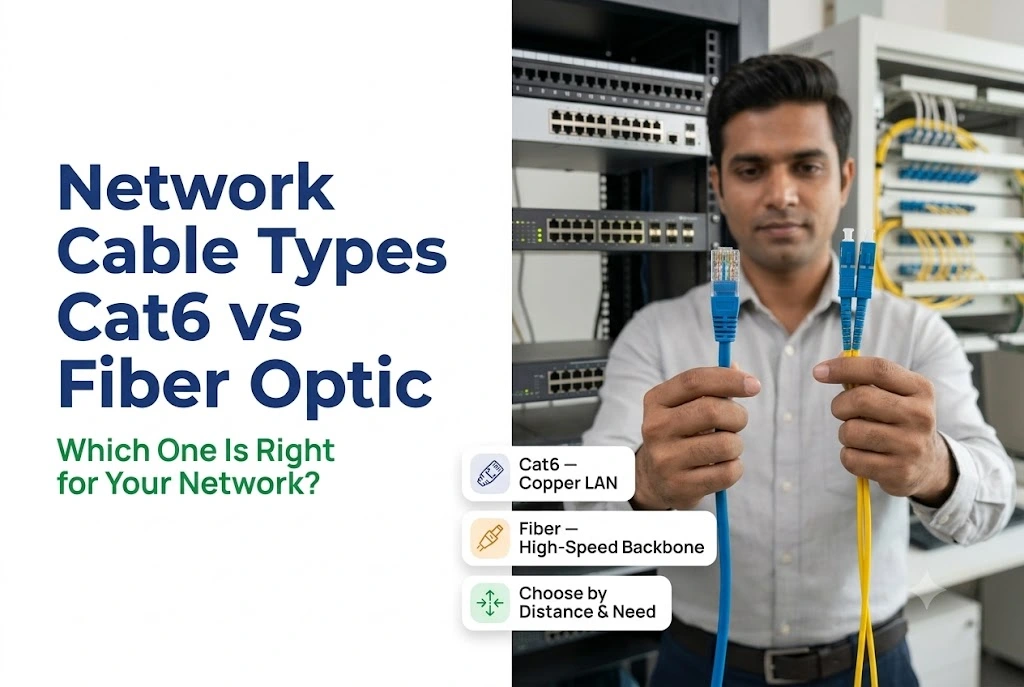
Most people choosing network cable are really choosing between two things: enough speed for now, or headroom for later.
Cat6 covers almost every Indian office. Fibre becomes necessary the moment distance or interference enters the picture, and both of those turn up more often in this market than in a Western office guide.
This guide covers where each one actually belongs, what drives the cost here, and the hybrid setup most buildings end up with.
Quick Answer
- Cat6 handles 1 Gbps to 100 metres, and 10 Gbps to about 55 metres.
- Cat6A holds 10 Gbps across the full 100 metres, and it is often the sensible middle step.
- Fibre becomes necessary past 100 metres, or where electrical interference is heavy.
- Fibre is immune to EMI, which matters more on a Pithampur plant floor than in an office.
- Most buildings use both: fibre for the backbone, Cat6 or Cat6A to the desk.
What Cat6 Actually Gives You
Cat6 is a twisted-pair ethernet cable supporting Gigabit Ethernet across 100 metres, and 10 Gigabit Ethernet up to roughly 55 metres. Tighter twists and better insulation than Cat5e mean less crosstalk and a cleaner signal.
It uses the familiar RJ-45 connector, so it works with every router, switch and network card on the market. Any competent electrician can terminate it on site, which keeps installation straightforward and local.
- Speed: 1 Gbps to 100 metres, 10 Gbps to about 55 metres
- Bandwidth: 250 MHz
- Connector: RJ-45
Cat6A is the step above. It carries 10 Gbps across the entire 100 metres at 500 MHz, with heavier shielding. That shielding also helps in buildings with significant electrical noise, which is worth knowing before you assume fibre is the only answer to interference.
For most offices in Vijay Nagar, Palasia or Scheme 54, Cat6 or Cat6A covers the whole building comfortably.
What Fibre Gives You
Fibre carries data as pulses of light through glass rather than electrical signals through copper. That single difference produces every advantage it has.
Single-mode fibre uses one light path and covers very long distances, tens of kilometres, at high bandwidth. ISPs and large enterprises use it.
Multi-mode fibre uses multiple light paths over shorter distances, up to roughly two kilometres, at lower cost. It suits data centres, campuses and building-to-building runs.
Both need specific connectors, LC, SC or ST, plus compatible transceivers or media converters, so deployment is more involved than crimping an RJ-45. In return you get speeds from 1 Gbps upward with no practical ceiling in sight.
Our optical fibre range covers cable, and the media converters and SFP modules you need to connect it to copper.
Side by Side
| Factor | Cat6 / Cat6A | Fibre optic |
|---|---|---|
| Maximum speed | 1 to 10 Gbps | 10 Gbps and well beyond |
| Maximum distance | 100 metres | 2 km multi-mode, tens of km single-mode |
| Bandwidth | 250 to 500 MHz | Effectively unlimited |
| Signal | Electrical | Light |
| EMI resistance | Susceptible, Cat6A less so | Completely immune |
| Termination | Any competent electrician | Specialised tools and training |
| Cable cost | Lower | Higher |
| Physical durability | Good, tolerates rough handling | Glass core, needs care |
| Best for | Within a floor or building | Between buildings, noisy environments |
Where Each One Wins in Indian Conditions
Cat6 covers the ordinary case
A single-floor office, a retail showroom, a clinic, a small factory admin block. If every run sits inside 100 metres and 1 Gbps is enough, Cat6 is the right answer and anything else is overspending.
Cat6A earns its extra cost when you need 10 Gbps at full distance, when backhauling high-density Wi-Fi access points, or when the building has electrical noise you can feel in the network.
Fibre wins on distance
Runs longer than 100 metres are where copper physically stops working. That covers building-to-building links on a factory campus, a gate cabin two hundred metres from the main block, a warehouse across a yard, or a security room at the far end of a plant.
In Pithampur specifically, this is the common case rather than the exception. Industrial plots are large, and the distance between the admin block and the production shed frequently exceeds what Cat6 can carry.
Fibre wins on interference
This is the point most guides underplay, and it matters more here than almost anywhere.
Copper picks up electrical noise from nearby machinery, welding equipment, large motors and power cabling. That noise degrades the signal in ways that are difficult to diagnose, because the link works intermittently rather than failing cleanly.
Fibre is completely unaffected, since light does not respond to electromagnetic fields. On a plant floor with heavy machinery, running fibre for the backbone removes a whole category of problem before it starts. Our guide on WiFi design for a factory or warehouse covers the wireless side of the same environment.
Fibre also emits no electromagnetic signal, which makes interception considerably harder. That is why it is preferred where data sensitivity genuinely matters.
What It Costs Here
Cable is only part of the number. What moves the total is termination, tooling and labour.
| Component | Cost |
|---|---|
| Cat6 cable, per metre | [FILL IN] |
| Cat6A cable, per metre | [FILL IN] |
| Multi-mode fibre, per metre | [FILL IN] |
| Single-mode fibre, per metre | [FILL IN] |
| Fibre termination and splicing, per point | [FILL IN] |
| Media converter or SFP module, each | [FILL IN] |
Cat6 is cheaper on both counts. The cable costs less, and any competent electrician can terminate RJ-45 on site with basic tools. That is why it remains the economical choice for straightforward installations.
Fibre carries a real labour premium. Termination needs specialised tools and trained technicians, and you also need compatible switches or media converters at both ends. Pre-terminated patch cables reduce that cost on short runs, though not on custom lengths.
For a complete installed cost including outlets, termination and testing, our structured cabling guide works through per-point pricing for Indore.
One thing worth weighing. Copper gets re-run as speeds increase. Fibre installed today still carries whatever you need in ten years. For a building you own and expect to occupy long-term, that changes the arithmetic more than the cable price does.
The Hybrid Setup Most Buildings Use
Very few installations are purely one or the other.
The common design uses fibre for the backbone, meaning between buildings, between floors, and from the main rack to distribution points. Then Cat6 or Cat6A for the last run to individual desks, cameras, access points and phones.
That gives you fibre’s distance and interference immunity where the runs are long, and copper’s low cost and easy termination where the runs are short and numerous.
A media converter or a switch with SFP ports joins the two, and once configured it needs no attention.
Choosing for Your Building
Cat6 suits a single-floor office, runs under 100 metres, a budget-conscious fit-out, or a building where RJ-45 equipment is already installed.
Cat6A earns its place when you need 10 Gbps at full distance, when backhauling Wi-Fi access points, or where electrical interference is present but not severe.
Fibre becomes necessary past 100 metres, between buildings on a campus or industrial plot, near heavy machinery, or for a backbone you want to last a decade.
Both together suit anything larger than a single floor, which describes most commercial buildings and every factory.
If you are still deciding how much to cable at all, our guide on cabling versus wireless covers that question first.
Frequently Asked Questions
Is Cat6 fast enough for an ordinary office?
Yes, for almost all of them. Cat6 supports 1 Gbps across the full 100 metres, which exceeds what most Indian commercial internet connections deliver. Unless you are moving very large files internally between workstations and a server, the cable will not be your bottleneck.
Can I mix Cat6 and fibre in the same network?
Yes, and most buildings above one floor do exactly that. Fibre carries the backbone between floors or buildings, while Cat6 handles the final run to each device. You need a media converter or a switch with fibre SFP ports to join them, which is a standard piece of equipment.
Is fibre difficult to install?
More involved than Cat6. Termination needs specialised tools and trained technicians, so most businesses use a certified installer for fibre work. Pre-terminated patch cables simplify shorter runs considerably, though custom lengths still need on-site termination.
How much faster is fibre than Cat6?
Fibre supports 10 Gbps and far beyond, against Cat6’s 1 to 10 Gbps ceiling. But the more important difference is distance. Over long runs fibre holds full speed where copper degrades badly, and past 100 metres copper simply stops working.
Does Cat6 have a distance limit?
Yes, 100 metres at 1 Gbps. For 10 Gbps the usable distance drops to roughly 55 metres. Beyond those figures you need an intermediate switch, or you move to fibre. Cat6A extends the 10 Gbps range to the full 100 metres.
Is fibre worth it for a small business?
It depends on your layout rather than your size. An office fitting inside 100 metres with 1 Gbps needs is well served by Cat6. A factory with the admin block two hundred metres from the shed, or heavy machinery near the cable route, needs fibre regardless of how small the business is.
Which cable handles electrical interference better?
Fibre, completely. It carries light rather than electricity, so electromagnetic fields have no effect on it at all. Cat6A’s shielding helps in moderately noisy environments, but near welding equipment, large motors or heavy power cabling, fibre is the reliable answer.
The Short Version
Cat6 for anything inside a floor. Cat6A when you need 10 Gbps at distance or the building is electrically noisy. Fibre past 100 metres, between buildings, or anywhere near heavy machinery.
Most buildings need both, and planning that split during design costs nothing while retrofitting it later costs a great deal.
Get a free cabling assessment. We measure the actual runs, look at where machinery and power cabling sit, and specify Cat6, Cat6A or fibre for each segment rather than applying one cable everywhere.
Every installation includes tested and certified runs, labelling at both ends, and a cable schedule document. We handle offices, commercial buildings, hospitals and industrial plants across Indore and Pithampur, including fibre termination and splicing.
See our cables and wires range, our fibre and FTTH products, or get in touch.
Call or WhatsApp +91 91091 06826.

