
By AlifTech Secure | Networking & IT Solutions, Indore | June 2026 | www.aliftechsecure.in
Most founders treat IT setup as a shopping list. Buy laptops, get a WiFi connection, move in.
Then the first all-hands video call stalls, because the plan was consumer broadband with slow upload. Or a laptop holding three months of client work dies, because nobody set up backup. Those problems were decided in week one, not in the month they surfaced.
This guide covers what a working setup actually costs and requires for a 10 to 25 person team in Indore, including one thing that can cut your software bill considerably and almost no IT guide mentions.
Quick Answer
- First-year total for a 10-person team: ₹3 to ₹6.5 lakh including hardware, network and cloud.
- Monthly recurring: ₹15,000 to ₹30,000 for the same team.
- Get DPIIT recognition first. Recognised startups can access pro-bono cloud and enterprise software.
- Plan the network before signing the lease, since fibre availability varies building to building.
- Backup and MFA are day-one items, not later upgrades.
The Free Thing Most Startups Miss
Start here, because it changes the numbers in the rest of the article.
If your entity is a Private Limited Company, LLP or registered Partnership Firm, incorporated in India less than ten years ago with turnover under ₹100 crore, you can apply for DPIIT recognition through the Startup India portal. It is free, entirely online, needs no physical inspection, and typically takes two to ten working days.
Recognition unlocks tax benefits and easier compliance, which most founders know. What fewer realise is that Startup India partners with corporates to offer services pro-bono to recognised startups, spanning cloud services, enterprise software, legal and financial support.
So the sensible order is recognition first, then buy what the partner programme does not cover. Doing it the other way round means paying for licences you might have had at no cost.
Ignore any site charging a fee for this. The application is free.
Internet and Office Networking
Everything else runs on this layer, so getting it wrong means every system above it underperforms.
Choosing the connection
For 10 to 25 people, a business fibre connection with at least 100 Mbps symmetric bandwidth handles video calls, cloud tools and file transfers comfortably.
Avoid consumer broadband. Those plans are asymmetric, with fast download and slow upload, and upload is what carries your face and voice on a call. Four people on Zoom expose that limit immediately.
Fibre coverage across Super Corridor, Vijay Nagar and most Indore commercial areas is good. Still, confirm availability at your exact address before signing the lease, because older buildings in parts of the city remain on slower connections and you cannot fix that after moving in.
Structured cabling versus wireless
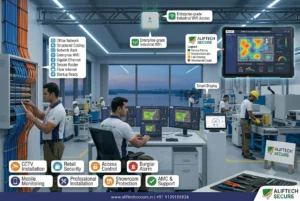
Run Cat6 cabling to every desk, then treat WiFi as the convenience layer on top rather than the primary network.
The reason is contention. WiFi is a shared medium, so twenty laptops on one access point divide the available airtime between them, and video calls degrade first because they cannot buffer. A wired desk gets its own dedicated bandwidth and stays predictable at 5 PM when everyone is online.
Wireless still matters for meeting rooms, laptops moving around and phones. Use proper access points rather than consumer routers, since business access points handle more simultaneous clients and let you manage them centrally. Plan roughly one access point per 15 to 20 users, adjusted for wall construction.
The practical rule: cable during fit-out while walls and ceilings are open. Retrofitting cable into a furnished office costs several times more and looks worse.
A backup connection
For any business where downtime stops work, a secondary connection matters more than founders expect. Even a 4G or 5G router that fails over automatically prevents one ISP outage from halting the team.
Budget ₹1,000 to ₹3,000 a month. It pays for itself the first time the primary drops during a client call.
Cloud Email, Storage and Collaboration
For teams under 100 people, cloud beats on-premise servers on both economics and practicality. The question is which platform.
Microsoft 365 versus Google Workspace versus Zoho
All three do email, storage and documents competently. The difference shows in what your team already knows and what else you need.
Microsoft 365 suits teams working heavily in Excel and Word, particularly finance, engineering and anyone exchanging complex documents with larger clients. Desktop Office apps handle heavy spreadsheets better than browser equivalents, and Teams arrives bundled. It is the most expensive of the three.
Google Workspace suits teams that live in a browser and collaborate on the same file simultaneously. Setup is the simplest, admin is the least fiddly, and most people already know Docs and Sheets. Complex spreadsheets and heavy formatting are where it strains.
Zoho is the budget option and it is Indian, which matters if you want your data resident in India or you plan to use its CRM and books products alongside. Per-user cost is meaningfully lower. The trade is a smaller third-party integration ecosystem.
One practical tip regardless of choice: check the Startup India partner list before subscribing, since one of these may be available to you at no cost.
Folder structure and permissions
Set the structure on day one. Department, then project, then year. Files that accumulate without a scheme become a cleanup nobody ever does.
Set sharing deliberately too. Not everyone needs everything, and permissions are far harder to tighten later than to set correctly now. Teams handling large design files, video or engineering drawings should plan additional storage or a NAS beyond the standard plan.
Multi-factor authentication, immediately
Turn on MFA for every account on day one. Google and Microsoft both include it free.
This single step blocks most account compromises that hit small businesses, and it costs minutes per employee.
Security Basics
Security gets postponed until an incident forces it, and the incident usually costs more than the prevention would have.
A business firewall, not the ISP router
The box your ISP provides does routing and basic NAT. It does not inspect traffic, filter content, log connections usefully, or give you rules per user group.
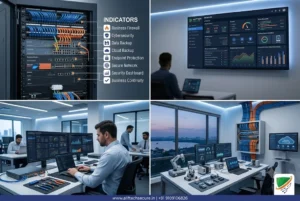
A business firewall adds the things you need once staff, guests and business data share one network: intrusion prevention, VPN access for remote staff, guest WiFi isolated from your internal network, and content filtering where you want it. It also gives you logs, which is what turns a vague “the internet is slow” complaint into an answer.
The guest network point deserves emphasis. A visitor’s laptop on the same network as your file server is a risk you can remove with configuration rather than money. Budget ₹20,000 to ₹45,000 for hardware suited to a 10 to 25 person office, and treat rule review as an ongoing task rather than a one-time setup.
Our networking and IT range covers the hardware side of this.
Endpoint protection on every device
Every laptop and desktop needs endpoint protection, managed centrally rather than left to each employee. Central management means you can push updates and see threats across the fleet from one dashboard instead of hoping everyone renewed their own antivirus.
Budget ₹150 to ₹400 per device per month depending on platform and feature depth.
Passwords and access control
A shared team password manager ends the habit of reusing one weak password across business accounts. Then define access levels, because not everyone needs administrator rights.
Access control is much harder to retrofit at fifty people than to establish at ten.
Backup and Disaster Recovery
The most postponed category, and the one whose absence causes the worst losses.
Automate daily backups for every critical system: file storage, email, and any application holding customer or financial data. Microsoft 365 and Google Workspace include some native retention, though it is not always comprehensive enough alone.
What makes backup real is separation. Backups stored in a different location from your primary data protect against ransomware, accidental deletion and hardware failure. Backups sitting on the same machine protect against almost nothing.
Power fluctuation remains a practical reality even in developed commercial areas of Indore, so a UPS on your network rack and any on-site server is part of this picture rather than a separate purchase. Cloud-based recovery means an extended local outage does not stop the business.
Physical Infrastructure
Devices matched to actual work
Standard business laptops cover sales, operations, support and management. Design, engineering and video teams need dedicated graphics capability that corporate laptops do not have.
Matching specification to the actual job avoids both overspending on capability nobody uses and underspending on tools that slow specialists down every day.
Printing and documents
Startups print far less than offices did a decade ago, though invoices, contracts and physical documentation still come up. One networked multi-function printer for the office beats individual desktop units on both cost and maintenance.
Meeting room setup
For client-facing teams, a decent camera, a conference speakerphone and a reliable display make a measurable difference to how calls feel. It does not need to be an enterprise AV system. Our conference solutions range covers the practical middle ground.
Physical security alongside the IT layer
Worth planning in the same project rather than six months later, because both use the same cabling and the same rack.
The core items for a small office: CCTV covering entry, the server or network rack, and any area holding client documents. Access control on the main door and on the server room, so you have a record of who entered and when rather than a shared key nobody tracks.
There is a practical reason to combine them. IP cameras and access controllers run on the same Cat6 cabling and the same PoE switch as your network. Pulling that cable once during fit-out costs a fraction of pulling it twice, and the rack you buy for networking has room for the recorder.
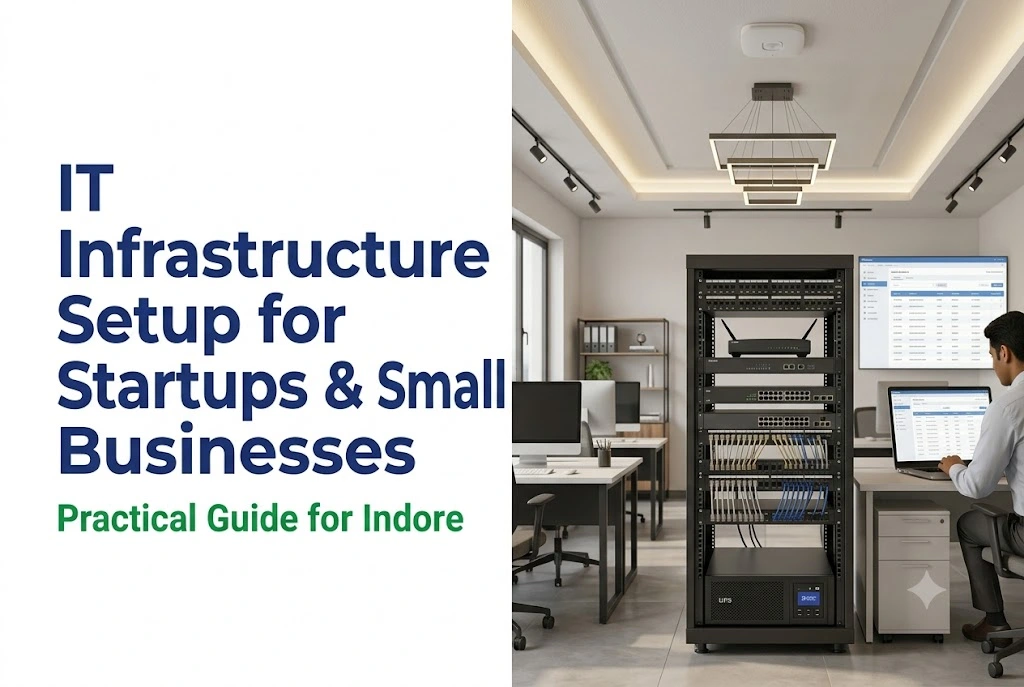
The network rack itself deserves a mention. It wants a lockable enclosure, ventilation, and UPS-backed power, in a spot that is not the reception corner. Everything in this article depends on that one cabinet staying powered and untouched.
Realistic Costs for a 10-Person Team in Indore
Two tables, because one-time and recurring costs behave differently in a budget.
One-time setup
| Item | Cost range |
|---|---|
| Laptops or workstations | ₹50,000 to ₹1.5 lakh |
| Networking: router, switch, structured cabling | ₹25,000 to ₹60,000 |
| Business firewall | ₹20,000 to ₹45,000 |
| Initial software licensing and security setup | ₹15,000 to ₹30,000 |
| One-time total | ₹1.5 to ₹3 lakh |
Scales roughly with headcount beyond ten, though cabling and firewall costs rise more slowly than device costs.
Monthly recurring
| Item | Cost range |
|---|---|
| Cloud email and productivity, per user | ₹600 to ₹1,500 |
| Endpoint security, per device | ₹150 to ₹400 |
| Business internet | ₹3,000 to ₹8,000 |
| Backup services | ₹3,000 to ₹10,000 |
| Monthly total, 10 people | ₹15,000 to ₹30,000 |
First-year total
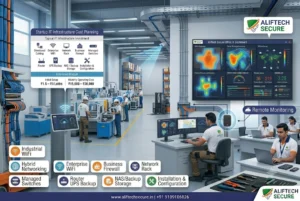
One-time plus twelve months of recurring puts a 10-person Indore startup at ₹3 to ₹6.5 lakh for year one. That covers business internet, networking, cloud tools, security and backup.
Check the Startup India partner programme before you commit to software subscriptions, since the cloud line is the one most likely to shrink.
Frequently Asked Questions
Should a startup use cloud services or an on-premise server?
Cloud, in almost every case. On-premise means ₹3 to ₹10 lakh upfront, a room with cooling and UPS backup, someone to maintain it, and replacement every three to five years. Cloud runs ₹500 to ₹3,000 per user monthly with no hardware, automatic updates and access from anywhere. Only a specific regulatory requirement for local data storage changes that answer.
How long does a complete IT setup take for a new office?
Five to ten business days for the physical work: internet activation, cabling, firewall configuration and device setup. Cloud tools add one to two days once the network is live. Start at least two weeks before move-in, because internet activation timelines vary and occasionally slip.
What is the minimum setup for a very early-stage startup?
For three to five people in a coworking space: cloud email and storage, endpoint security on every laptop, MFA on all accounts, and backup for critical files. Under ₹10,000 a month. Do not over-invest before validating the business, though do not skip security and backup even at this stage.
Do I need a dedicated IT person?
Not under about 25 people. Cloud platforms are built for non-technical administration, and an AMC arrangement covers network and security maintenance without a full-time hire. Past 30 to 50 people, or with specific compliance requirements, a dedicated resource starts making financial sense.
What happens to our IT setup if we move offices?
Cloud tools move with you untouched, since they are not tied to a location. Cabling, network equipment and firewall configuration need reinstalling, though most hardware is reusable. Budget for fresh structured cabling, because cable runs do not transfer, and allow the same setup timeline as the first office.
The Short Version
Apply for DPIIT recognition before buying software. Confirm fibre at your address before signing the lease. Cable during fit-out while the walls are open. Turn on MFA and set up backup in week one.
Do those four things and the rest is ordinary purchasing. Skip them and you will spend the next two years paying more to fix each one in place.
| AlifTech Secure — Indore Call / WhatsApp: +91 9109106826 www.aliftechsecure.in | aliftechsecure@gmail.com 112 Basement, Akbar Ali Complex, MG Road, Palasia Square, Indore — 452001 |
| Get a Free IT Infrastructure Assessment We review your office space and team size, then design the right network and security setup. Call / WhatsApp: +91 9109106826 | www.aliftechsecure.in |
AlifTech Secure | Networking & IT Solutions, Indore MP |+91 9109106826 | www.aliftechsecure.in

