
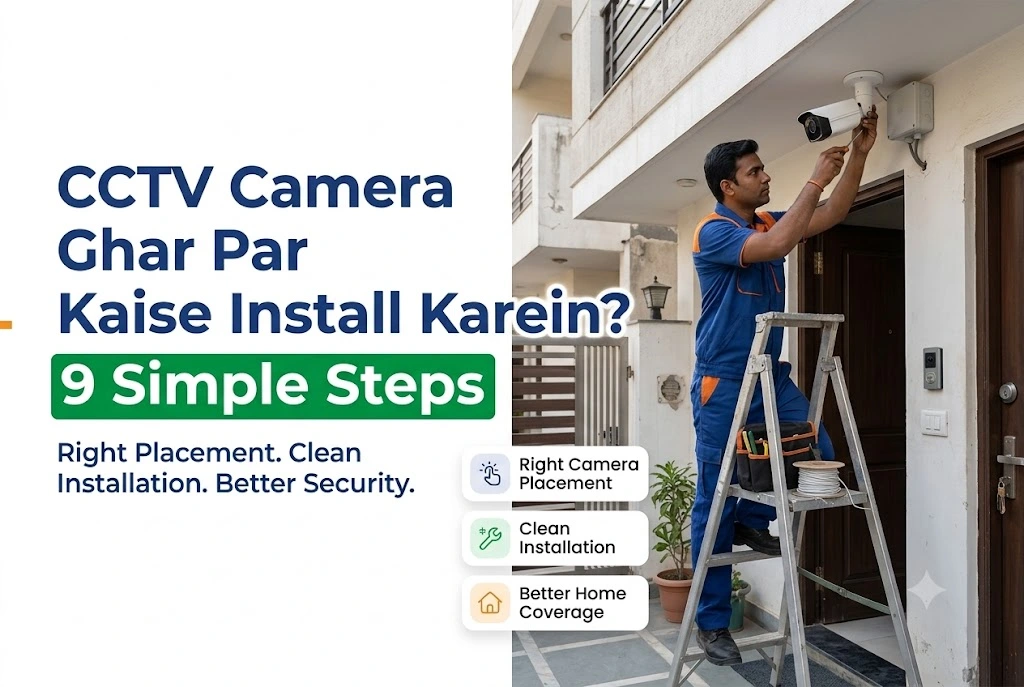
How to Install CCTV Camera at Home in India: 9 Simple Steps

Most people don’t think about their cameras until something goes missing. Then they discover the footage is grainy, the night view is a white blur, or the one camera they own has been pointed at a wall for two years.
Learning how to install CCTV camera at home fixes that. It also saves real money, because much of what an installer charges for is knowing where to point the cameras, not the labour itself.
There’s a second reason to get this right in 2026. India changed which cameras can legally be sold this April, so the model you buy today decides whether your system is still supportable three years from now. We covered the CCTV import rules in full here, though the short version appears below.
TL;DR
- Mount cameras at 8 to 10 feet, tilted down 10 to 15 degrees, so they cover entry points rather than open ground.
- Plan cable routes before you drill, because rework is the most expensive mistake.
- From 1 April 2026, CCTV cameras sold in India must meet MeitY’s Essential Requirements (ER:01), so check the box.
- Change the default password as soon as the recorder boots. Otherwise you’ve installed a camera anyone can reach.
- A basic four-camera install takes 4 to 6 hours, so one weekend afternoon is usually enough unless the wiring is complicated.
What Home CCTV Installation Actually Involves
A home CCTV install is really four jobs: picking camera positions, mounting the hardware, running power and data cable, then setting up the recorder and mobile app. The mounting takes the least time. Still, the planning decides whether the system is worth having.
A standard kit gives you cameras, a DVR or NVR, a hard disk, a power supply, and cable. Most homes need three or four cameras, covering the main gate, front door, rear or kitchen entry, and parking.
Do you need a professional? For a Wi-Fi camera in a rented flat, no. But for a four-camera wired system with a new power point, hire a licensed electrician for the mains work, then do the rest yourself.
Benefits, Costs and the Problems Nobody Mentions
The obvious benefit is evidence. For most families, though, the bigger one is checking on elderly parents, children, or a delivery at the gate from anywhere.
Cost depends on four things: camera count, wired versus wireless, hard disk size, and cable length. Cable and labour often cost more than people expect in independent houses with long runs. So ask any local dealer in Bhopal or Indore for an itemised quote rather than a package price. The difference usually shows up straight away.
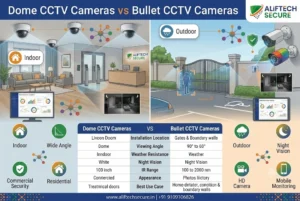
Four problems that catch people out
Power cuts stop recording unless the DVR sits on a UPS. That single accessory prevents more lost footage than anything else on the shopping list.
Monsoon water gets into cheap junction boxes, and once moisture reaches a connector the camera fails slowly rather than all at once.
Wi-Fi also struggles through RCC walls, which is why wireless cameras disappoint in older Sagar and Bhopal homes with thick construction. Voltage swings across much of Madhya Pradesh will eventually kill an unprotected power supply too.
Plan for those four, and your system will outlive its warranty.
India’s New CCTV Rules and What They Mean for Your Purchase
This is where a 2026 guide differs from the older articles you’ll find online.
In April 2024, the Ministry of Electronics and Information Technology (MeitY) notified the Essential Requirement(s) for Security of CCTV (ER:01) through a gazette notification, amending the Compulsory Registration Order, 2021. Compliance was later pushed to 9 April 2025. Then, in January 2026, MeitY withdrew the remaining relaxations that let old stock stay on shelves. So from 1 April 2026, cameras that don’t meet ER:01 can’t be made, imported or sold in India.
ER:01 covers security rather than picture quality. It requires secure boot, no universal default passwords, signed firmware updates, and encrypted data in transit. MeitY also clarified in March 2025 that purely analog cameras are exempt from ER:01, although they still need BIS registration under IS 13252 (Part 1): 2010.
What to check on the box before you buy
Ask for the BIS registration number first. Under the Compulsory Registration Scheme, nobody may manufacture, store for sale, import, sell or distribute goods that fail to conform to the specified Indian standard or that lack the Standard Mark with a unique registration number.
Then look for the line “This CCTV camera complies with Essential Requirement(s) for Security” on the packaging, since that wording comes straight from BIS implementation guidance.
Compliance is decided model by model, not brand by brand. CP Plus, Hikvision, Dahua, Godrej, TP-Link and Ezviz all sell in India, so check the specific model instead of trusting the name.
One more thing is worth knowing. The Digital Personal Data Protection Act, 2023, with its Rules notified in November 2025, exempts data handled for purely personal or domestic purposes. A home camera therefore isn’t a compliance headache. Still, that exemption isn’t permission to record a neighbour’s front door.
9 Steps to Install a CCTV Camera at Home
Plan before you buy anything
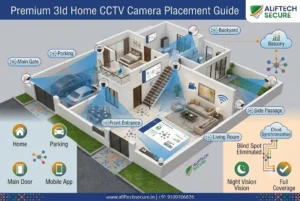
Step 1. Map your blind spots. Sketch your plot, then mark every way in: gate, main door, rear door, parking, terrace stairs. Cameras belong on entry points rather than open lawn.
Step 2. Fix heights and angles. Mount at 8 to 10 feet, so the camera sits above easy reach but low enough to catch a face. Tilt it down 10 to 15 degrees. Never point a camera straight into the rising or setting sun.
Step 3. Choose wired or wireless. Thick walls, or more than two cameras? Then go wired, because a Wi-Fi camera struggles once RCC walls sit between it and the router. PoE (IEEE 802.3af/at) carries power and video on one cable, so it’s the tidier choice for new work.
Mount, wire and power up
Step 4. Place the recorder first. The DVR or NVR needs air around it, a lockable spot out of sight, a short run to your router, and backup power. A recorder stolen along with the valuables protects nobody.
Step 5. Run cable before you mount anything. Use conduit outdoors, and leave a one-metre service loop at each end. Keep data cable away from mains lines, otherwise you’ll pick up interference.
Step 6. Mount the brackets. Mark the holes, then scan the wall before drilling, since hidden wiring near switchboards is a real hazard. Use 6mm plugs into solid masonry instead of plaster.
Step 7. Power up safely. Switch off at the MCB before any mains work, and call a licensed electrician for new points. This isn’t the step to improvise.
Configure and test
Step 8. Set it up properly. Change the default password immediately. Then set date and time, mark motion zones, turn on overwrite, fix a recording schedule, and update the firmware.
Step 9. Test at night and in rain. Daytime footage flatters everything. So check for IR glare, confirm faces are identifiable, and view the feed remotely on mobile data rather than your home Wi-Fi.
Common mistakes to avoid: mounting too high, which records scalps instead of faces, shooting through window glass, expecting one camera to cover a whole plot, skipping the password change, and framing a neighbour’s doorway.

Comparison: Which Home CCTV Setup Suits You?
Not sure which route to take? Compare the three common options before you spend anything, because the recorder you choose decides what cameras you can add later. An NVR gives the most room to grow, though it costs more upfront.
| Factor | Analog HD (DVR) | Wired IP or PoE (NVR) | Wi-Fi Camera (standalone) |
|---|---|---|---|
| Setup difficulty | Moderate, coax plus power | Moderate, one cable per camera | Easy, plug in and scan QR |
| Detail at distance | Basic | Best | Drops beyond a few metres |
| Works if internet fails | Yes | Yes | No remote view |
| Storage | DVR hard disk | NVR hard disk | microSD or paid cloud |
| ER:01 security rules | Exempt (analog) | Applies | Applies |
| Best suited to | Older homes, long runs | New builds, 4+ cameras | Rented flats, indoor use |
Key Takeaways
- Plan camera positions on paper before you buy anything, because the plan decides the shopping list.
- Check ER:01 compliance and the BIS registration number at purchase, not after installation.
- Put the recorder on a UPS and hide it, since power backup isn’t optional in Madhya Pradesh.
- Change default passwords on day one, then update firmware every few months.
- Angle cameras over your own property, so neighbours’ doors and windows stay out of frame.
Frequently Asked Questions
How long does it take to install a CCTV camera at home?
A single Wi-Fi camera takes 20 to 30 minutes. A four-camera wired system usually takes 4 to 6 hours, including cable routing, mounting, recorder setup and testing. Long cable runs in independent houses add time. Most of it goes into pulling cable neatly, though, rather than fixing the cameras themselves.
What is the right height for a home CCTV camera?
Eight to ten feet works best. Higher than that, and you capture the tops of heads instead of faces. Lower, and the camera becomes easy to tamper with. So tilt it down by roughly 10 to 15 degrees, which keeps faces in the centre of the frame at your gate.
Do I need society permission to install CCTV in my flat?
Inside your own flat and at your own door, the decision is yours. But anything covering shared corridors, lifts or the lobby normally needs approval from the RWA or apartment association. Many societies in Bhopal and Indore also ask for a written request first, so check your bye-laws before drilling.
Is it legal for my home camera to record the street outside?
Recording your own gate, along with the strip of road in front, is generally accepted in India. Deliberately framing a neighbour’s door, window or courtyard is where disputes begin, because courts weigh a reasonable expectation of privacy. So adjust the angle, or use a privacy mask to exclude their property.
Can I install a CCTV camera at home without an electrician?
Yes, if you’re using an existing power socket and drilling into masonry. But call a licensed electrician for any new mains point or hidden wiring. Working live is genuinely dangerous, and a badly wired supply is also the most common cause of early camera failure in humid areas.
Conclusion
Getting this right isn’t about expensive hardware. Once you know how to install CCTV camera at home properly, meaning sensible heights, protected cable, a hidden recorder on backup power, and a password that isn’t admin, a modest four-camera kit will beat a costly system that was mounted carelessly.
So buy compliant hardware, plan the angles on paper, and test at night before you call the job finished. Do that, and the footage will be there on the day you actually need it.
Planning a system for a home in Bhopal, Sagar or Indore? Get an itemised quote with cameras, cable, storage and labour listed separately before you commit. Our CCTV installation service across Indore and MP includes a free site survey, and an AMC plan keeps the system working after year one.

