
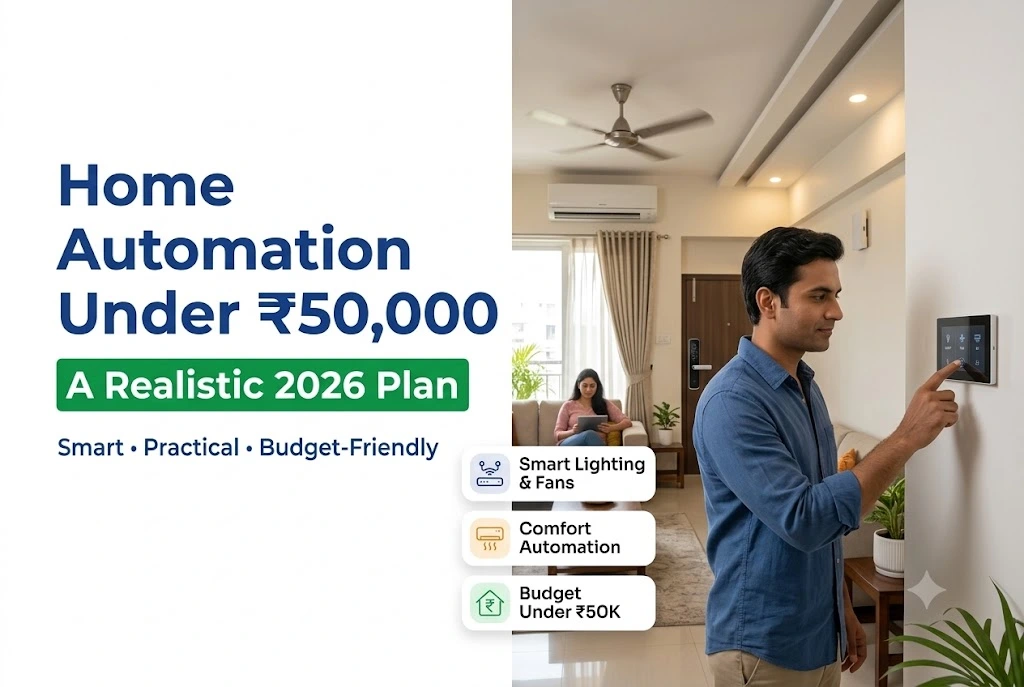
Home Automation Under 50000 in India: A Realistic 2026 Plan
Walk into any electrical showroom and you’ll hear two numbers. One dealer says ₹15,000 is enough. Another quotes ₹3 lakh for the same flat. Both are technically right, which is exactly why buyers get stuck.
So here’s the honest version. Home automation under 50000 rupees won’t turn a 3BHK into a fully automated house, because full retrofits in that size typically run ₹1.8 lakh and upward. But it will comfortably cover the rooms you actually use, if you spend it in the right order.
This guide breaks down where that money goes, which purchases people regret, and what changed in the rules during 2026.
TL;DR
- ₹50,000 covers roughly half a home, not all of it. So automate the living room, master bedroom and entry first.
- Switch modules eat the budget. Expect ₹1,200 to ₹2,500 per module, and plan around 6 to 10 of them.
- Check the switchboard for a neutral wire before you buy anything, because most Wi-Fi switches won’t work without one.
- Buy Matter-certified devices where you can, otherwise you’re locked into one brand’s app forever.
- Skip the hub-heavy systems at this budget. They only pay off past 15 or 20 devices.
What ₹50,000 Actually Buys in an Indian Home
At this budget you’re buying partial automation, and that’s fine. A well planned partial system beats a stretched full one, because half a house done properly still runs every day.
Realistically, ₹50,000 covers smart control of 6 to 10 switch points, two or three plug controlled appliances, a voice speaker, and one security device. That means lights and fans in your main rooms, the geyser, the AC, and either a video doorbell or a smart lock, but not both.
For context, industry cost guides put a full 3BHK wireless retrofit at roughly ₹1.8 to ₹3.5 lakh, and basic whole-home packages at ₹1 to ₹1.5 lakh. So treat ₹50,000 as phase one rather than the finished project. If you’re still deciding whether the idea suits your household at all, it’s worth reading how smart automation changes everyday living before you shortlist products.
Why partial beats spread thin
Splitting ₹50,000 across every room gives you one smart point per room. Then nothing works as a scene, since half the lights in any room still need a manual switch.
Automate complete rooms instead. When “Goodnight” actually turns off everything in the bedroom, people keep using it. When it turns off two of five lights, they stop within a week.
Where the Money Goes and Where It Gets Wasted
Switch modules are the single biggest line item. Wipro’s Wi-Fi modules sit around ₹1,200 to ₹2,500 each, Sonoff’s popular T-series lands near ₹1,000 to ₹2,000, and motion sensor points run ₹600 to ₹2,500 depending on type. A voice speaker like an Echo Dot often drops to ₹1,999 or ₹2,499 during sale periods.
The three things that quietly inflate the bill
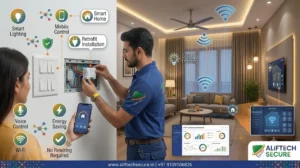
Electrician labour. Retrofit modules fit behind existing boards, but you still need someone competent for six to ten boards. Budget for it upfront rather than discovering it later.
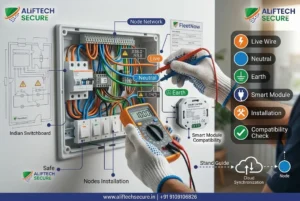
The neutral wire problem. Many older switchboards in Bhopal, Sagar and smaller Madhya Pradesh towns were wired without a neutral running to the switch box. Most Wi-Fi modules need one. So either buy a no neutral variant, or accept the cost of pulling a wire.
Router load. Wi Fi switches each take a client slot. They’re fine at 5 to 10 devices, though reliability drops as you approach 15 or 20 on a basic router, which is a real issue in thick walled RCC flats.
What people regret buying
Smart curtains at this budget, because one motorised track can swallow a quarter of ₹50,000. Colour changing bulbs in every room, since the novelty fades fast. And cheap unbranded hubs, which strand you when the vendor’s app disappears.
One more regret worth naming. Buyers often spend on a smart lock first because it feels impressive, then find they still can’t see who is at the gate. A video door phone usually solves the actual daily problem for less.
The 2026 Standards Worth Knowing Before You Buy
This is where a current guide differs from older articles, and it directly affects what you should put in the cart.
Matter, and why it matters at a small budget
Matter is an interoperability standard from the Connectivity Standards Alliance, backed by Amazon, Apple, Google and Samsung. A Matter-certified device pairs with Apple Home, Google Home, Alexa or SmartThings without a brand specific hub. The specification has now moved past version 1.5, which added camera and doorbell device types.
Thread, the low power mesh often paired with Matter, also tightened up. Since 1 January 2026, new border routers can only be certified against Thread 1.4.
Why care on a ₹50,000 budget? Because vendor lock in is expensive later. If phase two doubles your device count in two years, Matter lets you keep phase one.
Indian safety rules changed too
On 29 October 2025, MeitY issued notification S.O. 4997(E), replacing IS 13252 (Part 1):2010 and IS 616:2017 with IS/IEC 62368-1:2023 as the unified safety standard for AV, IT and communication equipment under the Compulsory Registration Order, 2021. BIS then issued implementation guidelines on 9 March 2026, with the concurrent running period closing 1 November 2028.
The rule itself is blunt. Under the Compulsory Registration Scheme, nobody may manufacture, store for sale, import, sell or distribute goods that fail to conform to the specified Indian standard or that lack the Standard Mark with a unique registration number.
In plain terms: ask for the BIS registration number on hubs, speakers and adaptors. Unregistered imports sold cheaply online are exactly the stock that disappears from shelves during a standards changeover.
One more point on data. The Digital Personal Data Protection Act, 2023, with Rules notified in November 2025, exempts processing for purely personal or domestic purposes. So your own home devices aren’t a compliance burden. Still, check where a camera brand stores footage before you buy.
Three Ways to Spend ₹50,000
There’s no single correct split, since it depends on what annoys you most today. Compare the three sensible approaches before you order anything.
| Factor | Convenience-first | Security-first | Energy-first |
|---|---|---|---|
| Main spend | 8 to 10 switch modules | Smart lock or video doorbell | 16A plugs plus energy monitoring |
| Rooms covered | Living, master, kitchen | Entry and main door only | Geyser, AC, washing machine |
| Voice control | Full scenes | Basic | Basic |
| Daily benefit | Highest | Situational | Visible on the bill |
| Expansion cost later | Low | Moderate | Low |
| Best suited to | Families, 2BHK flats | Ground-floor and independent homes | High-usage households |
Going security first? Then a Wi-Fi camera at the gate often does more for the same money, and our step-by-step home CCTV guide covers placement before you buy.
A Practical Order of Purchase
Step 1: Open one switchboard first. Check for a neutral wire before spending anything. This single check decides which modules you can buy.
Step 2: Count your points, not your rooms. Each light, fan and socket you want controlled is one point. Then multiply by the module cost band above.
Step 3: Start with the busiest room. Living room and master bedroom deliver the most daily use per rupee spent.
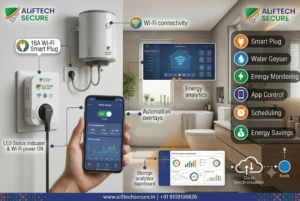
Step 4: Add plugs for the big loads. A 16A plug on the geyser prevents the most common waste in Indian homes, which is leaving it on all morning.
Step 5: Buy the speaker last. Voice control is worthless until there’s something to control, so it belongs at the end of phase one.
Common mistakes to avoid: buying before checking the neutral, mixing four brands and four apps, choosing colour bulbs over switch control, ignoring BIS registration on cheap imports, and automating guest rooms nobody uses.
Key Takeaways
- Treat ₹50,000 as phase one, because full 3BHK retrofits start near ₹1.8 lakh.
- Check for a neutral wire in your switchboard before ordering a single module.
- Complete two rooms properly instead of half-automating five.
- Prefer Matter certified devices, so phase two doesn’t mean replacing phase one.
- Ask for BIS registration details, especially on cheap online imports.
Frequently Asked Questions
Is home automation under 50000 enough for a 2BHK flat?
For a 2BHK, yes, largely. That budget typically covers 6 to 10 switch points, two or three smart plugs and a voice speaker, which reaches most of a two bedroom flat. But motorised curtains or a premium smart lock will push you past it. So prioritise switches first, then add security later.
Do I need to rewire my house for smart switches?
Usually not. Retrofit modules fit behind your existing switchboard, so the original switches keep working manually. However, if the board has no neutral wire, you’ll either need a no neutral module or a new wire pulled to that point. Always check one board before buying the full set.
Which is better for a budget setup, Wi-Fi or a Zigbee hub?
At under 10 devices, plain Wi-Fi is simpler and cheaper, since there’s no hub to buy. Beyond roughly 15 or 20 devices, though, a hub based mesh becomes more reliable because each device stops competing for a router slot. So match the choice to your device count, not to marketing claims.
Will smart devices work during a power cut or internet outage?
Local control usually survives an internet outage, though voice assistants and remote access won’t, because both need the cloud. A power cut stops everything unless the device is on an inverter circuit. In areas with frequent cuts, wire smart modules onto the inverter line where possible.
Can I install home automation myself, or do I need an electrician?
Smart plugs and bulbs are genuinely plug and play. Switch modules sit inside a live switchboard, though, so hire a licensed electrician unless you’re confident with mains wiring. Many buyers in Indore and Bhopal do the app setup themselves, then pay an electrician only for the module fitting.
Conclusion
Planning home automation under 50000 works well once you stop trying to cover the whole house. Check your switchboards, count the points that matter, and finish two rooms properly before touching the rest.
Buy BIS registered hardware, favour Matter certification, and keep the number of apps down to one or two. Do that, and phase one will still be running happily on the day you decide to expand it.
Getting quotes in Bhopal, Sagar or Indore? Ask for pricing per point rather than a single package figure. You can browse our home automation range or book automation system installation with an on-site survey first.


1 Comment. Leave new
[…] box. Most Wi-Fi switches need one. Open one switchboard and check before ordering the full set. Our home automation under ₹50,000 guide covers this and the smaller-budget path in […]