
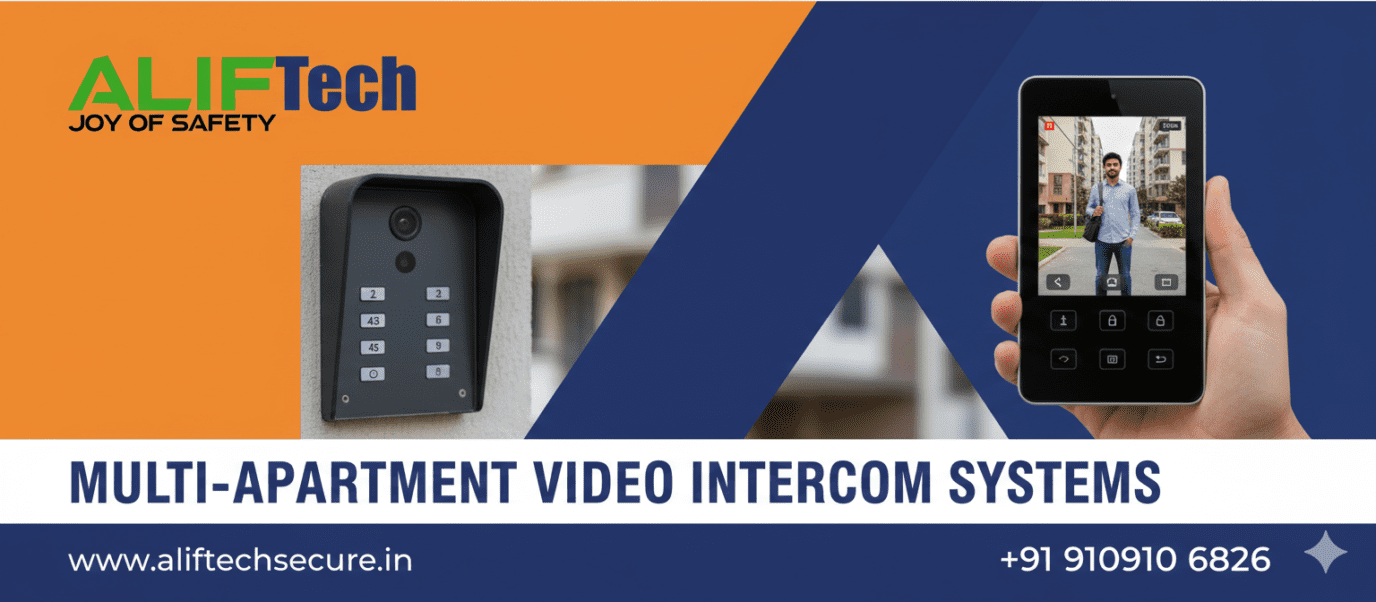
Multi-Apartment Video Intercom Systems: Complete Guide
Multi-apartment video intercom systems provide secure, convenient access control for residential buildings, enabling residents to see and communicate with visitors before granting entry. Modern systems offer features like smartphone integration, remote access, and centralized management making them essential for apartment complexes. This comprehensive guide covers everything about multi-apartment video intercom systems.
Understanding multi-unit intercom fundamentals is crucial before installation. First, these systems connect a main entrance panel to individual apartment units. Moreover, residents can view visitors via video, communicate through audio, and unlock doors remotely. Therefore, multi-apartment video intercom systems enhance security while providing convenience for residents and building management.
For comprehensive video intercom solutions, explore various multi-unit options. Additionally, review our video door phone installation guide for single-unit setup instructions.
System Architecture and Components
Main Entrance Panel
The entrance panel is the system’s face at building entry. First, it includes high-resolution camera capturing visitor images. Then, weatherproof housing protects electronics from elements. Additionally, directory listing helps visitors locate residents.
Entrance Panel Features:
- HD camera (1080p-4K resolution)
- Wide-angle lens (160-180 degrees)
- Night vision (IR LEDs)
- Stainless steel construction
- Backlit directory display
- Multiple call buttons or touchscreen
- RFID/keypad access
- Weather resistance (IP65+)
Moreover, panels accommodate different unit counts (8-200+ apartments). Furthermore, modular design allows expansion as buildings grow.
Indoor Stations
Each apartment receives an indoor station enabling communication. First, displays show live video of visitors. Then, handset or speaker enables two-way audio. Additionally, door unlock button grants building access.
Indoor Station Types:
- Basic: Audio only, simple buttons (₹2,000-5,000)
- Standard Video: 4-7 inch screen, basic features (₹5,000-12,000)
- Advanced: 7-10 inch touchscreen, recording (₹12,000-30,000)
- Smartphone App: Virtual indoor station (₹0 additional)
Moreover, wireless indoor stations eliminate apartment wiring. Furthermore, multiple stations per apartment suit larger units.
System Controller
The controller manages communication between entrance and apartments. First, it routes calls to correct units. Then, manages door locks and access control. Additionally, stores user data and call logs.
Moreover, network controllers enable IP-based systems. Furthermore, they integrate with building management software.
Learn about IP camera integration for comprehensive surveillance.
System Types and Technologies
Traditional Analog Systems
Analog systems use dedicated wiring for each function. First, separate cables carry video, audio, and control signals. Then, simple point-to-point connections. Additionally, proven technology with decades of reliability.
Analog Advantages:
- Lower initial cost
- Simple troubleshooting
- No network required
- Reliable operation
- Easier for technicians
Analog Limitations:
- Extensive wiring required
- Limited features
- No smartphone integration
- Fixed unit capacity
- Difficult expansion
Best For: Small buildings (under 20 units), budget-conscious projects, areas with poor internet connectivity.
IP-Based Digital Systems
IP systems use network infrastructure for all communication. First, single Ethernet cable replaces multiple analog wires. Then, connects to building’s network switch. Additionally, enables advanced features and remote access.
IP System Benefits:
- Reduced wiring (single Cat6 cable)
- Smartphone integration
- Remote management
- Easy expansion
- Cloud connectivity
- Integration with other systems
IP Considerations:
- Higher initial cost
- Requires network infrastructure
- Dependent on power/network stability
- More complex configuration
Best For: New construction, tech-forward buildings, large complexes (50+ units), properties wanting smartphone access.
Hybrid Systems
Hybrid systems combine analog reliability with digital features. First, traditional wiring for core functions. Then, optional network connection for advanced features. Additionally, provides upgrade path.
Moreover, hybrid approach balances cost and functionality. Furthermore, suitable for retrofit installations.
Check our network infrastructure guide for IP system requirements.
Key Features and Capabilities
Video Quality and Night Vision
Clear video enables proper visitor identification. First, minimum 1080p resolution for facial recognition. Then, wide-angle lens captures full body and packages. Additionally, infrared LEDs provide night vision.
Video Specifications:
- Resolution: 1080p minimum (4K preferred)
- Field of view: 160-180 degrees
- Night vision: 3-5 meter range
- Video encoding: H.264/H.265
- Frame rate: 15-30 fps
Moreover, HDR (High Dynamic Range) handles backlighting. Furthermore, digital zoom enables closer inspection.
Smartphone Integration
Mobile apps transform resident phones into virtual intercoms. First, receive calls anywhere via internet. Then, view visitors remotely. Additionally, unlock doors from location.
Mobile App Features:
- Push notifications for calls
- Live video streaming
- Two-way communication
- Remote door unlock
- Call history and recordings
- Multiple user support
- Guest access management
Moreover, apps work on iOS and Android. Furthermore, multiple family members can install apps.
Reference our smart video doorbell guide for smartphone-connected systems.
Access Control Integration
Modern intercoms integrate with building access systems. First, RFID cards or fobs provide resident entry. Then, keypad codes offer alternative access. Additionally, biometric options enhance security.
Access Methods:
- RFID/NFC cards or fobs
- PIN codes (resident-specific)
- Biometric (fingerprint, facial recognition)
- Smartphone credentials (Bluetooth/NFC)
- Temporary guest codes
Moreover, centralized management tracks all access events. Furthermore, integration with elevators restricts floor access.
Visitor Management
Comprehensive visitor handling improves security and convenience. First, directory search helps visitors find residents. Then, call forwarding reaches residents if not home. Additionally, temporary access codes for deliveries or service workers.
Visitor Features:
- Alphabetical resident directory
- Call forwarding to mobile
- Pre-authorized visitor lists
- Delivery access windows
- Service provider temporary codes
- Visitor photo capture
Moreover, package delivery notifications alert residents. Furthermore, contactless delivery access enhances convenience.
Explore access control systems for comprehensive entry management.
Installation Planning
System Sizing
Calculating requirements ensures adequate capacity. First, determine total apartment units. Then, add common areas needing coverage (pool, gym, garage). Additionally, plan for future expansion.
Capacity Planning:
- Current unit count
- Expected growth (5-10 years)
- Common area stations
- Multiple entrances
- Concurrent call capacity
Moreover, systems have maximum unit limits (verify before purchasing). Furthermore, modular systems allow phased expansion.
Wiring Infrastructure
Proper cabling is critical for reliable operation. First, analog systems require multiple cables (typically 4-8 conductor). Then, IP systems need single Cat6 Ethernet cable. Additionally, all systems need power cabling.
Wiring Requirements:
- Entrance to controller: Main trunk cable
- Controller to apartments: Individual cables
- Cable type: Shielded for analog, Cat6 for IP
- Conduit: Minimum 25mm diameter
- Cable runs: Maximum 100m for IP, varies for analog
Moreover, vertical cable runs require fire-rated conduit. Furthermore, proper labeling simplifies troubleshooting.
Power Supply
Reliable power prevents system failures. First, entrance panel requires 12V DC power (typically 2-5A). Then, indoor stations need power (some PoE, others AC adapter). Additionally, controller requires stable power with backup.
Power Planning:
- Entrance panel: 12V 3A minimum
- Indoor stations: PoE or 12V 1A each
- Controller: 12V 5A or PoE+
- UPS backup: 4-8 hour capacity recommended
Moreover, calculate total power consumption before installation. Furthermore, dedicated circuits prevent overload.
Check our PoE switch guide for powering IP systems.
Installation Process
Entrance Panel Installation
Mounting the main panel properly ensures longevity. First, install at 1.4-1.5 meters height (camera at face level). Then, use robust mounting (concrete anchors, not drywall). Additionally, weatherproof all connections.
Installation Steps:
- Mark mounting holes using template
- Drill holes with appropriate bit
- Install wall anchors or back box
- Mount panel ensuring level placement
- Connect cables (power, network, lock)
- Seal all cable entries with silicone
- Test power-on and basic functions
Moreover, angle panel slightly downward preventing rain accumulation. Furthermore, verify clear LED/camera view without obstructions.
Indoor Station Installation
Each apartment needs proper station mounting. First, choose convenient location (near door, easily accessible). Then, mount at comfortable height (1.4-1.5 meters). Additionally, route cables through walls cleanly.
Indoor Installation:
- Run cable from riser to apartment location
- Install back box or mounting bracket
- Connect cable following color coding
- Mount indoor station securely
- Power on and test communication
- Configure apartment number/settings
Moreover, wireless stations simplify installation eliminating apartment cabling. Furthermore, multiple stations possible for larger apartments.
System Configuration
Programming ensures proper operation. First, assign apartment numbers to indoor stations. Then, configure entrance panel directory. Additionally, setup access control parameters.
Configuration Tasks:
- Assign unit numbers and names
- Program directory listings
- Configure call forwarding
- Set door unlock duration (3-10 seconds)
- Enable/disable features per unit
- Setup user accounts and permissions
- Test all call paths
Moreover, document all configurations for future reference. Furthermore, provide admin credentials to management.
Reference our smart lock installation for complementary access solutions.
Management and Administration
User Management
Centralized control simplifies administration. First, add new residents when moving in. Then, deactivate accounts when moving out. Additionally, manage guest access and service providers.
Management Functions:
- Add/remove residents
- Update contact information
- Assign multiple phone numbers
- Create temporary access codes
- Generate visitor passes
- Review access logs
Moreover, web-based interfaces enable remote management. Furthermore, role-based access controls limit administrative functions.
Maintenance and Monitoring
Regular upkeep ensures continued operation. First, clean camera lenses quarterly. Then, verify all speakers and microphones. Additionally, test door locks and emergency functions.
Maintenance Schedule:
- Monthly: Test random units
- Quarterly: Clean entrance panel, check connections
- Bi-annually: Full system test, backup configuration
- Annually: Professional inspection, firmware updates
Moreover, monitor system logs identifying issues proactively. Furthermore, maintain spare parts inventory (common failures).
Software Updates
Firmware updates improve functionality and security. First, manufacturers release patches fixing bugs. Then, add features based on feedback. Additionally, address security vulnerabilities.
Moreover, schedule updates during low-usage periods. Furthermore, backup configurations before updating. Finally, test thoroughly after updates.
Troubleshooting Common Issues
No Video or Poor Quality
Video problems frustrate residents. First, check camera connections and power. Then, verify network bandwidth (for IP systems). Additionally, clean camera lens.
Video Troubleshooting:
- Verify camera power LED
- Clean lens and protective cover
- Check cable connections
- Test with known-good cable
- Verify network bandwidth sufficient
Moreover, backlighting causes poor video—adjust camera position. Furthermore, upgrade to higher resolution if identification difficult.
Audio Issues
Clear audio is essential for communication. First, verify microphone and speaker connections. Then, check volume settings. Additionally, test in quiet environment eliminating ambient noise.
Moreover, adjust echo cancellation settings if available. Furthermore, replace defective handsets or speakers.
Door Lock Malfunction
Locks must operate reliably. First, verify lock receiving power. Then, check wiring connections. Additionally, test lock mechanically (manual operation).
Moreover, adjust unlock duration if insufficient time. Furthermore, verify electromagnetic locks have adequate power supply.
System Offline or Unresponsive
Complete system failures need systematic diagnosis. First, verify power to all components. Then, check network connectivity (IP systems). Additionally, restart controller/power supply.
Moreover, check for firmware corruption requiring reinstall. Furthermore, verify no hardware failures (failed controller).
Explore network troubleshooting for connectivity issues.
Cost Analysis
Small Building (8-16 units):
- Basic analog system: ₹80,000-₹1,50,000
- IP system with smartphone: ₹1,50,000-₹3,00,000
- Installation: ₹20,000-50,000
- Total: ₹1,00,000-₹3,50,000
Medium Building (20-50 units):
- Analog system: ₹2,00,000-₹4,00,000
- IP system: ₹4,00,000-₹8,00,000
- Installation: ₹50,000-₹1,50,000
- Total: ₹2,50,000-₹9,50,000
Large Complex (50-200 units):
- Professional IP system: ₹8,00,000-₹25,00,000
- Integration and software: ₹2,00,000-₹5,00,000
- Installation: ₹1,50,000-₹5,00,000
- Total: ₹11,50,000-₹35,00,000
Per-Unit Cost Average: ₹12,000-₹25,000 (varies with building size and features)
Therefore, larger buildings achieve better economies of scale. Moreover, IP systems cost more initially but offer better long-term value.
Visit intercom system suppliers for equipment pricing.
Integration with Smart Building
Property Management Software
Integration streamlines operations. First, sync resident data automatically. Then, track access events centrally. Additionally, generate reports for security and compliance.
Moreover, automated resident onboarding saves administrative time. Furthermore, integrated billing for access cards or fobs.
CCTV Integration
Coordinating intercoms with cameras enhances security. First, trigger recording when intercom used. Then, correlate video with call logs. Additionally, provide comprehensive coverage.
Moreover, integrated systems reduce separate monitoring platforms. Furthermore, combined footage aids investigations.
Building Automation
Smart building integration adds convenience. First, control lobby lighting when intercom activated. Then, trigger elevator calls for visitors. Additionally, integrate with HVAC systems.
Moreover, energy savings through automated lighting control. Furthermore, enhanced resident experience through seamless automation.
Check our fire alarm systems for comprehensive building safety.
Conclusion: Essential Building Infrastructure
Multi-apartment video intercom systems are essential infrastructure for modern residential buildings providing security, convenience, and property value enhancement. First, careful planning ensures appropriate system selection matching building size and resident needs. Moreover, professional installation guarantees reliable operation for years.
Therefore, whether choosing traditional analog or advanced IP systems, prioritize video quality, smartphone integration, and ease of management. Additionally, consider future expansion and integration capabilities. Furthermore, regular maintenance ensures continued reliable operation.
Ultimately, investing in quality multi-apartment video intercom systems protects residents while adding significant value to properties. The combination of security, convenience, and modern features makes these systems indispensable for contemporary apartment buildings.
For complete building security, explore our burglar alarm solutions and night vision cameras for comprehensive protection.
Frequently Asked Questions: Apartment Intercom Systems
Q: What’s the difference between analog and IP intercom systems?
A: Analog systems use dedicated wiring for each function (video, audio, control) costing less initially but offering limited features. IP systems use network infrastructure enabling smartphone integration, remote access, and easier expansion but cost more. Choose analog for small buildings with tight budgets, IP for modern features and scalability.
Q: Can residents answer from smartphones when not home?
A: Yes, IP-based systems with smartphone apps enable answering from anywhere with internet. Residents receive push notifications, view visitors, communicate, and unlock doors remotely. However, analog systems don’t support this feature.
Q: How many apartments can one system handle?
A: Systems vary: basic analog systems support 8-50 units, professional analog systems handle 100+ units, IP systems scale to 1,000+ units. Moreover, modular designs allow expansion. Therefore, choose system supporting current plus future growth.
Q: What happens during power outages?
A: Without backup power, systems stop functioning. Install UPS providing 4-8 hours backup maintaining operation during outages. Moreover, battery backup ensures entrance locks remain secure (fail-secure vs fail-safe depending on codes).
Q: Can multiple people per apartment have smartphone access?
A: Yes, most systems support multiple users per unit. Each family member installs app and receives separate credentials. Moreover, administrator controls who has access. Therefore, entire families can benefit from smartphone integration.
Q: Do intercom systems work with existing electric locks?
A: Yes, most systems integrate with standard electric strikes, magnetic locks, or motorized locks. Verify voltage compatibility (12V or 24V typically). Moreover, adjust unlock duration in settings matching lock response time.
Q: How much does professional installation cost?
A: Installation varies widely: ₹20,000-50,000 for small buildings (under 20 units), ₹50,000-₹1,50,000 for medium buildings (20-50 units), ₹1,50,000-₹5,00,000+ for large complexes. Moreover, costs depend on wiring complexity and existing infrastructure.
Q: Can residents have multiple indoor stations?
A: Yes, larger apartments can have multiple stations (bedroom, kitchen, living room). Moreover, systems support 2-4 stations per unit typically. However, each additional station increases per-unit cost. Therefore, evaluate necessity versus expense.
