
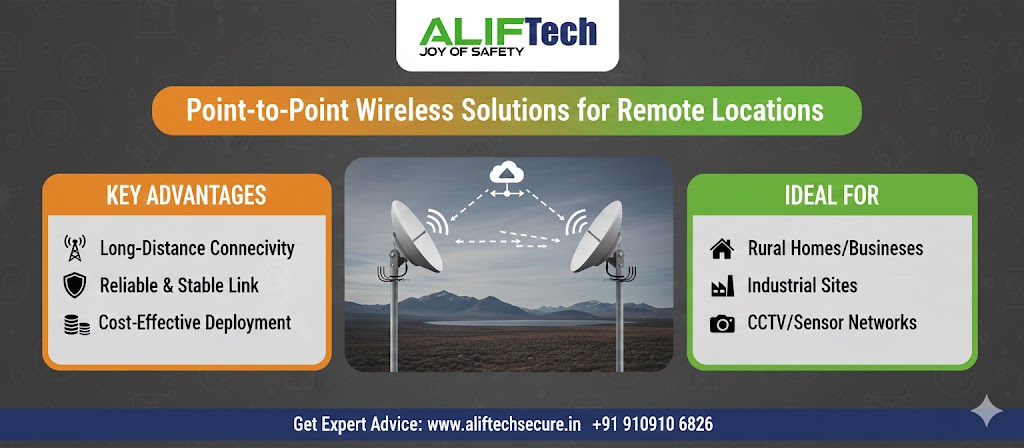
Point-to-Point Wireless Solutions for Remote Locations: Complete Guide
Point-to-point wireless solutions for remote locations provide high-speed internet connectivity where traditional wired infrastructure is impractical or cost-prohibitive. These wireless bridges create dedicated links between two locations, enabling broadband speeds across distances up to 50 kilometers or more. This comprehensive guide covers everything about implementing point-to-point wireless solutions for remote locations.
Understanding wireless bridge technology is essential before deployment. First, PTP (point-to-point) systems use directional antennas creating focused wireless links. Moreover, they operate on licensed or unlicensed frequencies avoiding interference. Therefore, point-to-point wireless solutions offer reliable connectivity for remote farms, construction sites, warehouses, or buildings without fiber access.
For comprehensive wireless networking solutions, explore various PTP equipment. Additionally, review our network infrastructure guide for complete connectivity planning.
Understanding Point-to-Point Wireless Technology
How PTP Wireless Works
Point-to-point wireless creates direct radio link between two locations. First, transmitter at site A sends focused radio beam to site B. Then, receiver at site B captures signal and converts to data. Additionally, modern systems operate full-duplex enabling simultaneous transmission both directions.
Moreover, directional antennas focus energy in narrow beam (typically 3-30 degrees) maximizing distance and minimizing interference. Furthermore, line-of-sight (LOS) is critical—obstacles block radio signals. Finally, higher frequencies (5 GHz, 60 GHz) provide more bandwidth but shorter range.
PTP vs Other Wireless Solutions
Point-to-Point: Dedicated link between two locations (highest performance, longest range)
Point-to-Multipoint: One central site connecting to multiple remote sites (shares bandwidth, cost-effective for multiple locations)
Mesh Networks: Multiple interconnected nodes (redundancy, complex setup, lower performance)
WiFi Extension: Consumer WiFi repeaters (short range, poor performance, not suitable for serious applications)
Therefore, PTP offers best performance for connecting two specific locations. Moreover, dedicated bandwidth ensures consistent speeds.
Learn about access point deployment for local area coverage after establishing backhaul.
Use Cases for Remote Wireless Solutions
Agricultural and Farm Connectivity
Farms often lack wired infrastructure yet need connectivity. First, connect main house to remote barns or outbuildings. Then, enable security cameras monitoring livestock or equipment. Additionally, provide internet for precision agriculture sensors.
Farm Applications:
- Remote building connectivity
- Security camera networks
- Automated irrigation systems
- Weather station data collection
- Equipment monitoring
Moreover, PTP wireless eliminates trenching across fields. Furthermore, installation completes in hours versus weeks for buried cable.
Construction Sites
Temporary construction sites require connectivity without permanent infrastructure. First, connect site office to main network. Then, enable security monitoring and project management systems. Additionally, provide internet for workers and contractors.
Moreover, wireless bridges relocate easily as projects move. Furthermore, no permitting required for underground cables.
Warehouse and Industrial Facilities
Large facilities with separate buildings benefit from PTP wireless. First, connect office building to warehouse or manufacturing areas. Then, enable inventory management systems. Additionally, provide network access for industrial IoT devices.
Moreover, wireless avoids trenching across yards or parking lots. Furthermore, installation doesn’t disrupt operations.
Remote Monitoring Locations
Security and monitoring applications need connectivity at remote sites. First, connect CCTV systems at perimeter locations. Then, enable environmental monitoring stations. Additionally, provide data links for utility monitoring.
Monitoring Uses:
- Remote security cameras
- Environmental sensors
- Utility infrastructure monitoring
- Traffic management systems
- Weather stations
Check our IP camera network guide for surveillance system integration.
Frequency Bands and Regulations
2.4 GHz Band
Advantages:
- Longer range (penetrates obstacles better)
- Lower cost equipment
- Unlicensed (no fees)
- Widespread availability
Disadvantages:
- Congested in urban areas
- Lower maximum bandwidth (150-450 Mbps)
- More interference
Best For: Budget-conscious deployments, longer distances with obstacles, rural areas.
5 GHz Band
Advantages:
- Higher bandwidth (300-1,200 Mbps)
- Less congested than 2.4 GHz
- Multiple non-overlapping channels
- Still unlicensed
Disadvantages:
- Shorter range than 2.4 GHz
- More affected by obstacles
- Requires clear line-of-sight
Best For: Most point-to-point applications, medium distances (up to 10 km), high bandwidth requirements.
60 GHz Band (WiGig)
Advantages:
- Very high bandwidth (1-10 Gbps)
- Unlicensed spectrum
- Minimal interference
- Short-range focus reduces cross-talk
Disadvantages:
- Very short range (1-2 km maximum)
- Heavily affected by weather (rain fade)
- Requires perfect alignment
- Higher equipment cost
Best For: Short-distance, ultra-high-bandwidth links (building-to-building).
Licensed Frequencies
Advantages:
- Protected spectrum (no interference)
- Guaranteed quality of service
- Professional support
- Longer warranty periods
Disadvantages:
- License fees (annual)
- Regulatory approval required
- Higher equipment cost
- Complex application process
Best For: Mission-critical links, carrier-grade deployments, high-value applications.
Reference our router selection guide for endpoint network equipment.
Equipment Selection
Calculating Link Budget
Link budget determines if connection is feasible. First, calculate free space path loss (FSPL) based on distance and frequency. Then, add antenna gain and subtract losses.
Link Budget Formula: Received Signal = Transmit Power + Antenna Gain (TX) + Antenna Gain (RX) – Path Loss – Cable Loss – Misc. Loss
Example (5 GHz, 5 km):
- Transmit power: 23 dBm
- Antenna gain (each side): 23 dBi
- Path loss: 114 dB
- Cable loss: 2 dB
- Received signal: 23 + 23 + 23 – 114 – 2 = -47 dBm
Moreover, ensure received signal exceeds minimum sensitivity (typically -65 to -95 dBm depending on modulation). Furthermore, add 10-15 dB fade margin for weather effects.
Throughput Requirements
Determine bandwidth needs before equipment selection. First, calculate current usage and future growth. Then, account for protocol overhead (30-40% reduction from rated speeds).
Bandwidth Planning:
- IP cameras: 2-8 Mbps each (1080p-4K)
- Office internet: 10-50 Mbps per 10 users
- File transfers: 100+ Mbps for frequent large files
- VoIP: 100 kbps per call
- Remote desktop: 1-5 Mbps per session
Therefore, choose equipment with 50-100% more capacity than calculated needs. Moreover, this provides headroom for growth and maintains performance during suboptimal conditions.
Recommended Equipment Brands
Ubiquiti Networks:
- Excellent performance-to-price ratio (₹8,000-60,000)
- Easy setup and management
- Wide product range
- Strong community support
- Good for small to medium deployments
MikroTik:
- Professional features (₹5,000-80,000)
- Highly configurable
- Competitive pricing
- Steep learning curve
- Excellent for technical users
Cambium Networks:
- Carrier-grade reliability (₹15,000-₹1,50,000)
- Licensed and unlicensed options
- Professional support
- Higher cost
- Best for mission-critical links
Siklu:
- 60 GHz specialists (₹60,000-₹3,00,000)
- Multi-gigabit links
- Short-range focus
- Premium pricing
- Urban building-to-building ideal
Visit wireless bridge equipment for current options.
Site Survey and Planning
Line-of-Sight Verification
LOS is critical for point-to-point wireless success. First, verify clear path between sites using online tools (HeyWhatsThat, Google Earth). Then, conduct physical site visit confirming no obstacles.
Fresnel Zone Clearance: Beyond simple LOS, 60% of first Fresnel zone must be clear. First, calculate zone radius using distance and frequency. Then, ensure trees, buildings, or terrain don’t intrude.
Fresnel Zone Radius = 17.3 × √(D/4f) Where D = distance in km, f = frequency in GHz
Example: 5 km at 5 GHz = 17.3 × √(5/20) = 8.6 meters radius at midpoint
Moreover, seasonal changes affect clearance (trees with/without leaves). Furthermore, future construction may block paths.
Mounting Location Selection
Proper mounting is crucial for reliable links. First, choose locations providing clear LOS. Then, ensure structural support for antennas and mounting hardware. Additionally, verify power availability or plan for solar/PoE.
Mounting Considerations:
- Roof, tower, or pole mount options
- Height above obstacles (trees, buildings)
- Wind loading and structural support
- Lightning protection requirements
- Accessibility for maintenance
- Power source proximity
Moreover, higher mounting improves LOS but increases installation complexity. Furthermore, professional tower climbers may be needed.
Grounding and Lightning Protection
Lightning protection prevents equipment damage. First, install proper grounding at both sites. Then, use surge protectors rated for your equipment. Additionally, follow manufacturer grounding recommendations.
Protection Measures:
- Proper ground rod installation (8-foot copper)
- Grounding all metal components
- Ethernet surge protectors (arrestors)
- Separate ground for radio equipment
- Bonding all grounds together
Moreover, lightning-prone areas require extra protection. Furthermore, equipment warranties often void without proper grounding.
Check fire safety integration for comprehensive facility protection.
Installation and Alignment
Physical Installation
Mounting equipment securely is essential. First, assemble mounting brackets and poles. Then, install following manufacturer instructions. Additionally, ensure weatherproof connections.
Installation Steps:
- Mount brackets to structure (roof, pole, tower)
- Attach radio unit to bracket
- Install antenna (if separate from radio)
- Run Ethernet cable from radio to indoor equipment
- Install surge protector at entry point
- Connect to PoE injector or switch
- Ground all equipment properly
Moreover, use UV-resistant cable ties. Furthermore, seal all outdoor connections against moisture.
Radio Alignment
Precise alignment is critical for maximum performance. First, use built-in alignment tools or apps. Then, adjust azimuth (horizontal direction). Additionally, adjust elevation (vertical angle).
Alignment Process:
- Connect laptop to radio via Ethernet
- Access alignment tool (web interface or app)
- Point antenna toward remote site (compass bearing)
- Monitor signal strength meter
- Adjust horizontally for maximum signal
- Adjust vertically for maximum signal
- Fine-tune both axes
- Lock mounting hardware securely
- Verify alignment at remote site
- Test throughput and latency
Moreover, use alignment applications (AirAlign, CNMaestro) simplifying process. Furthermore, alignment apps show signal strength, noise, and quality metrics.
Testing and Optimization
After alignment, verify performance. First, test throughput using iperf or speedtest. Then, check latency with ping tests. Additionally, monitor signal quality over 24 hours.
Performance Verification:
- Throughput test (should achieve 60-80% of rated speed)
- Latency test (typically 2-10 ms for PTP links)
- Packet loss (should be 0% under normal conditions)
- Signal-to-noise ratio (minimum 20 dB, prefer 30+ dB)
- Link stability over time
Moreover, document baseline performance. Furthermore, retest after weather changes verifying stability.
Reference our network troubleshooting practices for connectivity issues.
Configuration Best Practices
Network Settings
Proper configuration ensures optimal performance. First, assign static IP addresses to both radios. Then, configure same wireless network name and password. Additionally, set appropriate channel width (20/40/80 MHz).
Configuration Checklist:
- Static IP addresses (outside DHCP range)
- Matching SSID and security settings
- Optimal channel selection (least interference)
- Appropriate transmit power (avoid over-powering)
- QoS enabled for prioritizing traffic
- Management VLAN for security
Moreover, disable unnecessary features reducing overhead. Furthermore, enable watchdog for automatic recovery from hangs.
Security Configuration
Securing wireless links prevents unauthorized access. First, enable WPA2-AES encryption minimum. Then, use strong passwords (16+ characters). Additionally, disable SSID broadcast (though minimal security benefit).
Security Measures:
- WPA2-AES or WPA3 encryption
- Strong pre-shared keys
- MAC address filtering (both ends)
- Disable remote management
- Change default credentials
- Firmware updates regular
Moreover, consider VPN for additional encryption. Furthermore, monitor connected clients regularly.
Quality of Service (QoS)
QoS prioritizes critical traffic. First, identify important applications (VoIP, video conferencing). Then, configure traffic prioritization. Additionally, limit bandwidth for non-critical uses.
Moreover, QoS prevents large downloads from degrading real-time applications. Furthermore, essential for mixed-use links.
Troubleshooting Common Issues
Poor Signal Strength
Weak signals cause slow speeds and dropouts. First, verify antenna alignment using alignment tools. Then, check for new obstacles (construction, tree growth). Additionally, inspect cables for damage.
Solutions:
- Re-align antennas precisely
- Remove or trim obstacles
- Replace damaged cables
- Increase antenna size (higher gain)
- Relocate mounting position higher
Moreover, seasonal changes affect propagation. Furthermore, rain/snow temporarily reduces signal.
Intermittent Connectivity
Dropouts frustrate users. First, check for interference sources. Then, verify power supply stability. Additionally, monitor weather correlation.
Troubleshooting Steps:
- Scan for interference (change channels if needed)
- Verify PoE voltage (minimum 48V under load)
- Check cable quality and length (max 100m for PoE)
- Monitor link during weather events
- Update firmware to latest stable version
Moreover, lightning nearby causes temporary issues. Furthermore, nearby construction may introduce interference.
Slow Throughput
Speeds below expectations need investigation. First, verify signal quality (SNR above 20 dB). Then, check for asymmetric alignment. Additionally, test with iperf eliminating endpoint issues.
Performance Optimization:
- Re-align both ends precisely
- Reduce channel width if interference present
- Enable frame aggregation
- Disable rate limiting
- Verify no bandwidth throttling
Moreover, protocol overhead reduces speeds 30-40% from rated. Furthermore, longer distances reduce maximum modulation rates.
Cost Analysis
Basic Setup (2-3 km, 100 Mbps):
- 2× Wireless bridge units: ₹16,000-32,000
- Mounting hardware: ₹4,000-8,000
- Cables and accessories: ₹3,000-6,000
- Installation (DIY or professional): ₹5,000-20,000
- Total: ₹28,000-66,000
Professional Setup (5-10 km, 500+ Mbps):
- 2× High-performance bridges: ₹60,000-₹1,60,000
- Professional mounting systems: ₹15,000-40,000
- Lightning protection: ₹8,000-20,000
- Professional installation: ₹25,000-75,000
- Total: ₹1,08,000-₹2,95,000
Licensed Link (10+ km, 1 Gbps):
- 2× Licensed radios: ₹1,50,000-₹5,00,000
- Tower/mounting: ₹50,000-₹2,00,000
- License fees: ₹20,000-₹1,00,000 annually
- Professional installation: ₹50,000-₹1,50,000
- Total: ₹2,70,000-₹9,50,000
Therefore, costs scale with distance and performance requirements. Moreover, DIY installation saves significantly on labor.
Visit PTP equipment pricing for current costs.
Maintenance Requirements
Regular Inspections
Periodic checks ensure continued reliability. First, inspect mounting hardware quarterly (tighten if loose). Then, clean antenna surfaces removing dirt or debris. Additionally, verify grounding connections intact.
Maintenance Schedule:
- Monthly: Check signal levels remotely
- Quarterly: Visual inspection, clean antennas
- Semi-annually: Firmware updates, full testing
- Annually: Professional inspection (if critical link)
Moreover, after storms, verify alignment unchanged. Furthermore, monitor performance trends identifying degradation.
Firmware Updates
Updates improve performance and security. First, check manufacturer website for updates. Then, read release notes understanding changes. Additionally, test in maintenance window.
Moreover, backup configuration before updating. Furthermore, have rollback plan if issues occur.
Conclusion: Reliable Remote Connectivity
Point-to-point wireless solutions for remote locations provide cost-effective, high-performance connectivity where traditional infrastructure is impractical. First, careful planning ensures successful deployment through proper site surveys and equipment selection. Moreover, precise installation and alignment maximize performance and reliability.
Therefore, PTP wireless bridges serve diverse applications from farm connectivity to enterprise backhaul. Whether deploying basic links or professional carrier-grade systems, following best practices ensures reliable operation for years. Furthermore, wireless solutions offer flexibility traditional wired infrastructure cannot match.
Ultimately, point-to-point wireless technology democratizes high-speed internet access, bringing connectivity to previously underserved remote locations. The combination of affordability, performance, and quick deployment makes PTP wireless ideal for connecting remote sites.
For complete network infrastructure, explore our smart alarm integration and door access control for comprehensive facility management.
Frequently Asked Questions: Point-to-Point Wireless
Q: How far can point-to-point wireless work?
A: Unlicensed PTP links typically work 1-50 km depending on frequency, equipment, and terrain. 2.4 GHz achieves longest range (up to 50 km), 5 GHz works 5-20 km, and 60 GHz limited to 1-2 km. Licensed systems can reach 100+ km.
Q: Do point-to-point wireless links work in bad weather?
A: Yes, but performance may degrade. Rain affects higher frequencies more (60 GHz severely, 5 GHz moderately, 2.4 GHz minimally). Proper design includes fade margin (10-15 dB) compensating for weather effects. Links rarely fail completely unless extremely severe weather.
Q: Is line-of-sight absolutely required?
A: Yes, clear line-of-sight is essential for reliable PTP links. Radio waves don’t bend around obstacles like lower frequencies. Moreover, 60% of first Fresnel zone must be clear. Therefore, site survey confirming LOS is critical before purchase.
Q: Can I use point-to-point wireless in cities?
A: Yes, PTP wireless works excellently for building-to-building connections. Use 5 GHz or 60 GHz minimizing interference. Moreover, shorter distances and higher mounting simplify installation. Therefore, urban deployments are very common.
Q: What speeds can I achieve?
A: Real-world speeds are 60-80% of rated capacity due to protocol overhead. Budget equipment: 50-150 Mbps actual, mid-range: 200-500 Mbps, professional: 500-1,500 Mbps, 60 GHz: 1-5 Gbps. Moreover, distance and interference reduce maximum speeds.
Q: Do I need licenses for point-to-point wireless?
A: Unlicensed bands (2.4/5/60 GHz) require no license in most countries. However, licensed frequencies need regulatory approval and annual fees. Moreover, licensed spectrum guarantees interference-free operation. Therefore, most deployments use unlicensed spectrum.
Q: Can I install point-to-point wireless myself?
A: Basic installations (short distances, simple mounting) are DIY-friendly with technical skills. However, longer distances, tower mounting, or mission-critical links benefit from professional installation. Moreover, alignment requires patience and proper tools.
Q: What happens during power outages?
A: Links fail without power. Install UPS at both sites maintaining connectivity during outages. Battery backup provides 2-8 hours depending on capacity. Moreover, solar power works for remote sites without electrical infrastructure.
