
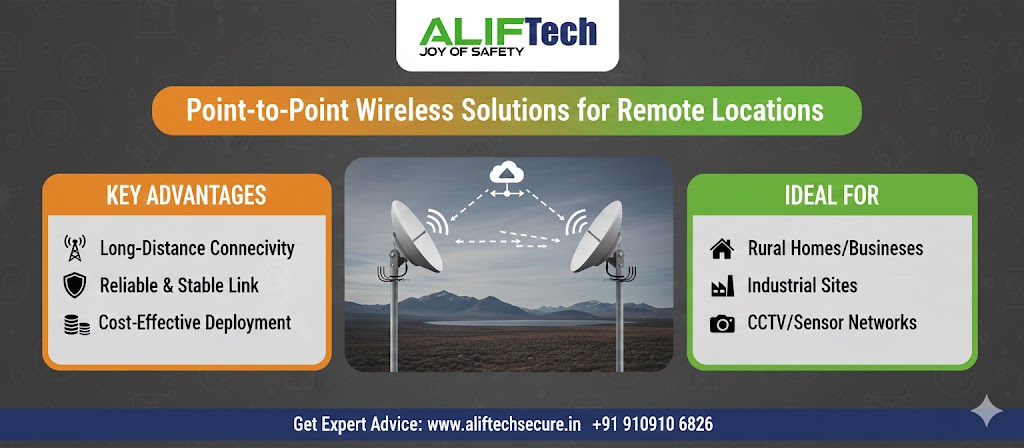
A factory in Pithampur has an admin block and a production shed four hundred metres apart. Running fibre between them means trenching across a working yard.
A point-to-point wireless link does the same job in a day, without digging anything.
That is the case for PTP, and it comes up more often in Indian industrial and rural settings than most guides acknowledge. This covers how the links work, what governs them here, and how to specify one that actually performs.
Quick Answer
- PTP creates a dedicated link between two fixed points using directional antennas.
- Line of sight is not optional. Sixty percent of the first Fresnel zone must be clear.
- 5 GHz suits most links up to around 10 km. 2.4 GHz reaches further with obstacles. 60 GHz is very fast and very short.
- Expect 60 to 80 percent of the rated speed, not the figure on the box.
- Cost: ₹28,000 to ₹66,000 for a basic 2 to 3 km link, considerably more for professional grade.
How a PTP Link Works
A radio at each end, each with a directional antenna, pointed at the other. The antenna focuses energy into a narrow beam, typically 3 to 30 degrees wide, which is what gives PTP its range and its resistance to interference.
Both ends transmit and receive simultaneously, so you get a full-duplex link rather than a shared connection.
Line of sight decides everything. Radio at these frequencies does not bend around obstacles, so a tree, a building or a ridge between the two points either weakens the link badly or kills it.
Our P2P device range covers the hardware.
PTP against the alternatives
Point-to-multipoint connects one central site to several remote ones, sharing the bandwidth. Cheaper per site when you have several, slower per site than a dedicated link.
Mesh networks interconnect multiple nodes with redundancy, at the cost of complexity and performance.
Consumer WiFi repeaters are not a serious option for this. Short range, poor performance, and they will disappoint on any real distance.
For linking two specific locations, PTP gives the best performance because the bandwidth is dedicated rather than shared.
Where It Actually Gets Used Here
Factory campuses. Admin block to production shed, or main plant to a gate cabin or weighbridge. Common across Pithampur and along Sanwer Road, where plot sizes make cable runs expensive.
Warehouses across a yard. Connecting a separate godown without trenching through a working loading area.
Construction sites. Site office to main network, and security cameras on a perimeter that will move again in six months. The link relocates with the project.
Remote CCTV. A camera position at a boundary, a farm gate or an outlying building, too far for Cat6 and not worth fibre. Our guide on factory and warehouse WiFi design covers the coverage side.
Agricultural and rural sites. Farmhouse to outbuildings, pump houses, and monitoring points across land where trenching is impractical.
Frequency Bands, and the Indian Position
What each band gives you
2.4 GHz travels furthest and penetrates obstacles better, at 150 to 450 Mbps. It is also the most congested band in any built-up area. Suits long rural links and budget deployments.
5 GHz is the workhorse for most PTP links. 300 to 1,200 Mbps, less congested, more non-overlapping channels. Range up to around 10 km with clear line of sight. This is where most Indian installations sit.
60 GHz delivers 1 to 10 Gbps but reaches only 1 to 2 km, and rain affects it severely. It suits short building-to-building links in a city where you need very high bandwidth.
| Band | Speed | Practical range | Best for |
|---|---|---|---|
| 2.4 GHz | 150 to 450 Mbps | Longest, tolerates some obstruction | Rural, budget, long links |
| 5 GHz | 300 to 1,200 Mbps | Up to about 10 km | Most links |
| 60 GHz | 1 to 10 Gbps | 1 to 2 km | Short urban, very high bandwidth |
Licensing in India
Worth being specific, since generic guides say “no licence in most countries” and leave you guessing.
In India, spectrum is administered by the Wireless Planning and Coordination wing of the Department of Telecommunications. The 2.4 GHz and 5 GHz bands are delicensed for low-power wireless access under specified conditions, which covers standard PTP equipment.
The lower 6 GHz band, 5925 to 6425 MHz, was delicensed on 20 January 2026 for low power and very low power wireless access, which opened Wi-Fi 6E and Wi-Fi 7 equipment for use here.
Licensed spectrum remains available for carrier-grade links where interference-free operation matters enough to justify the fees and the application process.
Before buying, confirm with your supplier that the specific equipment is approved for use in India, particularly the transmit power settings, since devices sold internationally sometimes ship with power levels above what is permitted here.
Planning the Link
Verify line of sight properly
Start with online tools, then visit both sites. A path that looks clear on a map often is not.
Clear line of sight is not enough on its own. Sixty percent of the first Fresnel zone must also be clear, and that zone is wider than people expect.
Fresnel zone radius = 17.3 × √(D ÷ 4f), where D is distance in kilometres and f is frequency in GHz.
For a 5 km link at 5 GHz: 17.3 × √(5 ÷ 20) = 8.6 metres radius at the midpoint.
So a tree line 6 metres into that zone will degrade the link even though you can see clearly from one end to the other.
Two things to allow for. Trees grow, and a path clear in February may not be in August. And construction happens, so a link across a developing area may lose its path within a couple of years.
Calculate the link budget
This tells you whether the link will work before you buy anything.
Received signal = transmit power + antenna gain at both ends − path loss − cable loss − miscellaneous loss
Worked example for 5 GHz over 5 km:
- Transmit power: 23 dBm
- Antenna gain, each end: 23 dBi
- Path loss: 114 dB
- Cable loss: 2 dB
- Received signal: 23 + 23 + 23 − 114 − 2 = −47 dBm
That needs to exceed the radio’s minimum sensitivity, typically −65 to −95 dBm depending on modulation. Then add 10 to 15 dB of fade margin for weather, because a link with no margin fails during the monsoon.
Size the bandwidth honestly
Work out what actually crosses the link, then add headroom.
- IP cameras: 2 to 8 Mbps each depending on resolution
- Office internet: 10 to 50 Mbps per 10 users
- Large file transfers: 100 Mbps or more
- VoIP: around 100 kbps per call
- Remote desktop: 1 to 5 Mbps per session
Then remember that rated speeds are not real speeds. Protocol overhead takes 30 to 40 percent, so a link rated 500 Mbps delivers 300 to 400 in practice.
Specify 50 to 100 percent more capacity than your calculation, which covers growth and keeps performance acceptable when conditions are poor.
Equipment
Four manufacturers cover most of what gets deployed here.
Ubiquiti gives the best performance for the money at ₹8,000 to ₹60,000, with straightforward setup and a wide range. Suits most small and medium deployments.
MikroTik offers more configurability at ₹5,000 to ₹80,000, with a steeper learning curve. Excellent if you or your installer are technical.
Cambium is carrier-grade at ₹15,000 to ₹1.5 lakh, with licensed and unlicensed options and proper support. The choice for links that must not fail.
Siklu specialises in 60 GHz at ₹60,000 to ₹3 lakh, for multi-gigabit short urban links.
You will also need a PoE switch or injector at each end, and a router if the link is carrying internet rather than just extending a LAN.
Mounting, Grounding and Alignment
Mounting
Choose positions with clear line of sight and structural support that will hold an antenna in wind. Height helps clear obstacles but complicates installation and maintenance.
Check power availability at both ends, or plan for solar on a remote site. And consider how someone will reach the equipment for servicing, because a radio on a tower needs a climber every time it needs attention.
Grounding and lightning protection
This is not optional in India, and skipping it voids most warranties.
Install a proper ground rod at each site, ground every metal component, fit Ethernet surge arrestors at the building entry point, and bond all grounds together.
Madhya Pradesh sees substantial lightning activity through the monsoon. A PTP radio on a rooftop or pole is among the most exposed pieces of equipment you will own, and the surge arrestor costs a fraction of the radio.
Alignment
Precision here determines whether you get the performance you paid for.
- Connect a laptop to the radio and open the alignment tool
- Point roughly using a compass bearing to the far site
- Adjust horizontally while watching signal strength
- Adjust vertically for maximum signal
- Fine-tune both axes
- Lock the mounting hardware
- Repeat at the far end
- Test throughput and latency before leaving
Most manufacturers provide alignment apps showing signal strength, noise and link quality live, which makes this considerably easier than it used to be.
Verify before signing off
Test throughput, which should reach 60 to 80 percent of rated speed. Check latency, typically 2 to 10 ms on a PTP link. Confirm zero packet loss under normal conditions. And check the signal-to-noise ratio, which should be at least 20 dB and ideally above 30.
Record the baseline. When the link degrades in two years, that record is how you know by how much.
Configuration
Network settings. Static IP addresses outside the DHCP range at both ends, matching SSID and security settings, the least congested channel, and appropriate transmit power rather than maximum.
Security. WPA2-AES at minimum or WPA3 where supported, a long pre-shared key, MAC filtering at both ends, remote management disabled, default credentials changed, and firmware kept current.
An unsecured PTP link is a route into your network from outside the building. Our firewall guide covers what sits behind it.
Quality of service. Enable it if the link carries mixed traffic, so a large file transfer does not degrade a video call or a camera stream.
When Something Goes Wrong
Weak signal. Re-align both ends precisely. Check whether anything new has appeared in the path, including tree growth. Inspect cables for damage or water ingress. Consider a higher-gain antenna or a higher mounting position.
Intermittent drops. Scan for interference and change channel if needed. Verify PoE voltage under load, since a marginal injector causes exactly this. Check cable length, which must stay under 100 metres. Correlate the drops against weather, because rain fade is a real effect at higher frequencies.
Slow throughput. Confirm signal-to-noise above 20 dB. Re-align both ends, since asymmetric alignment is common. Reduce channel width if interference is present. And test with a tool like iperf to rule out the equipment at either end rather than the link itself.
What It Costs
| Scope | Components | Total |
|---|---|---|
| Basic, 2 to 3 km, around 100 Mbps | Two bridges ₹16,000 to ₹32,000, mounting ₹4,000 to ₹8,000, cables ₹3,000 to ₹6,000, installation ₹5,000 to ₹20,000 | ₹28,000 to ₹66,000 |
| Professional, 5 to 10 km, 500+ Mbps | Two bridges ₹60,000 to ₹1.6 lakh, mounting ₹15,000 to ₹40,000, lightning protection ₹8,000 to ₹20,000, installation ₹25,000 to ₹75,000 | ₹1.08 lakh to ₹2.95 lakh |
| Licensed, 10 km+, 1 Gbps | Two radios ₹1.5 lakh to ₹5 lakh, tower and mounting ₹50,000 to ₹2 lakh, licence fees, installation ₹50,000 to ₹1.5 lakh | ₹2.7 lakh to ₹9.5 lakh |
Compare this against the alternative. Trenching and laying fibre across four hundred metres of working factory yard costs more than a basic link, takes weeks rather than a day, and disrupts operations throughout.
Where the distance is short and the ground is open, fibre still wins on longevity. Our guide on Cat6 against fibre covers that comparison.
Keeping It Running
Monthly: check signal levels remotely. A gradual decline usually means alignment drift or something growing in the path.
Quarterly: visual inspection, clean the antenna surfaces, check mounting hardware is still tight.
Twice a year: firmware updates and a full throughput test against your baseline.
After every storm: verify alignment has not shifted and the grounding is intact.
Frequently Asked Questions
How far can a point-to-point wireless link reach?
Unlicensed links typically work over 1 to 50 km depending on frequency, equipment and terrain. 2.4 GHz reaches furthest, 5 GHz covers 5 to 20 km, and 60 GHz is limited to 1 to 2 km. Licensed systems go considerably further. Clear line of sight matters more than any of these figures.
Does it work in heavy rain?
Performance degrades but links rarely fail entirely if designed properly. Rain affects higher frequencies most, severely at 60 GHz, moderately at 5 GHz, minimally at 2.4 GHz. A proper design includes 10 to 15 dB of fade margin specifically to absorb this, which matters through an Indian monsoon.
Is clear line of sight really necessary?
Yes. Radio at these frequencies does not bend around obstacles, and sixty percent of the first Fresnel zone must be clear as well as the direct path. A site survey confirming this before purchase is the single most important step, because no equipment fixes a blocked path.
Do I need a licence in India?
The 2.4 GHz and 5 GHz bands are delicensed for low-power wireless access under specified conditions, which covers standard PTP equipment. Licensed spectrum is available for carrier-grade links. Confirm with your supplier that the equipment is approved for Indian use, particularly its transmit power settings.
What speeds will I actually get?
Around 60 to 80 percent of the rated figure, since protocol overhead takes 30 to 40 percent. Budget equipment delivers 50 to 150 Mbps, mid-range 200 to 500, professional 500 to 1,500, and 60 GHz gear 1 to 5 Gbps. Distance and interference reduce these further.
Can I install a link myself?
Short, simple installations are manageable with technical skill and patience. Longer distances, tower mounting and anything mission-critical benefit from professional installation, mostly because alignment is fiddly and grounding must be right. Poor grounding is the most expensive DIY mistake on a rooftop radio.
What happens during a power cut?
The link stops. Fit a UPS at both ends for two to eight hours of backup depending on capacity. For remote sites without mains power, solar with battery storage is a workable option and is common on agricultural and boundary installations.
Before You Buy
Three things settle whether a link will work, and all three come before equipment selection.
Confirm line of sight, including Fresnel clearance, with a site visit rather than a map.
Calculate the link budget for your actual distance and frequency, with fade margin included.
Decide the real bandwidth requirement, then specify well above it.
A link that fails these on paper will fail in the field, and no amount of equipment quality changes that.
Book a free PTP site survey. We visit both locations, confirm line of sight and Fresnel clearance, calculate the link budget for your distance, and specify equipment that will actually deliver what you need.
Every installation includes proper grounding and surge protection, precise alignment with documented signal readings, a throughput baseline you can measure against later, and secured configuration rather than default settings.
We deploy links across Indore, Pithampur and rural Madhya Pradesh for factory campuses, warehouses, construction sites and remote camera positions.
See our P2P device range, our Wi-Fi and networking services, or get in touch.
Call or WhatsApp +91 91091 06826.

