
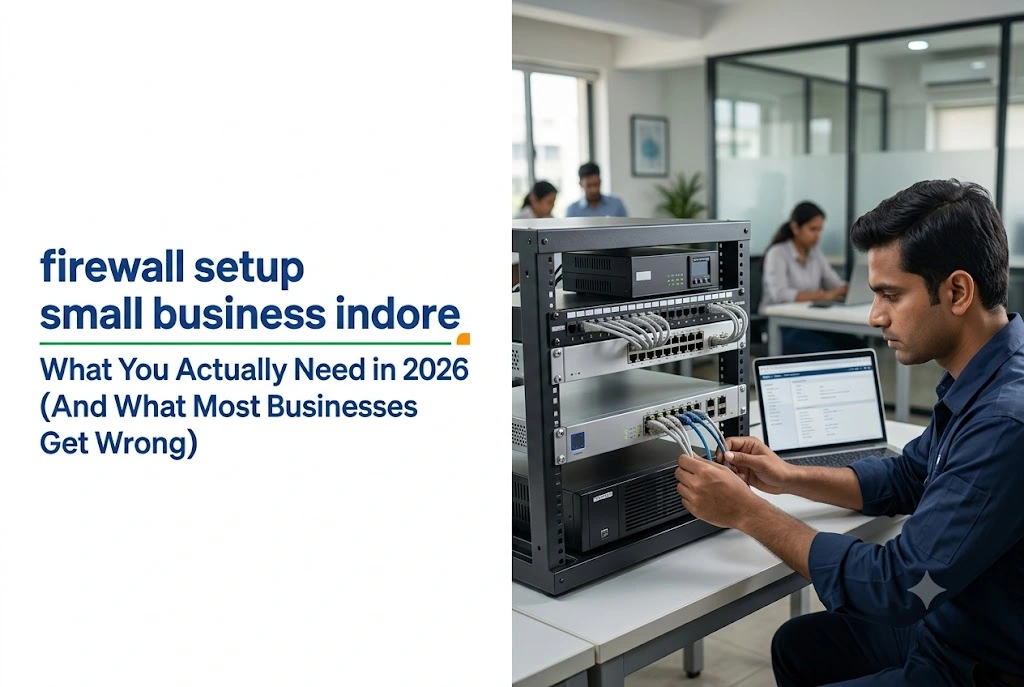
By AlifTech Secure | Networking & IT Solutions, Indore | June 2026 | www.aliftechsecure.in
Most small businesses in Indore run on an ISP router and Windows Defender, and assume that covers them. It does not, and there is now a legal dimension to that gap which almost nobody in this market talks about.
Since June 2022, Indian businesses have been legally required to keep ICT system logs for 180 days and report cyber incidents within six hours. Your firewall is where most of those logs come from.
This guide covers what a firewall actually does, which type suits a small Indore office, what setup involves, what it costs, and the configuration mistakes that leave most SME networks exposed even after the box is installed.
Quick Answer
- An ISP router is not a business firewall. It blocks unsolicited inbound traffic and inspects nothing.
- For 5 to 50 users, a UTM firewall from Sophos or SonicWall is the right starting point.
- Hardware ₹20,000 to ₹45,000, plus annual subscription ₹8,000 to ₹20,000 and configuration ₹5,000 to ₹15,000.
- Budget for the subscription. Without it, a UTM does basic packet filtering only.
- CERT-In requires 180-day log retention stored in India, and six-hour incident reporting. Your firewall configuration decides whether you can comply.
Why the ISP Router and Antivirus Are Not Enough
Worth being direct about this, since it is where most Indore offices start.
The ISP router does include basic firewall function. It blocks unsolicited inbound connections, which is the minimum possible protection. But it does not inspect what is inside the traffic it allows through, cannot detect malware in downloads, and sees nothing suspicious happening between machines on your own network. Default router passwords are also publicly documented, so an unchanged one is already known.
Windows Defender protects individual machines against known malware. It does not protect a network. A phishing page that harvests one employee’s credentials looks like an ordinary browser session, not like malware. And an attacker who compromises one machine and then moves sideways to others is not doing anything Defender recognises.
The gap widens as offices move to cloud tools. Google Workspace, Tally on cloud, remote access to office systems. Every remote connection is an entry point, and every cloud application is a link between your internal network and the internet.
The Compliance Part Nobody Mentions
This is the part that turns a firewall from a good idea into a documented requirement, and it applies to far more businesses than most owners realise.
On 28 April 2022, CERT-In issued Direction No. 20(3)/2022-CERT-In under Section 70B(6) of the Information Technology Act, 2000. It came into force on 28 June 2022, with the deadline for micro, small and medium enterprises extended to 25 September 2022.
The obligations that matter for your firewall:
180-day log retention. All service providers, intermediaries, data centres, body corporate and government organisations must enable logs of all their ICT systems, maintain them securely for a rolling 180 days, and keep them within Indian jurisdiction. These have to be provided to CERT-In when reporting an incident or when directed.
Six-hour incident reporting. Specified cyber incidents must be reported within six hours of becoming aware. The clock starts at awareness, not at the end of your investigation, and there are twenty categories of reportable incident rather than data breaches alone.
Clock synchronisation. ICT system clocks must sync with the NTP servers of NIC or NPL, or servers traceable to them. Without this, your logs carry timestamps that will not stand up.
“Body corporate” covers ordinary companies, so a trading firm, a manufacturing office or a professional practice in Indore is inside scope. There is no size exemption. Non-compliance under Section 70B(7) can attract imprisonment of up to one year, a fine, or both.
Why this changes your firewall specification
Three practical consequences.
Your firewall is a primary source of the network logs CERT-In expects. So “enable logging” stops being optional configuration and becomes compliance.
Log storage has to be sized for 180 days, which is longer than most default firewall configurations retain. That may mean an external log server or a subscription tier that includes retention.
And NTP configuration, usually treated as an afterthought, needs pointing at NIC or NPL servers rather than a default international pool.
The full Direction is published by CERT-In as a public document. Worth reading it, or having your CA or legal advisor confirm which parts apply to your specific business, before assuming any of this is someone else’s problem.

Firewall Types, and What the Difference Means
Three categories matter for a small business.
Basic packet filtering
What your ISP router does. It checks source and destination addresses and ports against rules, then allows or blocks. Fast and simple, with no understanding of what the traffic contains. A malicious download over port 443 passes exactly like a legitimate one.
UTM, Unified Threat Management
A UTM combines traffic inspection, intrusion detection, web filtering, antivirus scanning of network traffic, application control and VPN management in one device.
For most Indore offices with 5 to 50 users, this is the right starting point. It gives serious protection without needing a dedicated security team to manage separate tools. Sophos and SonicWall are the two most commonly deployed at this level in Indian SMEs.
NGFW, Next-Generation Firewall
An NGFW understands applications rather than just ports. It identifies traffic as WhatsApp or Zoom or a banking application regardless of the port used, and applies rules accordingly. It adds behavioural threat detection and integrates with cloud security platforms.
For growing businesses with remote teams, cloud infrastructure or sensitive client data, this is the longer-term investment. FortiGate is the most widely deployed NGFW in Indian SME environments, and Sophos offers NGFW-level features at competitive pricing.
| Firewall type | Suits | Indicative models |
|---|---|---|
| Basic or ISP router | Home use only, not adequate for a business network | Provided by your ISP |
| UTM | 5 to 50 users, no in-house IT team | Sophos XGS 87, SonicWall TZ270 |
| NGFW | Growing teams, remote workers, cloud-first | FortiGate 40F or 60F, Sophos XGS 107 |
What Setup Actually Involves
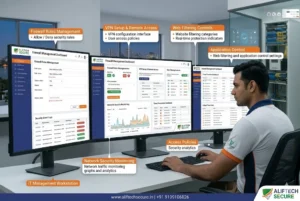
Physical installation takes under an hour. The configuration decides whether the firewall protects you, and it takes considerably longer.
Place it correctly. The firewall sits between your internet connection and internal network. ISP modem into the WAN port, office switch from the LAN port. This assumes the network underneath is sound, which is why we cover it alongside structured cabling versus wireless rather than as a separate job. Any device reaching the internet by another path, a second router or an unmanaged switch on a separate line, sits outside the firewall entirely.
Change the default credentials first. Firewall defaults are publicly documented. This takes two minutes and skipping it leaves the management interface open to anyone who searches the brand’s defaults.
Configure rules on default-deny. Block everything, then allow only what operations need. Most SME firewalls ship allowing too much outbound and blocking too little inbound. Rules also accumulate, so review them periodically rather than only at installation.
Enable web filtering and application control. These come with UTM and NGFW devices but must be actively switched on and licensed. A UTM running with them off provides only marginally more than an ISP router.
Set up VPN before anyone needs it. Anyone accessing office systems from home, a hotel or a client site needs an encrypted tunnel. Most UTM and NGFW devices include VPN. Configure it during installation rather than after an incident prompts it.
Enable logging, and check the retention period. Set email alerts for blocked intrusion attempts, unusual traffic volumes and VPN login failures. Then confirm retention meets the 180-day requirement, because default settings usually do not.
What It Costs in Indore
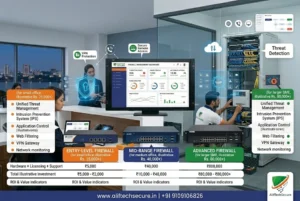
Hardware. For 5 to 20 users, a capable UTM such as a SonicWall TZ270 or Sophos XGS 87 runs ₹20,000 to ₹45,000. For 20 to 50 users wanting NGFW capability, budget ₹40,000 to ₹80,000 for something like a FortiGate 60F or Sophos XGS 107.
Subscription. Modern firewalls need annual security licences to activate threat intelligence, web filtering and antivirus scanning. Without them the device does basic packet filtering only. Expect ₹8,000 to ₹20,000 a year depending on device and feature set. Factor this in before choosing on hardware price alone, because it is the cost most quotes leave out.
Installation and configuration. ₹5,000 to ₹15,000 for a small office, covering physical installation, rule configuration, VPN setup, filtering configuration and a staff briefing. For a business without in-house IT this is not optional, since a misconfigured firewall provides false confidence rather than security.
Ongoing management. Firmware updates, rule reviews and licence renewals keep it effective. An AMC typically runs ₹8,000 to ₹20,000 a year. Without it a well-configured firewall drifts, rules go stale and firmware falls behind, and nobody notices until something happens.
| Cost component | 5 to 20 users | 20 to 50 users |
|---|---|---|
| Hardware | ₹20,000 to ₹45,000 | ₹40,000 to ₹80,000 |
| Annual security subscription | ₹8,000 to ₹15,000 | ₹12,000 to ₹20,000 |
| Installation and configuration | ₹5,000 to ₹10,000 | ₹10,000 to ₹15,000 |
| Annual AMC | ₹8,000 to ₹15,000 | ₹12,000 to ₹20,000 |
Four Mistakes That Leave Businesses Exposed
These are what we find most often when reviewing existing deployments.
Installing it and never touching the configuration again. A firewall set up two years ago no longer reflects your business. Applications get added, remote workers get onboarded, old rules never get removed. Threat intelligence also ages without subscription renewals. An annual configuration review is the minimum.
Allowing too many exceptions. Every time an application breaks and someone adds a rule to fix it, there is a temptation to open a wide port range rather than the specific one needed. Reviewing a small business firewall typically turns up five to ten such rules, each broader than necessary, collectively undoing much of the protection.
Paying for a UTM and using it as a router. Web filtering, intrusion prevention and antivirus scanning ship with the device but need enabling and licensing. Plenty of businesses pay for the capability and never switch it on.
No VPN for remote access. Staff working from home, from cafes or from coworking spaces expose credentials and session data over connections they do not control. Setting up a VPN is not complicated. The consequences of skipping it are.
Larger sites have a related problem worth reading about separately, since WiFi design across a factory or warehouse changes how many entry points the firewall has to cover.
Frequently Asked Questions
Does my small business need a hardware firewall if I already have antivirus?
Yes. Antivirus protects individual devices against known malware, while a firewall controls what enters and leaves your network, blocks access to malicious sites before anything downloads, and gives visibility into network behaviour endpoint software cannot see. They do different jobs. The CERT-In log retention requirement also applies at network level rather than device level.
How long does firewall setup take for a small office?
Physical installation takes one to two hours. Configuration takes another three to six hours depending on network complexity and application count, covering rules, web filtering, VPN, log retention and testing. Plan a full day for a thorough deployment. Rushing the configuration stage is where most small business firewall projects fall short.
Can I manage the firewall myself afterwards?
Modern Sophos and SonicWall dashboards are built for non-technical users, so viewing alerts, checking reports and making simple rule changes are manageable. Significant configuration changes, firmware updates and incident response benefit from networking experience. Many Indore businesses take an AMC covering these rather than managing everything in-house.
What is the difference between a firewall and a VPN?
A firewall sits at the boundary between your office network and the internet, controlling what passes. A VPN creates an encrypted tunnel so remote workers reach that network securely from outside. They work together rather than replacing each other, and most UTM firewalls include VPN functionality built in.
Do CERT-In rules really apply to a small business?
The Directions cover service providers, intermediaries, data centres, body corporate and government organisations, with no size exemption. “Body corporate” includes ordinary companies, so most registered businesses fall in scope. MSMEs were given until 25 September 2022 to comply rather than being excluded. Confirm your specific position with a legal advisor.
Getting This Right Without Overcomplicating It
The gap between having a firewall and being protected by one is configuration. A device installed on defaults and never reviewed delivers reassurance rather than security.
So the sequence is: pick the right tier for your user count, budget for the subscription rather than just the hardware, configure properly, set retention to 180 days, and review it annually.
If you are unsure where your network stands, start with an assessment rather than a purchase. An hour of review tells you what you have, what is missing, and what closing the gap would cost.

installation photo
| AlifTech Secure — Indore Call / WhatsApp: +91 9109106826 www.aliftechsecure.in | aliftechsecure@gmail.com 112 Basement, Akbar Ali Complex, MG Road, Palasia Square, Indore — 452001 |
| Book a Free Network Security Assessment We review your current setup, identify gaps, and recommend the right firewall for your business. Call / WhatsApp: +91 9109106826 | www.aliftechsecure.in |
AlifTech Secure | Networking & IT Solutions, Indore MP |www.aliftechsecure.in | +91 9109106826

)