
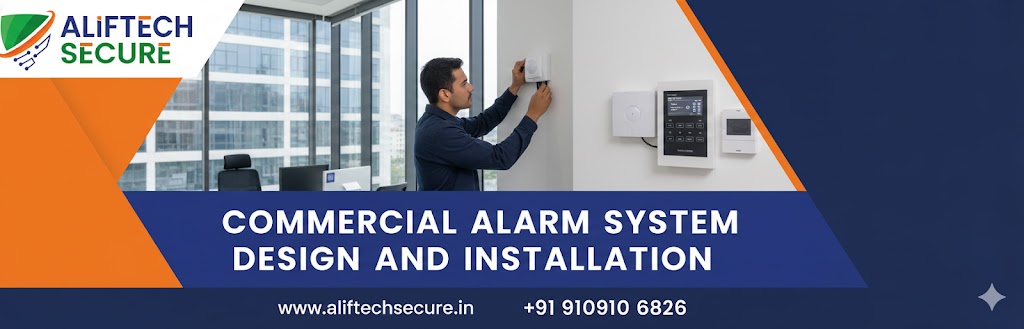
Commercial Alarm System Design and Installation: A Complete Guide
Protecting your business from theft, vandalism, and unauthorized access is essential in today’s security landscape. A professionally designed provides 24/7 protection for your assets, employees, and customers. This guide covers everything you need to know about designing and installing the right alarm system for your business.
What is a Commercial Alarm System?
A commercial alarm system is a comprehensive security solution designed specifically for business environments. Unlike residential systems, commercial alarms are built to protect larger spaces, handle multiple access points, and integrate with other security technologies like surveillance cameras and access control systems.
Key Components of Commercial Alarm Systems
1. Control Panel
The brain of your security system that manages all connected devices and communicates with monitoring stations.
2. Door and Window Sensors
Magnetic sensors that detect when entry points are opened, triggering alerts during armed periods.
3. Motion Detectors
Advanced sensors using to detect movement within protected areas.
4. Glass Break Detectors
Acoustic sensors that identify the specific sound frequency of breaking glass.
5. Keypads and Access Controls
User interfaces for arming, disarming, and managing the system, including keycard or biometric options for enhanced security.
6. Alarm Sirens
Loud audible alerts that deter intruders and notify nearby personnel of security breaches.
7. Monitoring Services
Professional that ensures immediate response to alarm activations.
Designing Your Commercial Alarm System
Conduct a Security Assessment
Identify vulnerable entry points, high-value areas, and specific business risks. Consider your industry requirements, operating hours, and employee access needs.
Choose the Right System Type
- Wired Systems: More reliable, ideal for new construction
- Wireless Systems: Flexible installation, perfect for existing buildings
- Hybrid Systems: Combines benefits of both technologies
Zone Planning
Divide your premises into security zones for more precise monitoring and faster emergency response. Common zones include:
- Perimeter protection (doors and windows)
- Interior spaces (motion detection)
- High-security areas (safes, server rooms)
- After-hours zones
Integration Capabilities
Modern systems should integrate with video surveillance, access control, fire alarms, and building management systems for comprehensive protection.
Professional Installation Process
1. Site Survey
A certified technician evaluates your property, identifies optimal sensor placement, and plans cable routing.
2. Equipment Installation
Professional mounting of control panels, sensors, keypads, and communication devices ensuring code compliance.
3. System Programming
Custom configuration of zones, user codes, alert notifications, and monitoring protocols.
4. Testing and Commissioning
Thorough testing of all components, communication pathways, and backup systems.
5. Staff Training
Comprehensive training on system operation, emergency procedures, and troubleshooting basics.
Benefits of Professional Commercial Alarm Systems
Asset Protection: Safeguard inventory, equipment, and confidential information from theft and damage.
Reduced Insurance Costs: Many for businesses with monitored alarm systems.
Remote Monitoring: Receive real-time alerts and control your system from anywhere
Compliance: Meet and insurance requirements for security measures.
Peace of Mind: Focus on running your business knowing your property is protected around the clock.
Maintenance and Support
Regular maintenance ensures optimal system performance. Schedule annual inspections to test sensors, update software, and replace batteries. Choose an installation company that offers ongoing technical support and fast response times for repairs.
Choosing the Right Installation Company
Select a licensed, insured installer with experience in commercial systems. Look for certifications from manufacturers, positive customer reviews, and comprehensive service agreements. A quality installer provides detailed documentation, warranty coverage
Conclusion
Investing in professional commercial alarm system design and installation is one of the most important decisions you can make for your business security. With proper planning, quality equipment, and expert installation, you’ll have a reliable security solution that protects your business for years to come.
Ready to secure your business? Contact a certified alarm system installer today for a free security assessment and customized proposal.
Frequently Asked Questions (FAQs)
How much does a commercial alarm system cost?
Commercial alarm systems typically range from $1,500 to $10,000+ depending on business size, number of sensors, and features required. Monthly monitoring fees usually range from $30 to $150. Get multiple quotes and ensure all costs are clearly outlined before signing contracts.
Do I need a monitored alarm system?
While self-monitored systems exist, professional 24/7 monitoring ensures immediate response to emergencies. Monitored systems provide faster police dispatch, reduced false alarms through verification, and continuous protection even when you’re unavailable. Many insurance companies require professional monitoring for premium discounts.
How long does installation take?
Most commercial alarm installations take 1-3 days depending on facility size and complexity. Small offices may be completed in one day, while larger warehouses or multi-building complexes require more time. Minimal business disruption is typical with experienced installers.
Can I integrate my alarm with existing security cameras?
Yes, modern commercial alarm systems easily integrate and other security technologies. Integration provides comprehensive security management through a single platform and enables features like video verification during alarm events.
What happens if my alarm system loses power?
Quality commercial alarm systems include battery backup that maintains operation for 24-48 hours during power outages. Cellular backup ensures communication with monitoring stations even if internet or phone lines are cut. The system automatically notifies you and the monitoring station of power failures.
How often should commercial alarm systems be serviced?
Schedule professional maintenance at least annually to test all components, update software, replace batteries, and clean sensors. High-security environments may require semi-annual service. Regular prevents false alarms and ensures optimal performance.
