
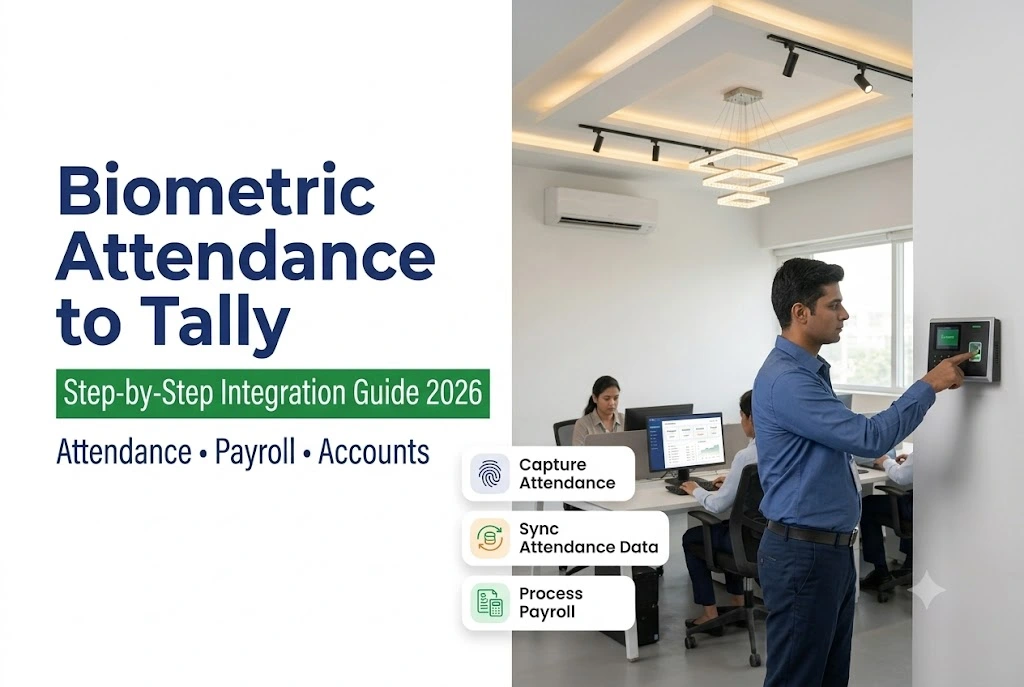
Biometric Attendance Tally Integration – How to Connect Your Attendance Machine to Tally in 2026
By AlifTech Secure | Access Control & Biometric Solutions, Indore | July 2026 |www.aliftechsecure.in
It’s the 28th. Your HR person has the attendance report open on one screen and Tally on the other, keying in working days employee by employee. Leave records cross-checked. Overtime calculated. Late marks adjusted. Two hours in, three people still have missing punches that have to be sorted before salary can go out.
None of that work is necessary. The biometric machine already knows every one of those numbers. What’s missing is the bridge between the device and the accounting software, and that bridge is easier to build than most business owners assume. This guide covers the three ways it’s done, what each one costs, and what to check before you buy a machine for this purpose. If you’re still deciding on the device itself, our guide on choosing an attendance machine that works with salary software is the better starting point.
TL;DR
- Tally has no built-in biometric reader. Prime and ERP 9 both need CSV import, middleware, or a TDL add-on.
- CSV export is free but leaves you with a manual step every single month.
- Middleware runs ₹5,000 to ₹20,000 a year and usually throws in PF and ESI reports.
- A TDL add-on costs ₹8,000 to ₹25,000 once and gives the cleanest flow, but needs a Tally partner to configure.
- Employee code mismatches cause most import failures, so align codes before you import anything.
Why Tally Doesn’t Read the Machine Directly
Tally is accounting software with a payroll module bolted on. It expects attendance to arrive as data you feed it, not as a live device it queries.
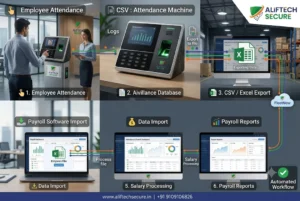
So the machine records punches, the attendance software turns those punches into present days and LOP, and then something has to carry that summary across. That something is your integration method. Tally’s own payroll module handles the receiving end through attendance and production types, which is where present days, leave with pay and leave without pay get defined before any import will make sense.
Get that structure right first. An import that lands in the wrong attendance type produces a salary figure that looks plausible and is wrong.
The Three Integration Methods
Method 1: CSV export and manual import
Almost every biometric machine exports a monthly report as CSV or Excel. You pull the report, reshape the columns to match Tally’s import template, and import it.
Costs nothing. Works with any device. But the reshaping step is real work, and it happens every month whether or not anyone has time for it. For a team of ten to twenty, that’s an acceptable trade. Past that, the monthly formatting starts costing more than the software would.
Method 2: Third-party middleware
Several Indian vendors sell tools that sit between the machine and Tally: HR Mantra, Spine Payroll, Kredily, plus bridge utilities from eSSL and Matrix themselves.
These pull attendance automatically, apply your leave and overtime rules, work out payable days, and hand Tally a clean import. Most also generate statutory reports, which matters once you cross the thresholds. Per ESIC’s published contribution rates, ESI runs at 3.25% employer and 0.75% employee, and those calculations get tedious by hand at any real headcount.
One caution though. Middleware automating the arithmetic doesn’t mean the underlying attendance is correct. If your roster is wrong, the middleware simply files the wrong number faster. We covered that failure chain in detail in our post on PF ESI compliance and your attendance system.
Cost: ₹5,000 to ₹20,000 per year, scaling with employee count.
Method 3: TDL add-on
TDL is Tally’s own customisation language. Partners have built TDL modules that let Tally read attendance straight off the machine over your local network.
No middleware, no export, no monthly step. It’s the cleanest of the three. The catch is that it isn’t a download-and-run affair, since a Tally partner has to configure the module against your specific device model.
Cost: ₹8,000 to ₹25,000 one-time, plus partner installation.
Comparing the Three Methods
| Factor | CSV export | Middleware | TDL add-on |
|---|---|---|---|
| Upfront cost | Nil | Nil to low | ₹8,000–25,000 |
| Running cost | Nil | ₹5,000–20,000/yr | Nil |
| Monthly manual effort | 2 to 4 hours | Minutes | None |
| PF / ESI reports | No | Usually included | Depends on module |
| Works with any machine | Yes | Most | Model-specific |
| Who sets it up | Your HR staff | Vendor, remotely | Tally partner, on site |
| Best suited to | Under 20 staff | 20 to 200 staff | Any size wanting zero manual steps |
Which Machines Work Best With Tally
Most Indian biometric devices export something Tally can eventually digest. Some just take fewer steps to get there.
eSSL
The MB160 and X990 series are the ones you’ll see most often in Indore offices. eSSL’s own eTimeTrackLite software exports in a Tally-friendly format in one click, and local support is easy to find, which counts for more than spec sheets suggest when something breaks in the middle of payroll week.
ZKTeco
Exports to CSV and supports API-based integration, so it pairs well with Greythr, Spine and similar platforms. ZKTIME 8.0 produces Excel reports that map onto Tally’s import template without much reshaping.
Matrix Cosec
Enterprise territory. Matrix Bridge plus partner-built TDL modules handle shift management, overtime rules and multi-location attendance together. For a Pithampur factory running rotating shifts across gates, this is usually the honest answer.
Ask this before you pay
Whatever you’re quoted, ask the vendor one question: does this machine export in a format my chosen middleware or TDL module actually reads? Then ask for a demo of the real export file, not a brochure claim. Ten minutes there saves a week later.
Setting It Up, Step by Step
- Pick the machine. Fingerprint for clean office environments, face recognition where hands are dusty, wet or gloved. Confirm CSV or API export either way.
- Pick the method. CSV under twenty staff, middleware from twenty to two hundred, TDL when you want the monthly step gone entirely.
- Align employee codes. Codes in the biometric machine must match the employee ledgers in Tally exactly. This single mismatch causes more failed imports than everything else combined.
- Configure shifts and leave types. Shift timings, OT rules, and every leave category (casual, earned, sick, LWP) have to exist identically on both sides before any data moves.
- Run a parallel month. Process one cycle manually and through the integration, then compare. Reconcile every difference before you trust the system with a live payroll.
Five Mistakes Worth Avoiding
Buying the device before planning the integration. The machine gets purchased, then the middleware licence turns up as an unbudgeted surprise.
Expecting Tally to just read it. It won’t. An add-on, middleware or TDL module is always required, whatever the salesperson implied.
Skipping shift configuration. Software that doesn’t know your shift timings can’t identify a late arrival or an overtime hour. It will still produce numbers, which is the dangerous part.
Leaving leave rules unconfigured. Paid leave counted as absence, or LWP counted as present, both flow straight into salary and then into your statutory returns.
Staying on monthly CSV as you grow. It works at ten employees. At sixty it’s a recurring two-day task that someone quietly starts rushing.
Frequently Asked Questions
Can TallyPrime read a biometric machine directly?
No. Neither TallyPrime nor ERP 9 ships with a biometric device reader. You need one of three bridges: manual CSV import, third-party middleware, or a TDL add-on installed by a Tally partner. Anyone claiming otherwise is describing an add-on without naming it.
What does biometric Tally integration cost in India?
CSV export is free. Middleware runs roughly ₹5,000 to ₹20,000 annually depending on the tool and headcount. A TDL add-on is typically ₹8,000 to ₹25,000 one-time, plus your Tally partner’s installation charge. For most businesses past twenty employees, the paid options recover their cost in saved HR hours within a year.
Why do my attendance imports keep failing in Tally?
Employee code mismatch is the usual culprit. The identifier in the biometric machine has to match the Tally employee ledger character for character. After that, check that every attendance type in your import file exists in Tally, and that the date format matches what the import template expects.
Does the integration handle PF and ESI automatically?
Middleware tools generally do, and that’s a large part of their value. CSV export does not. TDL modules vary by developer. Bear in mind that automated statutory reports are only as accurate as the attendance behind them.
Which biometric machine should I buy for Tally?
eSSL for straightforward offices with easy local support, ZKTeco where you want API flexibility with middleware, Matrix Cosec for factories with shifts and multiple locations. The device matters less than confirming its export format against your integration method before purchase.
Key Takeaways
- Tally always needs a bridge, so budget for the integration alongside the device.
- Match your method to headcount rather than to price alone.
- Align employee codes first, because most import failures start there.
- Configure shifts and leave types before importing a single row.
- Run one parallel payroll cycle before you switch off manual calculation.
Conclusion
The integration itself is not the hard part. Choosing a method that fits your team size, then setting up codes, shifts and leave rules properly, is what separates a system that saves two hours a month from one that quietly produces wrong salaries.
Setting this up in Indore or Pithampur? We supply and configure eSSL, ZKTeco, Matrix and Realtime devices, work with local Tally partners on the TDL or middleware side, and verify your first payroll cycle before handover. See our attendance system solutions or call 91091 06826 for a free consultation.
| Book a Free Biometric Attendance Consultation We recommend the right machine and integration method for your payroll setup. Call / WhatsApp: +91 9109106826 | www.aliftechsecure.in | Tally Integration Available |
AlifTech Secure | Access Control & Biometric Solutions, Indore MP |+91 9109106826 | www.aliftechsecure.in

)
1 Comment. Leave new
[…] factories around Indore and Pithampur run Tally for accounts and payroll. The device software exports a spreadsheet that imports into Tally’s […]