
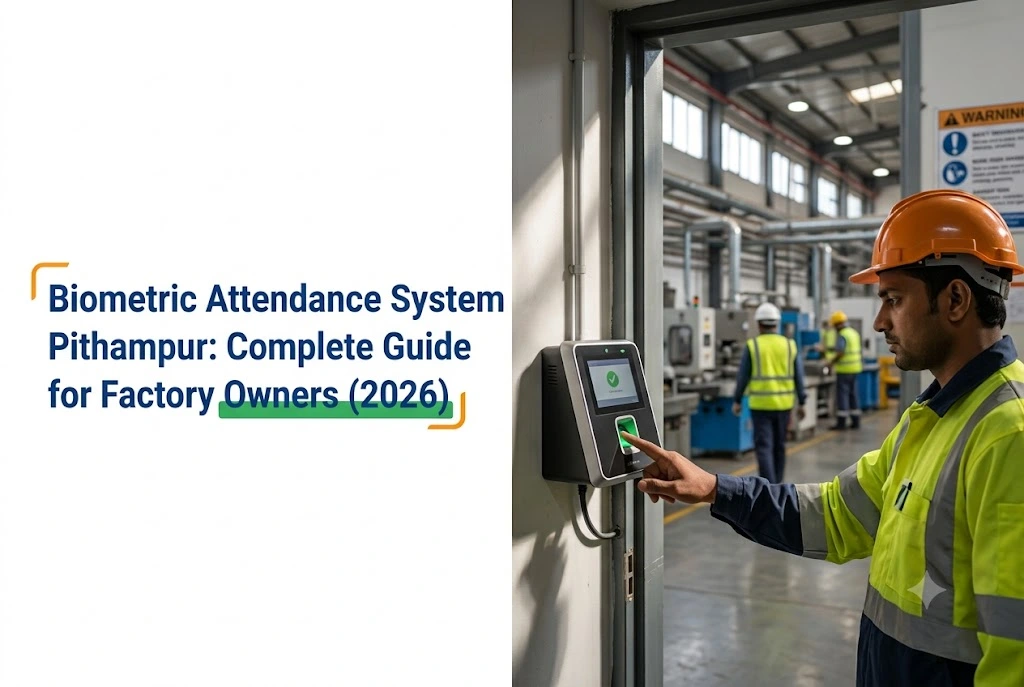
Biometric Attendance System for Pithampur Factories:
What Actually Works on a Factory Floor (2026 Guide)
We have installed attendance systems across Pithampur Sector 1, 2 and 3, in automotive components, pharmaceuticals, plastics and engineering units.
But the questions factory owners actually ask are never about brand names or feature lists. They are about which technology survives an industrial floor, how to connect it to payroll without creating more work, and what records need to be ready when an inspector arrives.
This guide answers those three, in that order.
Quick Summary
- Standard office fingerprint devices fail on factory hands. We have seen 20 to 30 percent unable to register cleanly.
- Advanced optical sensors read through surface dirt. Basic sensors do not.
- Face recognition suits heavy industry, since it needs no hand contact at all.
- One device per 80 to 100 workers at a shared entry point.
- Configure multi-shift logic before go-live. Fixing historical data afterwards is painful.
Why Office Devices Struggle on a Factory Floor
Fingerprint sensors read the ridges and valleys of a fingertip. When those ridges are worn from heavy manual work, coated in machine oil, or dried out by chemical exposure, the sensor either misreads or rejects the finger outright.
In some factories we have visited, 20 to 30 percent of workers could not register a clean fingerprint. So that becomes a daily problem: queues at the device, failed attempts, manual override requests, and an HR burden that defeats the point of installing anything.
The physical environment adds its own difficulties too. Devices near production lines collect dust on the sensor faster than most people expect. Units near welding or chemical areas face humidity and fumes that standard weatherproof ratings do not fully account for.
Then there is throughput. Since a large factory has several entry points, a single device at the main gate creates a bottleneck at shift change that a 500-person unit cannot absorb.
None of this means biometrics fail in factories, because they work well. But the choice of device matters far more in an industrial setting than in an office.
Fingerprint or Face Recognition?
The honest answer depends on what your workers handle each day.
Fingerprint, where it works
For units where workers handle paperwork, packaging or light assembly, and hands stay generally clean and dry, fingerprint devices work well and cost considerably less than face recognition.
A good device from eSSL or ZKTeco holds 3,000 to 10,000 user records, connects by cable or Wi-Fi, and also links to most payroll software without difficulty.
One specification matters more than any other. For industrial use, choose an advanced optical sensor rather than a basic one. Advanced sensors read through a thin layer of surface dirt, oil, light dust or minor skin damage that would defeat a standard sensor entirely. That single difference decides whether the system works on a Pithampur floor or becomes a daily argument.
Face recognition, for heavy industry
For automotive, pharmaceutical, chemical or engineering units, where workers routinely handle grease, oils, coolants or rough materials, face recognition is the practical choice.
Workers mark attendance by walking past. Since there is no hand contact, the condition of their hands stops mattering entirely. Failed reads drop close to zero, and the queue at shift change disappears because nothing has to be positioned or re-attempted.
That throughput difference is what usually justifies the cost. While a fingerprint device handling a 400-person shift change fights both dirty hands and the clock, a face reader fights neither.
One thing to confirm in 2026: any face recognition device should have liveness detection, meaning it can tell a real face from a photograph. Without it, someone could theoretically defeat the system with a printout. Good devices include it as standard, but ask before buying.
Palm vein and iris
Both exist and both are accurate. Palm vein reading handles dirty hands well, while iris scanning is entirely touchless.
But both cost significantly more, and both require the worker to position themselves carefully. Still, for a restricted zone inside a factory, a server room or controlled storage, they make sense. For a main gate with 400 workers in a short window, the cost and speed do not work.
| Technology | Best use in a Pithampur factory |
|---|---|
| Fingerprint, advanced sensor | Light assembly, packaging, admin, clean dry hands |
| Face recognition with liveness | Automotive, pharma, engineering, oily or exposed hands |
| Palm vein | High-security restricted zones inside the facility |
| Iris | Very high security, not suited to main gate throughput |
| Face plus fingerprint | Pharma facilities needing two-step verification |
What the Law Requires Now
This is where a lot of factory content is out of date, including the earlier version of this page.
The four Labour Codes came into force on 21 November 2025, consolidating 29 central laws. The Factories Act, 1948 is among the legislation subsumed into the Occupational Safety, Health and Working Conditions Code, 2020.
So the obligation continues, though the governing legislation changed. What remains required is an accurate record of attendance, hours worked and rest periods, and registers may be maintained electronically.
Madhya Pradesh has notified final rules under all four Codes, which most states have not. That is genuinely useful for Pithampur units, because it means notified state formats exist to comply with rather than drafts. Check your register format against those notified rules with your labour consultant rather than assuming last year’s forms still apply.
If your factory has historically kept a physical register alongside the digital system, confirm the current position on electronic-only records under the notified MP rules before dropping the paper.
What an inspector looks for, regardless of which register format applies:
- Daily entries for every working day, no blank dates
- Entry and exit times recorded, not just present or absent
- Overtime clearly marked and correctly calculated
- Sign-off on physical records where those are maintained
- Records retained for the required period
- Contract worker attendance kept separately
The Data Obligation Nobody Mentions
Worth its own section, because a Pithampur plant is the most exposed of any business type on this point.
Employee fingerprints and face templates are digital personal data. So once you collect them, you become a Data Fiduciary under the Digital Personal Data Protection Act, while your workers are Data Principals.
Good news first. Section 7 provides an employment-related legitimate use, so attendance and payroll processing generally does not require individual consent from employees.
What you do need:
A notice. Before or at the time of collection, workers get a clear notice stating what is collected and why, in English or a language listed in the Eighth Schedule.
A deletion rule. While attendance and access logs can be retained for audit, the biometric template itself should be deleted when a worker leaves or access is revoked. Most factories never delete anything, which is the most common gap.
Consent for contractors. Every enrolment is a fresh processing event. Contract staff need consent before enrolment and deletion when the contract ends, which matters in Pithampur where contract labour turnover is high.
Scale awareness. Organisations processing biometric data at scale are flagged in the DPDP framework as likely Significant Data Fiduciary candidates, bringing an India-based Data Protection Officer, annual independent audits and annual impact assessments. A plant enrolling several thousand workers fits that description, so raise it with your CA or legal advisor now rather than later.
Connecting to Payroll
This is the part vendors skip in the pitch, and the part that causes the most frustration afterwards.
A device on its own records who came and when. But the value, removing manual entry and cutting payroll errors, comes from connecting it to your payroll software, and that connection is never automatic.
Tally
Most Pithampur units run Tally. Attendance exports as a spreadsheet into Tally’s payroll section, and the device software produces daily, weekly and monthly reports covering attendance, late arrivals, early departures and overtime.
So check the export format matches what Tally expects during installation, rather than on your first payroll run.
Dedicated HR platforms
If you use a cloud HR platform, confirm the device has a tested connection with your specific system before committing. Installing first and then discovering the connection needs custom development is a common and entirely avoidable mistake.
Multi-shift setup, where it breaks
Pithampur runs two and three-shift patterns across most heavy industry, while basic systems handle this badly by default.
If a worker ends a shift at 2 AM and the system resets at midnight, the record splits across two calendar dates. Overtime crossing a shift boundary calculates wrongly. And night-shift workers checked in against day-shift logic get flagged as late when they were not.
Before go-live, have the vendor configure your specific shift times: start and end for each shift, which workers are on which, how overtime calculates, and how midnight crossover is handled. That setup takes time upfront. Correcting messy historical data afterwards takes considerably longer.
Our guide on setting up attendance on a factory floor walks through the full configuration, and PF and ESI filing checks covers where this data reaches your statutory returns.
| Connection type | Suitable for |
|---|---|
| Spreadsheet export, manual import | Tally and most desktop payroll software |
| Direct database link | Dedicated HR platforms, check compatibility first |
| API or cloud sync | Cloud HR platforms, multi-site factories |
| USB export | Sites without network connectivity |
What It Costs
A note on pricing before the numbers. Industrial-grade devices with advanced sensors and higher dust ratings sit well above the basic office units you will see quoted elsewhere, including in our own attendance machine and salary software guide. That gap is the specification difference, not a markup.
For a single-unit factory with 50 to 150 workers and one entry point, an industrial fingerprint device runs ₹12,000 to ₹18,000, plus ₹3,000 to ₹8,000 for professional installation covering network setup and software. So a properly specified basic system lands at ₹15,000 to ₹26,000.
But for heavy chemical or grease exposure, which covers most automotive, pharma and engineering units here, face recognition is the better investment at ₹20,000 to ₹35,000 including installation. The extra cost returns through fewer failed reads, less manual correction, and a system workers actually use.
Once a factory has several entry points and 300 to 500 workers, you need multiple devices plus a central server or cloud platform to consolidate the data. Plan ₹60,000 to ₹1.5 lakh depending on device count and software setup.
| Factory size and scope | Approximate total |
|---|---|
| 50 to 150 workers, 1 entry, fingerprint | ₹15,000 to ₹26,000 installed |
| 50 to 150 workers, 1 entry, face recognition | ₹25,000 to ₹45,000 installed |
| 150 to 500 workers, 2 to 3 entries, fingerprint | ₹40,000 to ₹80,000 installed |
| 150 to 500 workers, 2 to 3 entries, face recognition | ₹75,000 to ₹1.5 lakh installed |
| Multi-shift payroll integration | ₹10,000 to ₹30,000 additional |
| Annual maintenance, per device | ₹2,000 to ₹8,000 per year |
The cheapest device is almost always the most expensive choice. A ₹6,000 basic unit at a busy factory gate starts producing failed reads and support calls within six months, and the replacement cost plus lost time exceeds what the right device would have cost initially.
Frequently Asked Questions
Will a standard fingerprint device work for workers doing heavy manual labour?
Not reliably. Workers regularly exposed to machine oil, cutting fluids, chemicals or rough work tend to have worn fingerprint ridges, and standard sensors fail on those hands at high rates. Either use a device with an advanced sensor that reads through surface dirt, or move to face recognition.
Is a biometric attendance system legally required for a factory?
No specific technology is mandated. What is required is an accurate daily record of attendance, hours worked and rest periods, which may be kept electronically. A biometric system is the most reliable way to generate that data, but the obligation is about the record rather than the device.
Can biometric data replace the written attendance register?
Depends on your state’s current position on electronic records. Many factories maintain both, using the biometric system for accuracy and speed while keeping a written register for inspection. Madhya Pradesh has notified final rules under the Labour Codes, so confirm the current requirement with your labour consultant.
How many devices does my factory need?
Roughly one per 80 to 100 workers moving through a single entry point at shift change. Beyond that a fingerprint device creates a queue. Face recognition processes 20 to 30 people per minute, so it needs fewer units. A 300-person factory with a short shift change window needs more than one device.
What happens to attendance data if the network goes down?
Devices store records locally, typically 50,000 to 100,000 depending on model, so a network failure does not stop recording and data syncs when the connection returns. The real risk is hardware failure with no backup, which is why automatic data backup should be set up at installation.
One Practical Note
Choosing a biometric system for a Pithampur factory is not complicated, though the wrong device creates problems that are hard to undo.
A device failing on 20 percent of your workers’ hands teaches the workforce to distrust the system, and daily manual corrections follow. Eventually people work around it rather than with it, and you own an expensive clock nobody uses.
That outcome starts with a product catalogue. The better outcome starts with someone standing at your gate at shift change.
| AlifTech Secure — Indore Call / WhatsApp: +91 9109106826 www.aliftechsecure.in | aliftechsecure@gmail.com 112 Basement, Akbar Ali Complex, MG Road, Palasia Square, Indore — 452001 |
| Get a Free Factory Site Assessment We visit your Pithampur facility, check your setup, and recommend the right system. No obligations. Call / WhatsApp: +91 9109106826 | www.aliftechsecure.in |
AlifTech Secure | Access Control & Attendance Solutions, Indore MP | www.aliftechsecure.in | +91 9109106826

)